Buyer Pain Points: Power Consumption Concerns
Buyers face specific challenges when evaluating LED display power consumption:
How much will this display cost to run? Annual electricity costs for a 20m² outdoor display running 16 hours/day can range from $3,000 to $8,000+, depending on brightness and efficiency.
Why do similar displays have different power consumption? Differences in LED quality, driver IC efficiency, brightness levels, and thermal design all affect power usage. Lower quality displays often consume more power to achieve the same brightness.
Can I reduce power consumption without sacrificing quality? Yes. Adaptive brightness, content optimization, and lower refresh rates for static content can reduce power consumption by 20-40% with minimal visual impact.
What is the difference between maximum and average power consumption? Maximum power consumption is peak usage at full brightness. Average consumption is typical daily usage, which is often 30-50% lower.
How does power consumption affect total cost of ownership? Electricity costs can exceed the screen’s purchase price over its lifetime. A more efficient display may cost more upfront but saves significantly in the long run.
What Is LED Display Power Consumption?
LED display power consumption is the amount of electrical energy the screen uses to operate. It is measured in watts (W) or kilowatts (kW) and varies based on screen size, brightness, content, and hardware efficiency.
Key metrics:
- Maximum power consumption: Peak usage at full brightness, white screen
- Average power consumption: Typical usage with normal content
- Standby power: Power used when the display is on but showing minimal content
- Annual energy cost: Average consumption × operating hours × electricity rate
For more on display specifications, see our LED display functions guide.
Core Factors Influencing Power Consumption
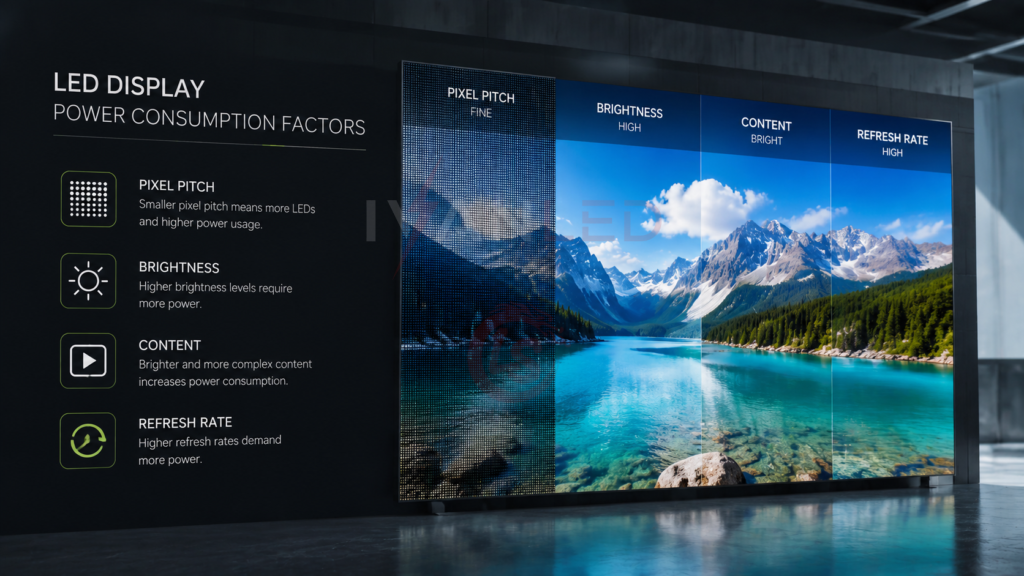
Five factors determine LED display power consumption: pixel pitch (LED density), brightness settings, content type, refresh rate, and driver IC efficiency.
| Factor | Impact on Power | Typical Range |
| Pixel pitch (LED density) | Smaller pitch = more LEDs = higher power | P1.5: 350–500W/m² vs P4: 200–350W/m² |
| Brightness (nits) | Higher brightness = significantly higher power | 1,500 nits: ~200W/m² vs 5,000 nits: ~500W/m² |
| Content type | Bright, dynamic content uses more power | White background: 2x power of dark background |
| Refresh rate | Higher refresh rates consume more power | 120Hz uses ~20% more than 60Hz |
| Driver IC efficiency | Quality components reduce power loss | Premium ICs: 10-20% more efficient |
For more on refresh rates, see our 60Hz vs 120Hz guide.
Pixel Spacing and LED Density
Smaller pixel pitch means more LEDs per square meter, which requires more power. A P1.5 display can consume 50-100% more power than a P4 display of the same size and brightness.
Power consumption by pixel pitch (average, 1,500 nits):
- P1.5: 350–500 W/m²
- P2.5: 280–400 W/m²
- P4: 200–350 W/m²
- P6+: 150–300 W/m²
The trade-off: higher resolution costs more in both hardware and electricity. Match pixel pitch to viewing distance to avoid unnecessary power consumption.
For more on pixel pitch selection, see our pixel pitch selection guide.
Brightness and Power Consumption
Brightness is the single biggest factor in LED display power consumption. A display at 5,000 nits consumes roughly 2-3x more power than the same display at 1,500 nits.
Power consumption by brightness level (average, 20m² screen):
- 800 nits (indoor): ~3,000–4,000 W (max), ~2,000–2,800 W (average)
- 1,500 nits (bright indoor): ~4,500–6,000 W (max), ~3,000–4,000 W (average)
- 4,500 nits (outdoor): ~8,000–10,000 W (max), ~5,000–7,000 W (average)
- 6,500 nits (high-brightness outdoor): ~10,000–14,000 W (max), ~7,000–10,000 W (average)
For more on brightness, see our candela vs lumens vs lux guide.
Content Type and Power Usage
Content type significantly affects power consumption. A white screen with full brightness consumes roughly 2x the power of a dark screen with minimal content. Dynamic video with high contrast falls somewhere in between.
Content power consumption (relative, 1,500 nits):
- White background (full brightness): 100% (baseline)
- Video with mixed content: 60-80%
- Dark background with text: 40-60%
- Static dark content: 20-40%
Designing content with darker backgrounds and fewer animations can reduce power consumption by 20-40% without affecting visual impact.
Refresh Rate and Power
Higher refresh rates consume more power. A display running at 120Hz uses approximately 20% more power than the same display at 60Hz. For static or low-action content, lower refresh rates save energy.
Refresh rate power comparison (relative):
- 60Hz: 100% (baseline)
- 120Hz: ~115-120%
- 1,920Hz: ~130-150%
- 3,840Hz: ~160-180%
For applications with static content (retail signage, information displays), choose the minimum refresh rate that provides acceptable performance to reduce power consumption.
Best Practices to Reduce Power Usage
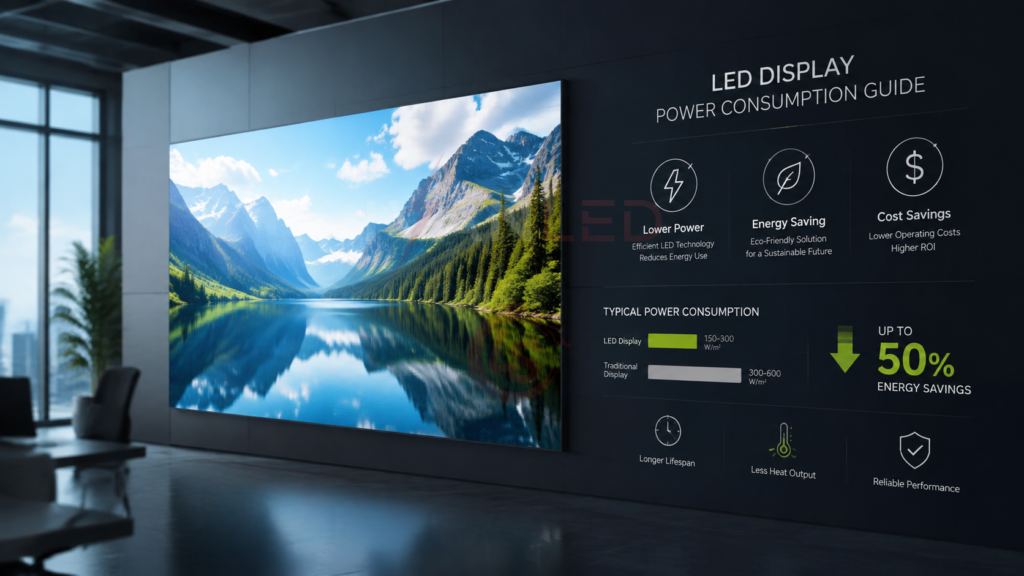
Reduce LED display power consumption by 30-50% through adaptive brightness, content optimization, efficient hardware selection, and regular maintenance.
Key strategies:
- Adaptive brightness control: Automatically adjust brightness based on ambient light — dimmer at night, brighter during the day
- Content optimization: Use darker backgrounds, minimize animations, and avoid full-white screens
- Display scheduling: Reduce brightness or turn off displays during low-traffic hours
- Efficient hardware: Choose displays with high-efficiency driver ICs and quality LEDs
- Regular maintenance: Clean screens regularly and calibrate to maintain efficiency
- Refresh rate optimization: Use lower refresh rates for static content
For more on maintenance, see our guide to slowing light attenuation.
Calculating Energy Costs
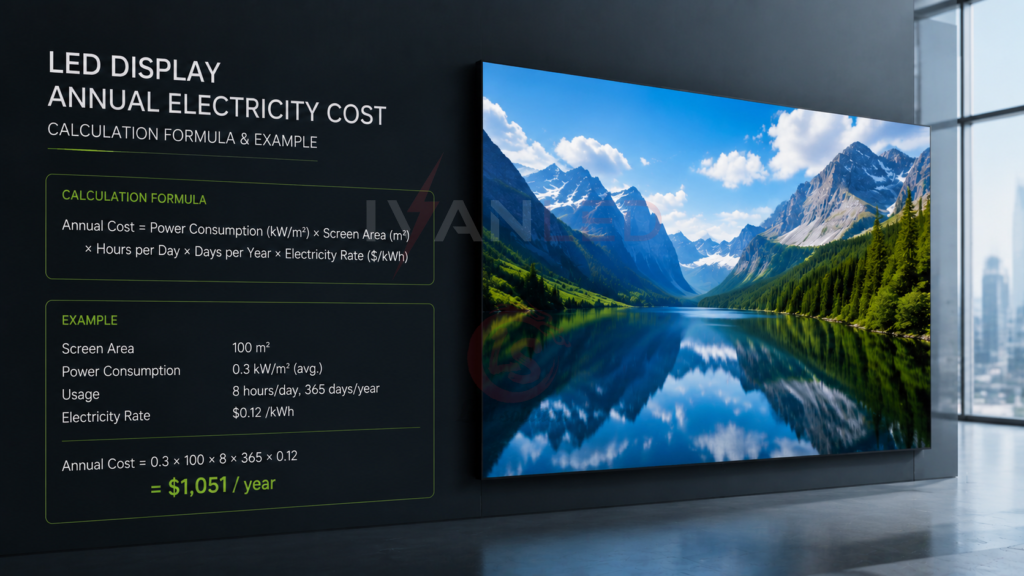
Annual electricity cost = average power consumption (kW) × operating hours × electricity rate ($/kWh). A 20m² outdoor display at 4,500 nits running 16 hours/day costs approximately $4,000–$7,000 annually at $0.15/kWh.
Sample calculation for a 20m² outdoor display (4,500 nits, 16 hours/day, 365 days/year):
- Average power consumption: 6,000 W (6 kW)
- Daily energy: 6 kW × 16 hours = 96 kWh
- Annual energy: 96 kWh × 365 = 35,040 kWh
- Annual cost ($0.15/kWh): 35,040 × 0.15 = $5,256
For a complete LED display price guide 2026, see our detailed breakdown.
Expert Tips for Buyers
Tip 1: Ask for both maximum and average power consumption.
Many suppliers quote only maximum consumption. Average consumption is what you will actually pay for. Request both numbers.
Tip 2: Specify adaptive brightness control.
Auto-brightness reduces power consumption by 20-40% and pays for itself within 1-2 years in energy savings.
Tip 3: Design content for efficiency.
Work with content creators to use darker backgrounds and fewer animations. This reduces power consumption without affecting visual impact.
Tip 4: Consider total cost of ownership.
A more expensive, efficient display may cost 10-20% more upfront but save 30-50% in electricity over its lifetime.
Tip 5: Verify efficiency claims.
Ask for independent test data or third-party certifications. Supplier claims about efficiency are not always verified.
Frequently Asked Questions (FAQ)
What is the average power consumption of an LED display?
Average power consumption varies by size, brightness, and content. A typical 20m² indoor display (1,500 nits) uses 3,000–4,000 W average. A comparable outdoor display (4,500 nits) uses 5,000–7,000 W average.
How much does it cost to run an LED display?
Annual electricity costs for a 20m² display range from $2,000–$4,000 for indoor (1,500 nits) to $4,000–$7,000 for outdoor (4,500 nits), assuming 16 hours/day operation and $0.15/kWh electricity rate.
How can I reduce LED display power consumption?
Reduce power consumption by 30-50% through adaptive brightness control, content optimization (dark backgrounds), display scheduling, efficient hardware selection, and regular maintenance.
Does higher brightness always mean higher power consumption?
Generally yes. Higher brightness requires more power. However, efficient driver ICs and high-quality LEDs can achieve higher brightness with less power than lower-quality components. Always check efficiency (lumens per watt) when comparing displays.
Does IvanLED offer energy-efficient LED displays?
Yes. IvanLED manufactures energy-efficient LED displays with high-efficiency driver ICs, quality LEDs, and adaptive brightness control.
Conclusion: Managing LED Display Power Consumption
LED display power consumption is a significant operating cost that can be managed through smart specification, efficient hardware, and operational best practices. The key factors — pixel pitch, brightness, content, refresh rate, and hardware efficiency — are all within your control.
Our straightforward advice:
– Match brightness to environment: Indoor: 800–1,500 nits; Outdoor: 4,500+ nits.
– Install adaptive brightness control to reduce consumption by 20-40%.
– Design content for efficiency — darker backgrounds save power.
– Choose displays with high-efficiency driver ICs and quality LEDs.
– Calculate total cost of ownership — not just purchase price.
At IvanLED, we manufacture energy-efficient LED displays with high-efficiency components and adaptive brightness control. Browse our commercial LED display solutions or contact us to discuss your project requirements.
Ready to specify energy-efficient LED displays for your project?
👉 Contact IvanLED for a free consultation and customized quote.