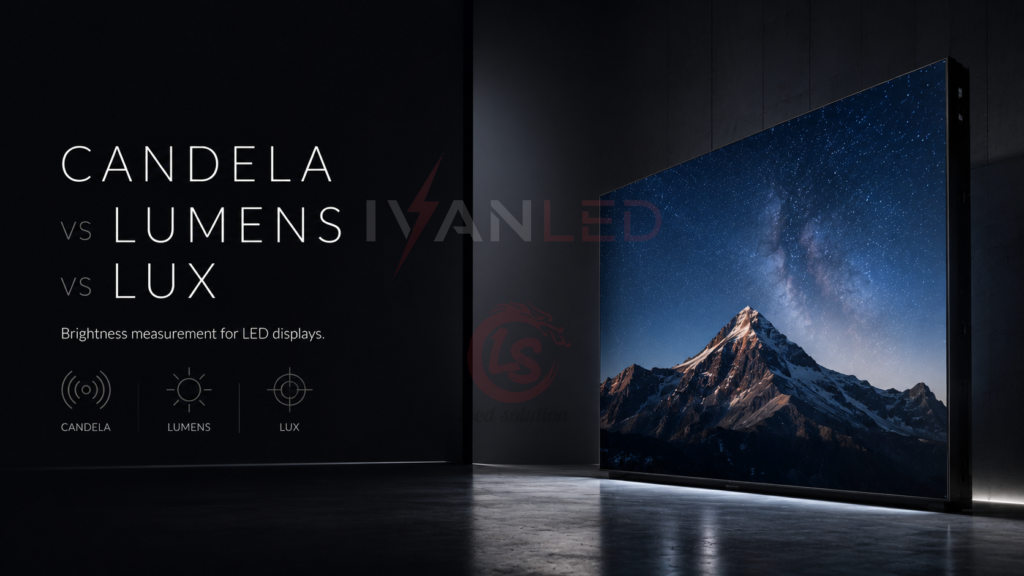
When sourcing an LED display for outdoor advertising, a stadium, or a high-brightness retail window, you will encounter three key light measurement units: candela (cd), lumens (lm), and lux (lx). Understanding the difference is critical to specifying a screen that is bright enough for your environment — without overpaying for unnecessary brightness.
This guide explains candela, lumens, and lux in the context of LED displays, not general lighting. You will learn which unit matters for your application and how to use them to make better purchasing decisions.
Table of Contents
Buyer Pain Points: Brightness Specification Confusion
B2B buyers sourcing LED displays face these specific brightness challenges:
- Unit confusion – Some suppliers specify brightness in nits, others in candelas, and others in lumens. What do these actually mean for your screen?
- Over-specifying brightness – Paying for 5,000 nits when 1,200 nits would suffice for an indoor application.
- Under-specifying brightness – Choosing 1,500 nits for an outdoor screen that needs 5,000+ nits to overcome sunlight.
- Misunderstanding viewing distance – Brightness perception changes with distance, but many buyers ignore this.
At IvanLED, we help buyers specify the right brightness for their specific environment, viewing distance, and application — not just the highest number.
The Three Units: What They Actually Measure
| Unit | Measures | Analogy | Relevance to LED Displays |
| Candela (cd) | Intensity of light in a specific direction | How strong the beam is, like a spotlight | Used to describe brightness in a given direction. Often used in older display specs. |
| Lumens (lm) | Total light output in all directions | Total water coming out of a shower head | Less relevant for LED displays; more for general lighting. |
| Lux (lx) / Nits (cd/m²) | Brightness per unit area | Water pressure hitting a specific spot | Most relevant unit for LED displays. Nits = cd/m². |
Key Takeaway for LED Display Buyers
For LED displays, the most important and commonly used unit is nits (cd/m²). This measures the brightness emitted from the screen’s surface per square meter, which directly determines how visible the screen is to viewers. Candela and lumens are generally more relevant for lighting fixtures, not displays.
Candela vs Lumens vs Lux: What Matters for LED Displays?
1. Candela (cd) – Directional Intensity
Candela measures the light intensity in a specific direction. It tells you how “focused” or “concentrated” the light is. For LED displays, candela is less relevant unless you are comparing very directional display technologies (e.g., some narrow-angle outdoor screens).
When candela matters:
- Specifying narrow-angle LED displays for long-distance viewing (e.g., highway billboards)
- Comparing LED bead intensity for specialized applications
- Legacy specifications that still use cd units
2. Lumens (lm) – Total Light Output
Lumens measure the total light emitted by a source in all directions. For a lamp or bulb, this is useful. For an LED display, lumens are less practical because the display is not a point source — it emits light from its entire surface.
When lumens matter:
- Calculating how many lights are needed to light up a room or space (not for the display itself)
- Comparing the efficiency of backlight units (rare for direct-view LED displays)
- General illumination calculations around the display area
3. Lux (lx) and Nits (cd/m²) – The Most Relevant Units
Lux measures the amount of light (lumens) falling on a specific area. Nits (cd/m²) measure the brightness emitted from a surface. For LED displays, nits is the primary specification you should care about.
Why nits matters:
- Nits directly correspond to the brightness a viewer perceives
- Nits determine whether your screen is visible in direct sunlight, shade, or indoor lighting
- Most reputable LED display suppliers specify screen brightness in nits
LED Display Brightness Recommendations by Application
The right brightness (in nits) depends on ambient light and viewing distance. Here is a practical guide:
| Application | Recommended Brightness (nits) | Why |
| Indoor / low ambient light | 300 – 800 | Sufficient for offices, conference rooms, and retail with controlled lighting |
| Indoor / bright ambient light | 800 – 1,500 | Malls, lobbies, and areas with large windows or skylights |
| Semi-outdoor / shaded | 1,500 – 3,000 | Covered outdoor areas, bus shelters, covered walkways |
| Outdoor / overcast or indirect sun | 3,000 – 5,000 | Billboards facing shaded directions, cloudy climates |
| Outdoor / direct sunlight | 5,000 – 7,500+ | Highway billboards, stadium screens, sunny climates |
| Outdoor / extreme sunlight | 7,500 – 10,000+ | Desert regions, south-facing screens, high-altitude locations |
Pro tip: If you are unsure about ambient light conditions, choose a display with auto-brightness control. This adjusts brightness based on ambient light sensors, saving energy and extending LED life.
How Viewing Distance Affects Perceived Brightness
Brightness perception decreases with distance. For long viewing distances, you need higher nits to maintain visibility.
Rule of thumb:
- For every 10 meters of viewing distance, perceived brightness drops by roughly 20–30%
- For screens viewed from over 50 meters away, even 5,000 nits may appear dim
- Consider both pixel pitch (for resolution) and brightness (for visibility) for long-distance applications
Candela, Lumens, and Lux in Display Specifications
When reviewing LED display quotes, you may see:
- “Brightness: 5,000 nits” – This is the standard and most useful spec. It tells you the screen’s surface brightness.
- “Luminous flux” or “lumens” – Rarely used for direct-view LED displays. If a supplier quotes lumens, ask for nits instead.
- “Candela per square meter” (cd/m²) – This is exactly the same as nits. 1 cd/m² = 1 nit. Some suppliers use this older notation.
Common Brightness Mistakes When Buying LED Displays
- Buying 1,500 nits for outdoor use – This will be invisible in direct sunlight. You need 5,000+ nits.
- Buying 10,000 nits for indoor use – This will cause glare and eye strain, wasting money and energy.
- Not considering ambient light changes – A screen that works at 10 AM may be too bright at 10 PM. Specify auto-brightness control.
- Ignoring viewing distance – A 3,000-nit screen viewed from 100 meters may not be visible. Increase brightness for long distances.
- Assuming “brightness” is the same for all colors – White balance affects perceived brightness. Ensure the spec is for the full screen, not just peak white.
Expert Tips from 10+ Years in LED Display Manufacturing
Tip 1: Always specify brightness in nits (cd/m²).
This is the industry standard for displays. If a supplier quotes in lumens or candela without context, ask for the nit value.
Tip 2: Request a demo in your actual lighting conditions.
A display may look bright in a showroom but fail in your installation location. Ask for a test under simulated ambient light.
Tip 3: Choose auto-brightness for outdoor displays.
It saves energy, extends LED life, and ensures the screen is always comfortable to view — day or night.
Tip 4: For critical applications, ask about “real-world” brightness.
Some suppliers quote peak brightness that the screen cannot sustain. Ensure the rated brightness is for typical operation, not just maximum possible.
Tip 5: Balance brightness with heat management.
Higher brightness generates more heat. Ensure the display’s cooling system is adequate for the brightness you choose.
Frequently Asked Questions (FAQ)
Q1: What is the most important brightness unit for LED displays?
Nits (cd/m²) is the most important unit for LED displays. It measures the brightness emitted from the screen surface per square meter. This directly determines visibility to the viewer.
Q2: What brightness do I need for an outdoor LED display?
Outdoor displays require a minimum of 4,500–5,000 nits for direct sunlight visibility. For high-sun regions or south-facing screens, consider 6,500–7,500+ nits. Always factor in viewing distance — longer distances require higher brightness.
Q3: Is 1,500 nits enough for an indoor LED display?
Yes, for most indoor applications with controlled lighting. Retail stores, malls, lobbies, and conference rooms typically need 800–1,500 nits. For spaces with large windows or skylights, you may need 1,500–2,500 nits.
Q4: How do I convert candela to nits for an LED display?
For a surface display, 1 nit = 1 cd/m². If a supplier quotes candela, ask for the area in square meters: nits = candela / area (m²). For example, a 10m² screen emitting 50,000 cd in a specific direction would have 5,000 nits (50,000 / 10).
Q5: What is the difference between nits and lux for LED displays?
Nits measure brightness emitted from a surface (the display itself). Lux measures light falling onto a surface (the environment). For LED displays, nits is the relevant specification. Lux is used to describe ambient light conditions around the display.
Q6: Does IvanLED offer displays with auto-brightness control?
Yes. IvanLED displays can be equipped with ambient light sensors and auto-brightness control. This automatically adjusts screen brightness based on environmental light, saving energy and extending LED lifespan.
Conclusion: How to Specify Brightness for Your LED Display
Your decision checklist:
- Identify the installation environment: Indoor (controlled light), semi-outdoor (shaded), or outdoor (direct sunlight).
- Assess ambient light: Measure typical light levels or consult a local professional.
- Determine viewing distance: Long distances require higher nits.
- Specify in nits (cd/m²): Use the recommendations above as a starting point.
- Consider auto-brightness control: Highly recommended for outdoor or variable-light environments.
- Ask for a demo: Verify the screen’s visibility in simulated conditions.
IvanLED’s straightforward advice for 2026:
– For indoor applications: 800–1,500 nits is usually sufficient.
– For outdoor applications: 5,000+ nits is a minimum requirement.
– When in doubt, choose higher brightness + auto-brightness control.
– Always specify brightness in nits (cd/m²) — it is the only unit that truly matters for LED displays.
At IvanLED, we manufacture displays with a wide range of brightness options — from 500 to 10,000+ nits — and provide auto-brightness control for any environment. We help buyers select the optimal brightness for their specific application.
Ready to specify the right brightness for your LED display project?
👉 Contact IvanLED with your installation details and viewing distance. We will recommend the optimal brightness and provide a demo if needed.