Control Card Brand Overview
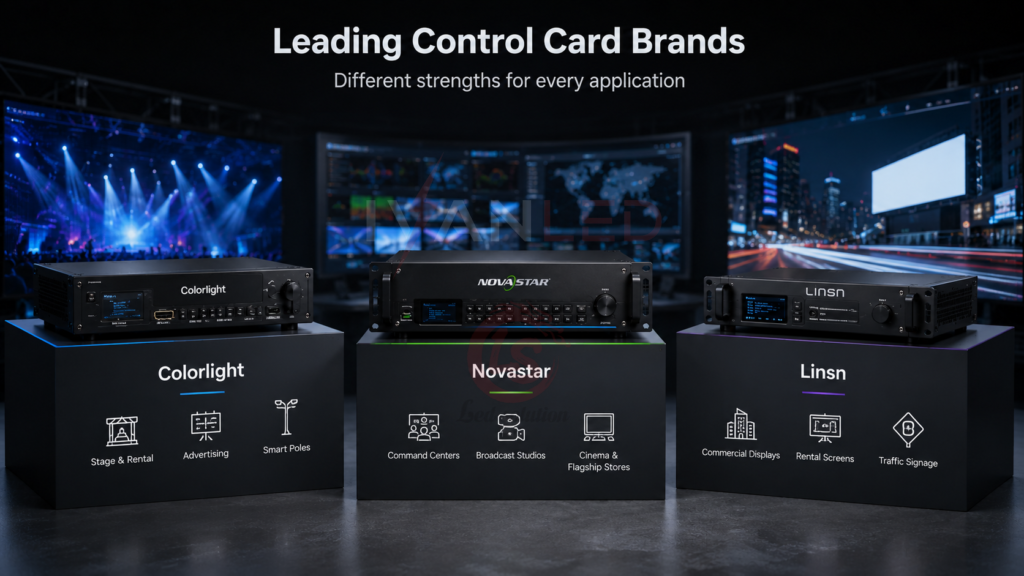
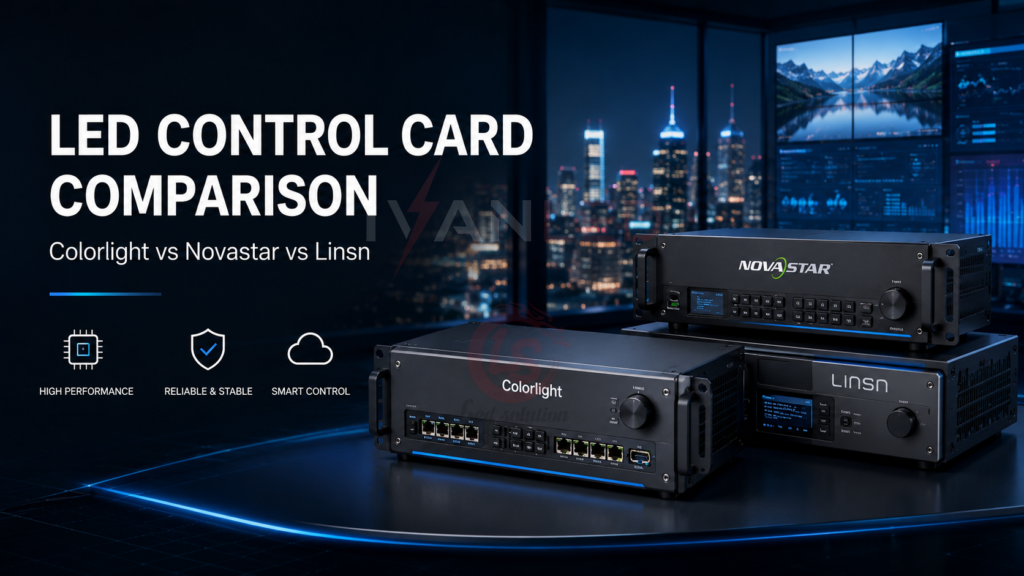
Three brands dominate the LED control card market. Colorlight offers full-featured solutions for stage and rental. Novastar provides premium performance for broadcast and control rooms. Linsn delivers cost-effective stability for basic commercial displays.
| Brand | Typical Applications | Key Advantages |
| Colorlight | Stage events, rental displays, advertising, smart light poles | Full-featured, strong compatibility, flexible remote management |
| Novastar | Command centers, broadcast studios, cinema LED, flagship stores | Advanced image processing, HDR, synchronization, and redundancy on select models |
| Linsn | Small to mid-sized commercial displays, rental screens, traffic signage | Stable architecture, cost-efficient, modular design |
For more on display control, see our LED Control Software Programs Guide.
Image Processing and Refresh Rate Comparison
Image processing capability affects screen clarity, motion rendering, synchronization, and detail fidelity. High-end Novastar models offer advanced processing, HDR, synchronization, and redundancy features, while Colorlight and Linsn also provide capable solutions across different product tiers. Actual performance depends on the complete controller, receiving card, driver IC, module, and display configuration.
| Brand | Max Resolution | Refresh Rate Range | Grayscale Support | HDR / 8K |
| Colorlight | Model-dependent; selected controllers support 4K-class input and processing | Model- and receiving-card-dependent | Model- and receiving-card-dependent | HDR and 4K on select models |
| Novastar | Up to 4K-class processing; maximum width or height up to 7680 pixels on MCTRL4K | Model- and receiving-card-dependent | Input/processing depth varies by model; MCTRL4K supports 8/10/12-bit input | HDR10/HLG and advanced features on select models; 8K capability is model-dependent |
| Linsn | Model- and receiving-card-dependent; RV908 series specifications vary by version | Model- and receiving-card-dependent | Model-dependent; some RV908-series cards support higher signal-processing depth | Depends on the control/receiving-card configuration |
Key technical insights:
- Refresh rate: Do not compare brands by a single peak refresh-rate figure. The achievable refresh rate depends on the controller, receiving card, driver IC, scan mode, resolution, and display configuration. High-refresh options are available across all three brands.
- Grayscale level: Grayscale and bit depth are model-dependent and should not be treated as a single brand-wide specification. For demanding applications, evaluate low-grayscale performance together with PWM behavior, bit depth, HDR processing, and the complete controller-to-driver chain.
- HDR / 8K capability: HDR and high-resolution workflows are available on selected products from the major brands. Do not assume that every model in a brand’s product line supports HDR or 8K; verify the exact model specification.
Selection guidance: Choose Novastar when advanced processing, synchronization, HDR, or redundancy are priorities; Colorlight when you want a strong feature-to-cost balance; Linsn when a straightforward and cost-conscious control solution is sufficient.
For more on image quality, see our LED screen quality guide.
Interface Configuration and Expansion Capability
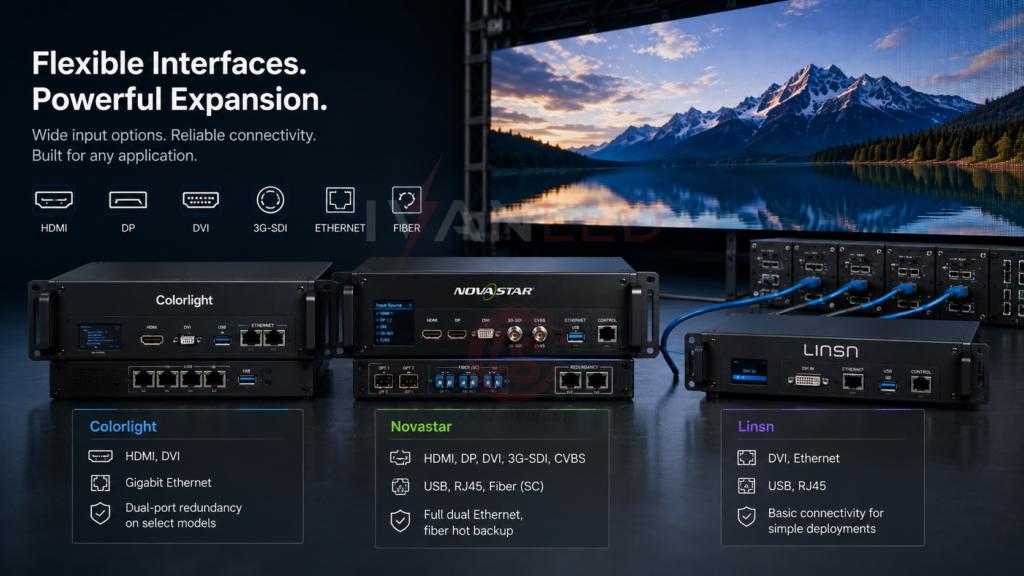
Interface diversity determines signal compatibility and system integration flexibility. Novastar, Colorlight, and Linsn offer different input and output options across their product ranges. Because interfaces vary substantially by model, compare the exact controller or processor rather than assigning one interface set to an entire brand.
| Brand | Video Input Interfaces | Communication Ports | Redundancy Support |
| Colorlight | Model-dependent; HDMI/DVI and other professional inputs are available on selected models | USB, Ethernet, and other ports depending on model | Dual-port redundancy on select models |
| Novastar | HDMI, DP, DVI, SDI and other inputs on selected models | USB, Ethernet, and optical interfaces on selected models | Redundant signal paths are available on selected models |
| Linsn | DVI and Ethernet on traditional receiving-card systems; model-dependent | USB/Ethernet depending on the system configuration | Depends on the specific controller/receiving-card system |
Key insights:
- Novastar offers a broad range of professional inputs and optical transmission options on selected models. For example, MCTRL4K supports DP 1.2, HDMI 2.0, Dual DVI, and 10G optical transmission. Some models also provide signal redundancy; exact capabilities should be verified by model.
- Colorlight offers HDMI/DVI and other interfaces across different controller and processor models, with redundancy available on selected products. Match the input and output configuration to the video source and receiving-card system.
- Linsn is widely used in traditional LED control systems. Interface and redundancy capabilities vary by product, so confirm the exact sending/receiving-card configuration for the project.
Synchronous and Asynchronous Control Modes
Synchronous control requires real-time video input for high frame rates and interactive performance. Asynchronous control stores content locally for offline playback. Both Colorlight and Novastar support asynchronous playback; Linsn does not.
| Brand | Asynchronous Playback | Multi-Screen Sync | Cloud Management |
| Colorlight | Yes (Z Series with onboard storage) | Supports sync across cards | Yes (LED Cloud platform) |
| Novastar | Yes (TB Series with built-in media player) | Full frame-level sync | Yes (Nova Cloud platform) |
| Linsn | No | Basic sync only | No |
Key insights:
- Asynchronous playback: Colorlight Z Series and Novastar TB Series enable offline playback — ideal for mobile displays, storefronts, and areas with unstable networks.
- Multi-screen synchronization: Both Colorlight and Novastar support frame-level sync for seamless playback across multiple panels — critical for stage rentals and video walls.
- Cloud management: Both Colorlight’s LED Cloud and Novastar’s Nova Cloud allow remote content publishing, scheduling, and system monitoring — essential for chain stores and multi-location deployments.
For more on control systems, see our LED display functions guide.
Environmental Adaptability and Compatibility
Environmental specifications should be evaluated by exact model rather than by brand. The controller’s operating temperature and EMC/ESD ratings do not by themselves determine whether an LED display is suitable for extreme outdoor conditions; cabinet, power supply, receiving card, and installation design are also critical.
| Brand | Operating Temperature | EMI Protection | Scan Modes | Per-Pixel Calibration |
| Colorlight | Model-dependent; check the product datasheet | Certification/rating varies by model | Receiving-card and module dependent | Yes |
| Novastar | Model-dependent; check the product datasheet | Certification/rating varies by model | Depends on receiving card and system configuration | High-precision |
| Linsn | Model-dependent; check the product datasheet | Certification/rating varies by model | Receiving-card and module dependent | Pixel-level brightness/color calibration is available on selected models |
Key insights:
- Temperature tolerance: Check the rated operating temperature of the exact controller and receiving card. Outdoor suitability also depends heavily on the LED cabinet, power system, thermal design, and enclosure protection.
- Scan mode compatibility: Scan ratio is primarily a receiving-card/module and driver-IC consideration. Verify the receiving card’s supported scan modes and driver ICs for the specific LED module.
- Per-pixel calibration: Pixel-level brightness and color calibration is available in products from all three brands, but the exact capability depends on the receiving card, software, and calibration system.
Software Ecosystem and User Experience
NovaLCT and V-Can remain important tools in the NovaStar ecosystem, while Colorlight LEDVISION and Linsn LEDStudio serve their respective control-system workflows. Software capabilities vary by hardware generation, so confirm compatibility between the software version, sending device, and receiving card before deployment.
| Brand | Software Platform | Multi-Card Management | Mobile Control | Ease of Use |
| Colorlight | LEDVISION | Yes, centralized control | Yes (LEDVISION App) | Moderate |
| Novastar | NovaLCT / V-Can | Powerful multi-screen systems | Yes (Nova Cloud) | Complex (feature-rich) |
| Linsn | LEDStudio | Basic control only | No | Simple |
Key insights:
- Colorlight LEDVISION: Graphical interface with playlist editing, brightness control, and timed playback. Supports seamless sync/async switching — ideal for multimedia exhibitions and retail networks.
- Novastar NovaLCT / V-Can: Professional configuration tools for LED display setup, mapping, calibration, and system management. Advanced monitoring and cloud capabilities depend on the connected hardware and service.
- Linsn LEDStudio: A traditional control/configuration tool used with compatible Linsn systems. Its workflow and feature set are more focused on conventional LED control than newer cloud-based management platforms.
Price and After-Sales Service Comparison
Pricing varies significantly by controller type, processing capacity, output ports, redundancy, and distributor. Novastar generally occupies a higher-priced professional segment, while Colorlight and Linsn offer products across lower and mid-range price tiers. Use current distributor quotations for a like-for-like comparison rather than fixed brand-wide price ranges.
| Brand | Price Range (USD) | Documentation Quality | Global Service Network |
| Colorlight | Varies by model and distributor | High (manuals, wiring diagrams) | China-based, expanding globally |
| Novastar | Varies by model and distributor | Very High (SDK, API, integration guides) | Global centers (US, Europe, Middle East) |
| Linsn | Varies by model and distributor | Moderate (basic guides) | Mostly domestic China |
Key insights:
- Novastar: Positioned toward professional applications, with advanced features such as HDR, synchronization, optical transmission, and redundancy available on selected models. Service and support vary by region and distributor.
- Colorlight: Often attractive when balancing features and cost, with a broad range of products for rental, events, and fixed installations. Actual value depends on the specific model and project requirements.
- Linsn: Often competitive for conventional and cost-sensitive LED projects. Support and documentation availability can vary by distributor and region.
Application-Based Recommendations
Stage rental and events: Colorlight models that match the required processing and synchronization workflow. Retail chains: NovaStar TB/VX-class products where integrated playback and management features are required. Traffic/outdoor: NovaStar MCTRL660 Pro where its available inputs, optical transmission, and redundancy features fit the system. Education/training: Linsn RV908-series systems can be considered for conventional, cost-sensitive installations.
| Application | Recommended Brand/Model | Key Reasons |
| Stage rental & events | Colorlight X6 / S6F | Multi-screen sync, fast signal switching, modular design |
| Commercial chain stores | Novastar TB30 / VX1000 | Sync/async control, cloud content publishing |
| Smart traffic / outdoor ads | Novastar MCTRL660 Pro | Professional inputs, optical transmission, and redundancy features on the specified model |
| Education / training | Linsn RV908 + LEDStudio | Low cost, simple operation, standard modules |
Common Mistakes When Choosing Control Cards
The most common mistake is choosing a control card based only on price without considering application requirements. A budget card for a broadcast studio will fail to deliver required image quality; a premium card for basic signage wastes budget.
Other frequent errors:
- Mixing brands within one control chain: Do not assume receiving cards, sending devices, and configuration software from different brands are interoperable. Use a validated combination of hardware and verify protocol and firmware compatibility.
- Ignoring low-grayscale performance: Peak refresh rate alone does not determine image quality. Evaluate low-grayscale refresh behavior, PWM characteristics, bit depth, and the complete controller-to-driver chain.
- Not verifying interface compatibility: Ensure the control card supports your video sources and communication protocols
- Underestimating redundancy needs: For mission-critical applications, redundant power and signal paths are essential
- Forgetting about software support: Check firmware update frequency and cloud management capabilities
Expert Tips for Control Card Selection
Tip 1: Match the control system to your application.
NovaStar is often a strong fit for professional broadcast, control-room, HDR, synchronization, and redundancy requirements. Colorlight is widely suited to stage, rental, and commercial applications. Linsn can be a practical choice for conventional, cost-sensitive projects. Always select by the exact model and system requirements.
Tip 2: Always ask for low-grayscale refresh data.
Peak refresh numbers are marketing. Low-grayscale refresh retention rate determines actual image quality at real-world content brightness levels.
Tip 3: Verify interoperability before mixing brands.
Different control ecosystems may use different protocols, firmware, configuration tools, and timing behavior. For predictable results, use a validated controller/receiving-card combination and avoid mixing brands unless compatibility has been specifically confirmed.
Tip 4: Save configurations to flash memory.
Settings sent to hardware are often only stored in volatile memory. Always click Save to Receiver or Save to Hardware to write to non-volatile flash.
Tip 5: Order spare receiver cards.
Keep spare receiving cards and other critical components matched to the installed system. The appropriate spare quantity depends on screen size, deployment scale, and service requirements; for larger or mission-critical projects, a project-specific spare-parts plan is preferable to a fixed percentage.
Frequently Asked Questions (FAQ)
Which control card brand is best for LED displays?
NovaStar is often a strong choice for professional applications requiring advanced processing, synchronization, HDR, or redundancy. Colorlight offers a strong feature-to-cost balance for many stage, rental, and commercial projects. Linsn can be suitable for conventional, cost-sensitive installations. The best choice depends on the exact application and model.
Can I mix Colorlight and Novastar control cards?
It is not generally recommended unless compatibility has been specifically verified. Different ecosystems may use different protocols, firmware, configuration tools, and timing behavior, so a validated controller and receiving-card combination is safer.
What is the difference between synchronous and asynchronous control?
Synchronous control uses a real-time video signal to drive the display, while asynchronous systems can store and play content locally without a continuous video input. Both Colorlight and NovaStar offer synchronous and asynchronous products, while traditional Linsn RV-series systems are primarily associated with synchronous LED control. Exact capabilities depend on the model.
Does IvanLED offer displays compatible with Colorlight, Novastar, and Linsn controllers?
Yes. IvanLED manufactures LED displays compatible with all major control systems.
Conclusion: Choosing the Right Control System
Colorlight, NovaStar, and Linsn serve different segments of the LED display control market. NovaStar is often selected for professional systems that require advanced image processing, synchronization, HDR, optical transmission, or redundancy features. Colorlight provides a strong balance of performance, features, and cost for stage events, rental displays, and commercial signage. Linsn remains a practical option for conventional, cost-sensitive LED display projects. Because capabilities vary by model, the controller, receiving card, driver IC, and software should be evaluated as one complete system.
Our straightforward advice:
– For broadcast, control rooms, and premium applications: Consider NovaStar when advanced processing, synchronization, HDR, or redundancy are required.
– For stage events, rental, and commercial signage: Consider Colorlight when you want a strong balance of features and cost.
– For budget signage and conventional displays: Consider Linsn when a straightforward control system meets the project requirements.
– Verify interoperability before combining equipment from different control ecosystems.
– Always evaluate low-grayscale refresh performance, not just the advertised peak refresh rate.
At IvanLED, we manufacture LED displays compatible with all major control systems. Browse our LED display solutions or contact us to discuss your control system requirements.