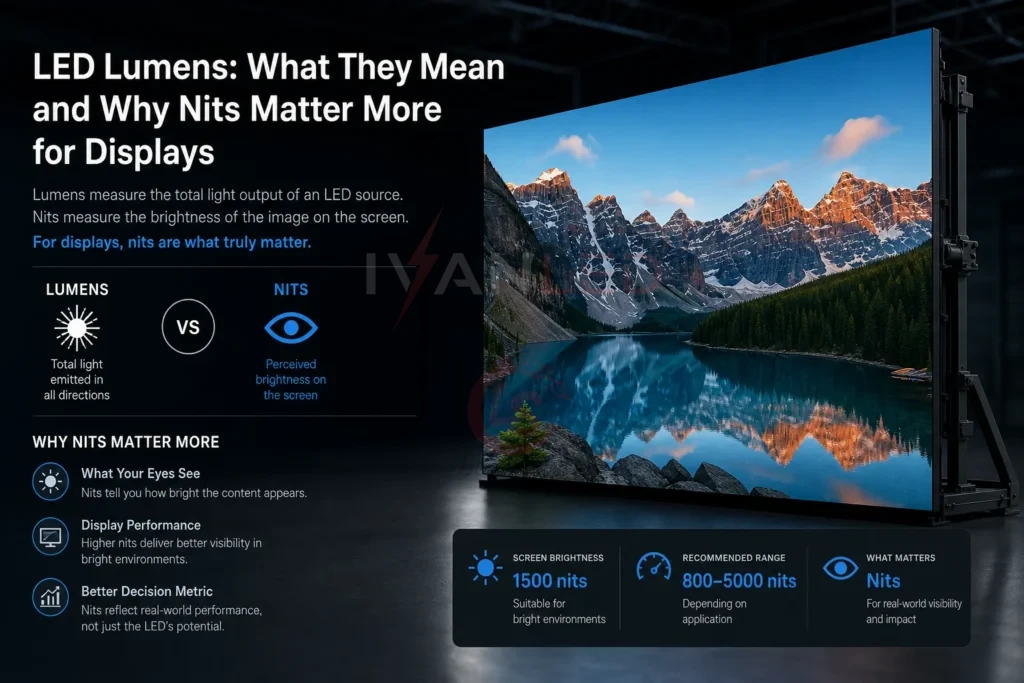
When sourcing an LED display, you may encounter the term lumens (lm) — especially in older specifications or when comparing display brightness to other light sources. However, for direct-view LED displays, lumens is not the primary unit you should focus on.
This guide dives deep into lumens: what they actually measure, why they are less relevant for LED displays, and how they relate to the unit that does matter — nits (cd/m²). By the end, you will understand exactly why nits is the right specification for displays and how to avoid being misled by lumen-based specs.
Table of Contents
What Are Lumens?
Lumens (lm) measure the total amount of visible light emitted by a light source in all directions. For a bare bulb or lamp, lumens tell you how much total light the source produces — like the total water flowing out of a shower head.
Key characteristic: Lumens do not account for direction or area. A 1,000-lumen spotlight and a 1,000-lumen ceiling fixture emit the same total light, but the spotlight concentrates it into a narrow beam (high intensity), while the ceiling fixture spreads it over a wide area (lower intensity per square meter).
Where lumens are useful: General lighting applications — offices, warehouses, streetlights, residential lighting, and projectors.
Lumens vs. Nits: The Critical Difference for Displays
This is the most important distinction for LED display buyers. The two units measure completely different things:
| Unit | Measures | Analogy | Relevance to Displays |
| Lumens (lm) | Total light output in all directions | Total water from a shower head | Not directly relevant; used for lamps |
| Nits (cd/m²) | Brightness per square meter of surface | Water pressure hitting a specific spot | Primary unit for display brightness |
Why this matters: Two screens can have the same lumens but very different nits if their sizes differ. A 100m² screen with 10,000 lumens and a 10m² screen with 10,000 lumens have vastly different surface brightness — but the nit value would tell you that immediately.
In short: If a supplier quotes brightness in lumens for an LED display, ask for the nits (cd/m²) value instead. That is the number that actually tells you how bright the screen will look.
Lumens, Lux, and Nits: How They Relate
Understanding the relationship between these three units helps clarify why nits is the right choice for displays.
| Unit | Measures | Formula | Relevance to LED Displays |
| Lumens (lm) | Total light output in all directions | Base unit | Not directly relevant; used for lamps |
| Lux (lx) | Light falling on a surface (lumens per m²) | 1 lx = 1 lm/m² | Describes ambient light; used to determine required screen brightness |
| Nits (cd/m²) | Light emitted from a surface (intensity per area) | 1 nit = 1 cd/m² | Primary unit for LED display brightness |
Practical Example
A 10m² LED display with a surface brightness of 1,000 nits emits 10,000 candela in the forward direction. The total luminous flux (lumens) might be 15,000–25,000 lm depending on viewing angle, but this number is irrelevant to the viewer — what matters is the 1,000 nits they see on the screen.
Why Lumens Are Not the Right Unit for LED Displays
For direct-view LED displays, lumens is not an appropriate brightness specification for several reasons:
| Reason | Explanation |
| Lumens measure total output in all directions | An LED display emits light forward, not in all directions. Lumens overstate the light that actually reaches the viewer. |
| Lumens do not account for area | A 10m² screen and a 50m² screen could have the same lumens but very different perceived brightness per square meter. |
| Industry standard is nits (cd/m²) | Every professional LED display supplier uses nits to specify brightness. Using lumens is outdated and confusing. |
| Lumens make comparisons difficult | Two screens with the same lumens can have very different brightness if their sizes differ. Nits directly compare surface brightness. |
In short: If a supplier quotes brightness in lumens for an LED display, ask for the nits (cd/m²) value instead. That is the number that actually matters.
What Brightness Unit Should You Look For?
For LED displays, the only specification you need to care about is nits (cd/m²).
Brightness recommendations by application:
| Application | Recommended Nits |
| Indoor (controlled lighting) | 300 – 800 |
| Indoor (bright ambient light) | 800 – 1,500 |
| Semi-outdoor / shaded | 1,500 – 3,000 |
| Outdoor (overcast / indirect sun) | 3,000 – 5,000 |
| Outdoor (direct sunlight) | 5,000 – 7,500+ |
If a supplier provides brightness only in lumens, ask for the nits equivalent. If they cannot provide it, consider that a red flag.
Expert Tips from 10+ Years in LED Manufacturing
Tip 1: Always ask for brightness in nits.
Lumens are for lamps; nits are for displays. If a supplier cannot provide nits, they are not using industry-standard specifications.
Tip 2: Do not be impressed by high lumen numbers.
A large screen with high lumens may still have low nits if the screen area is large. Always ask for the per-square-meter brightness.
Tip 3: For outdoor applications, demand 5,000+ nits.
Direct sunlight requires high surface brightness. Lumens do not tell you this — nits do.
Tip 4: Use lux to understand ambient light, then convert to nits.
Measure the ambient light (lux) at your installation site. As a rule of thumb, your display should be at least 2–3× brighter than the ambient light to be clearly visible.
Frequently Asked Questions (FAQ)
Q1: Can I use lumens to compare the brightness of two LED displays?
No. Lumens measure total light output in all directions, which is not how you perceive a display’s brightness. For displays, you should use nits (cd/m²), which measures brightness per square meter of screen surface.
Q2: What is the relationship between lumens and nits?
Nits = candela per square meter (cd/m²). Candela is the intensity in a specific direction, which is more relevant to a flat display than total lumens. For a directional surface, you cannot convert lumens to nits without knowing the beam angle and area.
Q3: Why do some LED display suppliers still quote lumens?
Some suppliers use lumens because they are more common in general lighting. Others may use outdated specifications. For professional LED displays, always ask for brightness in nits (cd/m²). This is the industry standard.
Q4: What is a good brightness in nits for an outdoor LED display?
Outdoor displays require a minimum of 4,500–5,000 nits for direct sunlight visibility. For high-sun regions, consider 6,500–7,500+ nits. Always factor in viewing distance — longer distances require higher nits.
Q5: Does IvanLED specify brightness in lumens or nits?
We specify all our LED display brightness in nits (cd/m²). We provide clear specifications for indoor and outdoor applications, including auto-brightness control options. Contact us with your environment details for a brightness recommendation.
Conclusion: Focus on Nits, Not Lumens
Your action checklist:
- When evaluating LED displays, ignore lumens. They are not relevant to display brightness.
- Always ask for brightness in nits (cd/m²).
- Match nits to your environment — 800–1,500 nits for indoor, 5,000+ nits for outdoor.
- If a supplier quotes only lumens, request the nits equivalent. If they cannot provide it, look elsewhere.
IvanLED’s straightforward advice for 2026:
– Lumens are for lamps, not displays.
– Nits are for displays, not lamps.
– Always specify brightness in nits. It is the only unit that tells you how bright the screen actually looks.
At IvanLED, we provide clear, accurate brightness specifications in nits for every display we manufacture. We help buyers select the right brightness for their application — no unit confusion, no surprises.
Ready to specify the right brightness for your LED display?
👉 Contact IvanLED with your installation environment for a free brightness recommendation.