Buyer Pain Points: Refresh Rate Confusion in LED Projects
B2B buyers sourcing LED displays face these specific refresh rate challenges:
- Over-specifying – Paying for 120Hz when 60Hz would look identical for their content and viewing distance.
- Under-specifying – Buying 60Hz for camera-recorded events, resulting in visible flicker on broadcast.
- Marketing confusion – Some suppliers advertise “high refresh rate” without clarifying whether they mean 60Hz, 120Hz, or 1,920Hz.
- Hidden costs – 120Hz requires more powerful controllers and receiving cards, which are often excluded from initial quotes.
- Misunderstanding LED vs. LCD – Refresh rate behaves differently on LED displays than on TV or PC monitors.
At IvanLED, we help buyers match refresh rate to actual content and application — not just sell the highest number.
Refresh Rate Basics: What Hz Means for LED Displays
Refresh rate, measured in Hertz (Hz), is the number of times per second an LED display updates its image. A 60Hz display refreshes 60 times per second; a 120Hz display refreshes 120 times per second.
For LED displays, refresh rate is controlled by the receiving card and driver IC. Unlike LCD TVs, LED displays at 60Hz do not typically exhibit the same “flicker” issues because of how LEDs are driven. This is a critical distinction many buyers miss.
60Hz vs. 120Hz: The Real Differences for LED Displays
1. Visual Smoothness (Human Eye Perception)
For live viewing by the human eye, the difference between 60Hz and 120Hz on an LED display is minimal for most content.
- 60Hz – Smooth for most standard video (24fps–30fps). No visible flicker to most viewers.
- 120Hz – Slightly smoother for fast motion (sports, gaming). But the improvement is subtle.
Key takeaway: For live audiences watching standard content (advertising, presentations, lyrics, news), 60Hz is indistinguishable from 120Hz. Do not pay extra based on human eye perception alone.
2. Camera Recording & Broadcast (The Critical Difference)
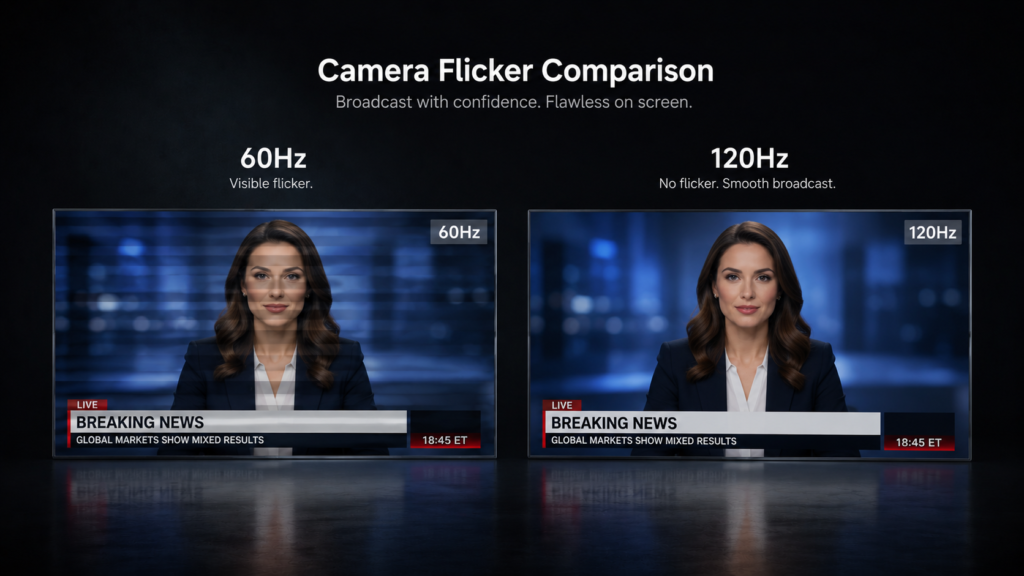
This is where 120Hz provides a real, measurable advantage. When cameras record LED displays, the refresh rate interacts with the camera’s shutter speed.
Critical advice: If your LED display will be recorded by cameras (church streaming, sports events, broadcast studios, virtual production), choose 120Hz or higher. 60Hz will likely cause visible flicker on camera.
3. Motion Clarity for Fast Content
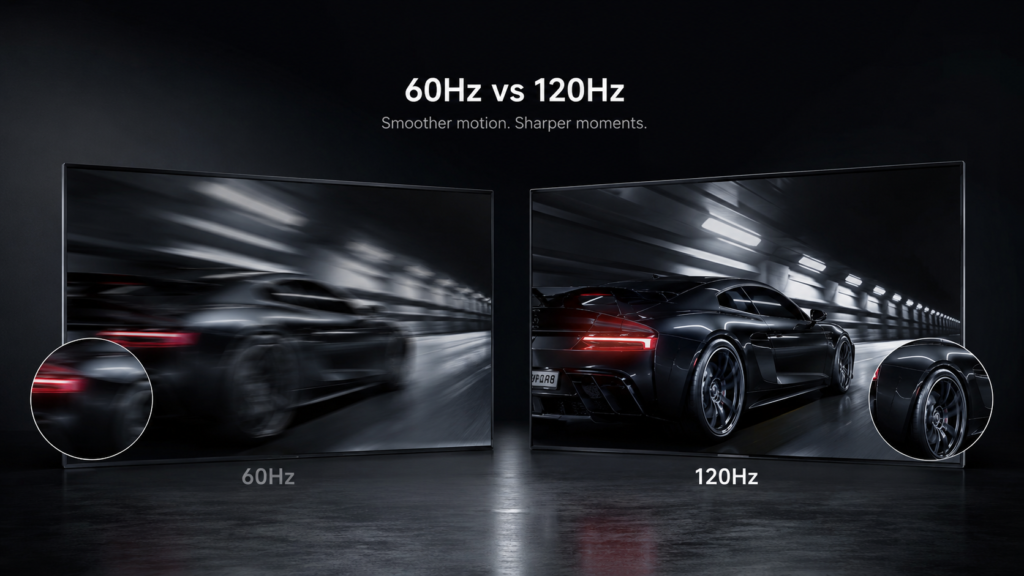
For content with fast motion (sports, racing games, high-action video), 120Hz reduces motion blur and makes details readable during movement.
- 60Hz – Text and details may blur during fast panning shots.
- 120Hz – Scrolling text, fast-moving objects, and sports action remain sharper.
Example: A stock ticker or sports score ribbon scrolling across the screen is noticeably clearer at 120Hz.
4. Hardware & Controller Requirements
| Component | 60Hz Requirement | 120Hz Requirement |
| Sending card | Standard | Higher performance (cost +20–30%) |
| Receiving cards per cabinet | Standard (1 card per 64×64 pixels typical) | May need 2x cards or higher-spec cards |
| Data bandwidth | Baseline | ~2x bandwidth requirement |
| Cabling (Ethernet/Fiber) | Standard CAT5e/CAT6 | May require fiber for long runs |
5. Cost Difference
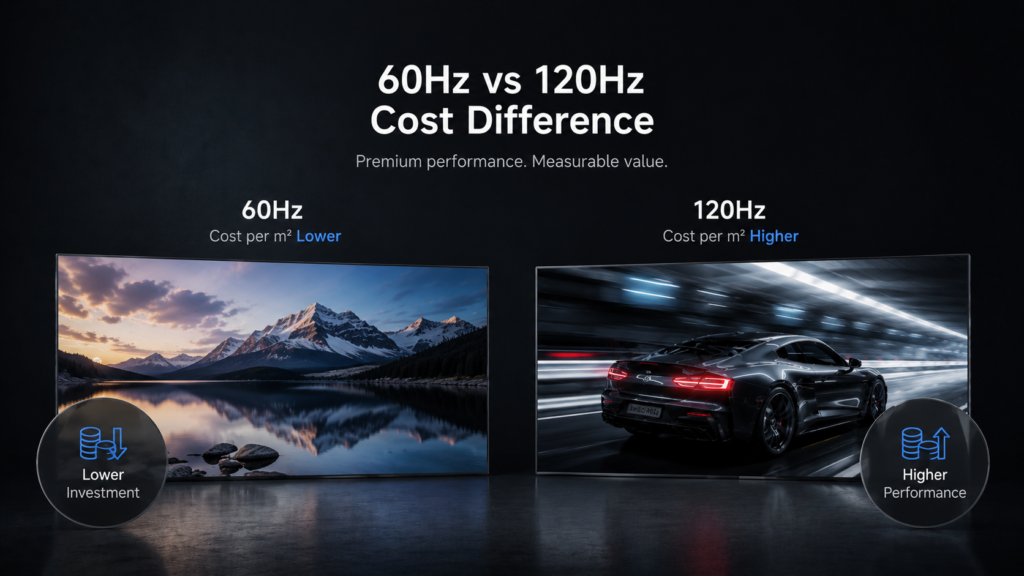
120Hz LED displays are 20–40% more expensive than equivalent 60Hz displays due to:
- Higher-performance driver ICs
- More or higher-spec receiving cards
- More powerful controllers
- Additional engineering for signal integrity
Example: A 20m² P2.5 indoor screen at 60Hz might cost $16,000–$20,000. The same screen at 120Hz would cost $20,000–$28,000.
6. Power Consumption
120Hz typically consumes 10–20% more power than 60Hz due to twice the switching frequency. For a large 50m² outdoor screen running 24/7, this can add significant electricity costs over time.
Application Guide: 60Hz or 120Hz?
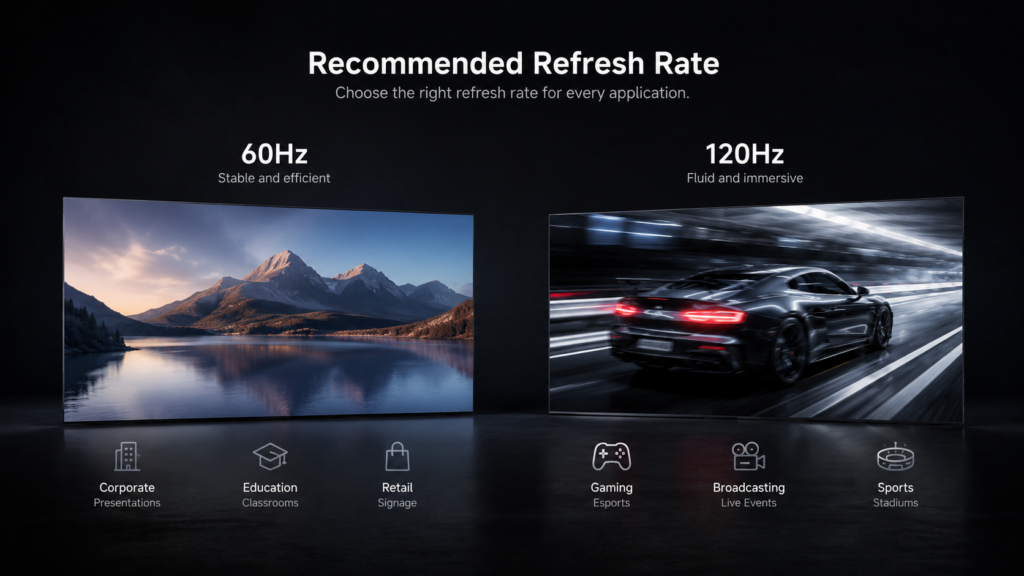
| Application | Recommended Refresh Rate | Why |
| Digital signage (retail, malls, airports) | 60Hz | Most content is standard video or still images. 60Hz is sufficient and cost-effective. |
| Church / worship center (no broadcast) | 60Hz | Lyrics and sermon slides do not need 120Hz. Save budget. |
| Church / worship center (with streaming/broadcast) | 120Hz | Cameras recording the screen need 120Hz to avoid flicker. |
| Corporate lobby / reception | 60Hz | Brand videos and greetings work perfectly at 60Hz. |
| Conference room / meeting room | 60Hz or 120Hz | 60Hz is fine for presentations. 120Hz only if showing high-motion content or camera recording. |
| Control room / command center | 60Hz | Data dashboards and static maps do not benefit from 120Hz. |
| Sports bar / casino | 120Hz | Fast-motion sports content is noticeably smoother at 120Hz. |
| Esports / gaming arena (live audience) | 120Hz+ | High-action game content benefits from higher refresh rate. |
| Broadcast studio / virtual production | 120Hz+ (often 1,920Hz+) | Camera flicker elimination is critical. 60Hz is not sufficient. |
| Outdoor billboard (highway) | 60Hz | Viewing distance is long; refresh rate is irrelevant. |
| Event rental (general) | 60Hz | Most events show standard video. 60Hz is sufficient and makes cabinets lighter/cheaper. |
| Event rental (broadcast/camera-heavy) | 120Hz | If the event is filmed, 120Hz prevents flicker. |
Common Refresh Rate Mistakes with LED Displays
- Buying 120Hz when no cameras are involved – For live audiences, the visual difference is minimal. Save 20–40% with 60Hz.
- Buying 60Hz when cameras will record the screen – Flicker on broadcast looks unprofessional and may be impossible to fix after installation.
- Assuming all 120Hz is the same – Some suppliers advertise “120Hz” but the actual refresh rate under load is lower. Verify with testing.
- Ignoring controller compatibility – A 120Hz screen paired with a 60Hz controller will only output 60Hz. Confirm all components match.
- Forgetting about receiving cards – Not all receiving cards support 120Hz. Ask for specifications.
Expert Tips from 10+ Years in LED Displays
Tip 1: Test with your cameras before finalizing refresh rate.
Bring your actual broadcast or streaming cameras to a demo. Test 60Hz and 120Hz at the shutter speeds you will use. Flicker is often invisible until you see it on a monitor.
Tip 2: For most commercial applications, 60Hz is enough.
Digital signage, corporate lobbies, churches (non-broadcast), control rooms, and outdoor billboards do not need 120Hz. Do not let suppliers upsell you.
Tip 3: If you are unsure, choose 120Hz for camera safety.
For events, broadcast, or any application where a camera might appear, 120Hz provides valuable insurance against flicker. The cost premium is worth avoiding a ruined broadcast.
Tip 4: Confirm the full signal chain supports 120Hz.
Verify that the sending card, receiving cards, cables, and media player all support 120Hz end-to-end. A single weak link forces the whole system down to 60Hz.
Tip 5: For rental inventory, consider offering both.
Stock 60Hz cabinets for standard events (lower cost, lighter weight). Stock 120Hz cabinets for broadcast or high-motion events. This maximizes flexibility and ROI.
Frequently Asked Questions (FAQ)
Q1: Can the human eye tell the difference between 60Hz and 120Hz on an LED display?
For live viewing of standard content (video, presentations, lyrics), the difference is minimal to invisible for most people. For fast-motion content like sports or gaming, some viewers may notice slightly smoother motion at 120Hz. However, the main benefit of 120Hz is camera compatibility, not human eye perception.
Q2: Is 60Hz enough for a church LED display?
It depends. If the screen is only for live in-person viewing (lyrics, sermon slides, video clips), 60Hz is perfectly sufficient and cost-effective. If you stream or record services for broadcast, choose 120Hz to avoid camera flicker. Many churches use 60Hz for sanctuary screens and 120Hz for broadcast-specific screens.
Q3: Do I need 120Hz for digital signage in a mall?
No. Digital signage content is typically standard video or still images. 60Hz is sufficient, cost-effective, and consumes less power. 120Hz would be an unnecessary expense with no visible benefit to shoppers.
Q4: How much more does 120Hz cost than 60Hz for LED displays?
Typically 20–40% more for the screen cabinets plus additional cost for higher-spec controllers and receiving cards. For a typical 20m² project, 120Hz might add $4,000–$10,000 to the total cost depending on configuration.
Q5: Does 120Hz reduce the lifespan of an LED display?
Potentially, yes. 120Hz requires twice the switching frequency, which generates more heat. If cooling is adequate, the impact is minimal. However, cheaper 120Hz displays with poor thermal design may experience shorter driver IC life. Always check warranty and thermal specifications.
Q6: Does IvanLED offer both 60Hz and 120Hz LED displays?
Yes. We manufacture LED displays at both 60Hz and 120Hz. We help buyers select based on application — 60Hz for most commercial signage and live viewing, 120Hz for camera-recorded events, sports, and broadcast.
Conclusion: 60Hz or 120Hz?
Your decision flowchart:
- Will cameras record the screen?
- No → 60Hz is sufficient (save 20–40%)
- Yes → Continue to question 2
- Is this for broadcast, streaming, or virtual production?
- No (occasional camera) → 120Hz is recommended
- Yes → 120Hz or higher required (consider 1,920Hz+)
- Is the content fast-motion (sports, gaming)?
- No → 60Hz is fine
- Yes → 120Hz provides noticeable improvement
IvanLED’s straightforward advice for 2026:
– For 80% of LED display applications (digital signage, corporate, churches without broadcast, control rooms, outdoor billboards): 60Hz is cost-effective and sufficient.
– For applications with cameras (broadcast, streaming, sports events, virtual production): 120Hz is the minimum safe choice.
– When in doubt about camera use: choose 120Hz. The cost premium is worth the insurance against flicker.
At IvanLED, we provide transparent refresh rate recommendations based on your actual application — not just the highest number.
Ready to specify the right refresh rate for your LED display project?
👉 Contact IvanLED with your application and camera requirements for a free recommendation.