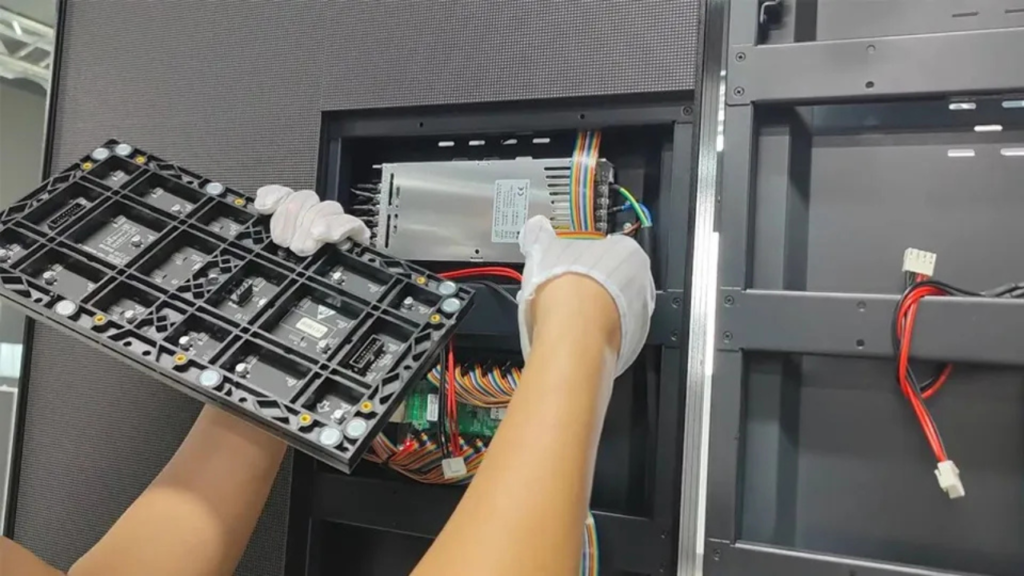
Before You Start: What You Will Need
| Item | Purpose | Notes |
| LED screen panels | The display itself | Check all panels before starting |
| Mounting structure | Supports the screen | Steel frame or wall mount |
| Controller | Sends signal to panels | Novastar or Linzen |
| Power supply | Provides electricity | Calculate total wattage |
| Cables | Connect panels and controller | Ethernet, power, data cables |
| Hardware | Bolts, screws, anchors | Stainless steel for outdoor |
| Tools | Drill, level, wrench, ladder | Basic construction tools |
| Software | Configuration program | Novastar LCT, etc. |
Step 1: Plan Your Installation
Before touching any hardware, plan carefully.
Questions to answer:
Where will the screen be mounted? (Indoor / outdoor / wall / freestanding)
What size is the screen? (Width x height in meters)
What pixel pitch? (P2.5, P3.9, P4.8, etc.)
How far will viewers be? (Determines pixel pitch)
What power is available? (110V / 220V, amperage)
What content will you display? (Video, images, text)
Pro tip: Draw a diagram showing panel layout, cable routes, and power sources.
Step 2: Prepare the Mounting Structure
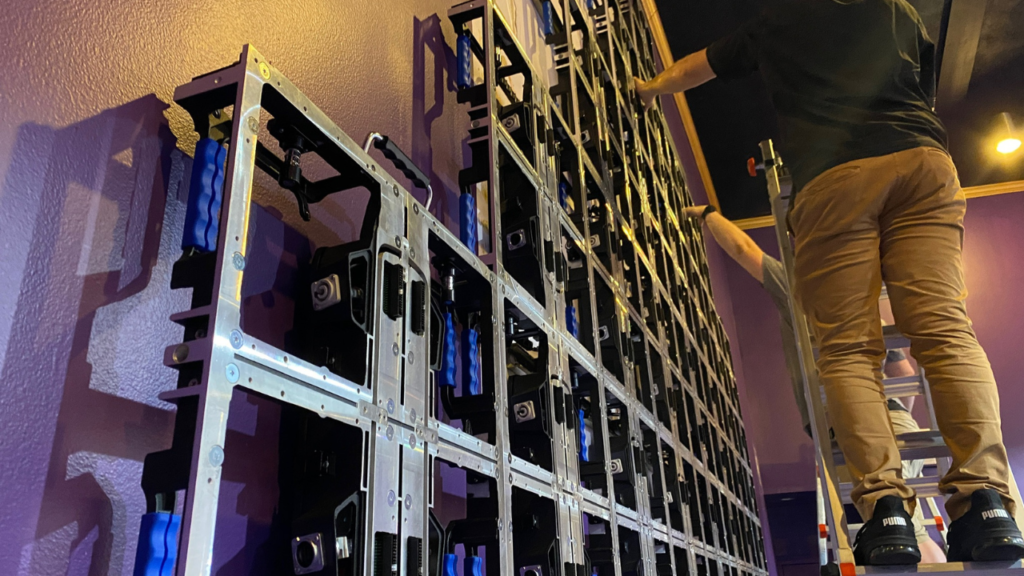
The mounting structure must be level, square, and strong enough to hold the screen weight.
For wall mounting:
Locate wall studs or concrete anchors
Mark mounting points using a level
Drill holes and install anchors
Attach mounting brackets or frame
Verify everything is level
For freestanding / floor mounting:
Prepare a concrete base (for outdoor)
Assemble steel support frame
Anchor frame to the ground
Verify frame is square and level
| Mounting Type | Best for | Weight capacity needed |
| Wall mount | Indoor, small to medium screens | 50-200 kg |
| Floor stand | Indoor, portable, rentals | 100-500 kg |
| Steel frame | Indoor/outdoor, large screens | 500-2,000+ kg |
Warning: An unlevel mounting structure will cause panel alignment issues and poor image quality.
Step 3: Mount the LED Panels
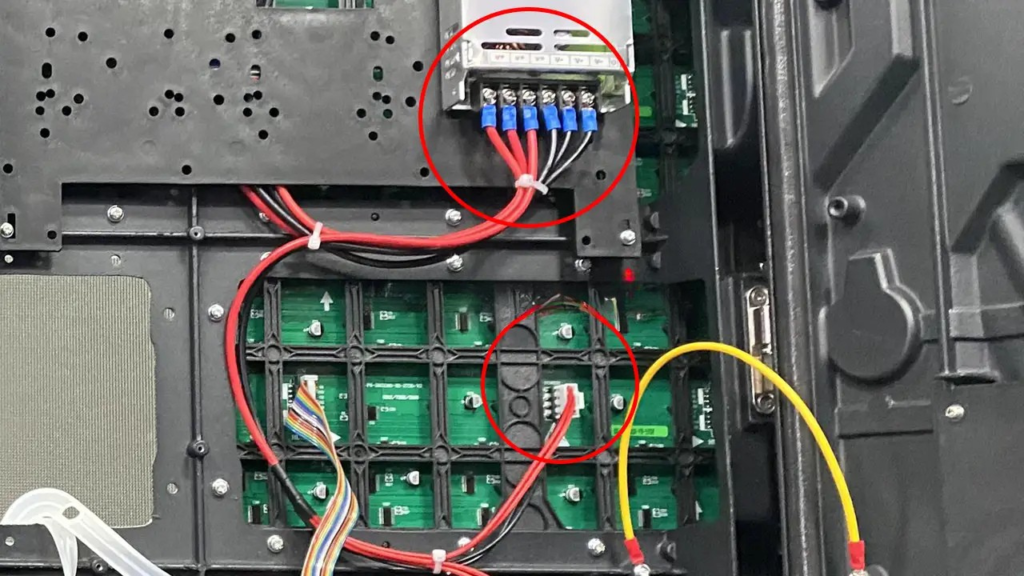
Now it is time to attach the LED panels to the structure.
Panel installation order:
Start from bottom left corner
Attach first panel to the structure using bolts
Check that it is level
Add second panel to the right
Lock panels together using locking pins or latches
Continue row by row, bottom to top
Panel alignment checklist:
Panels are flush (no gaps)
Panels are level (no tilt)
Locking mechanisms are engaged
No visible bezels or misalignment
Pro tip: Leave a small gap (1-2mm) between panels for thermal expansion, especially for outdoor screens.
Step 4: Connect Power and Data Cables
This is the most critical step. Always follow electrical safety guidelines.
Power connection:
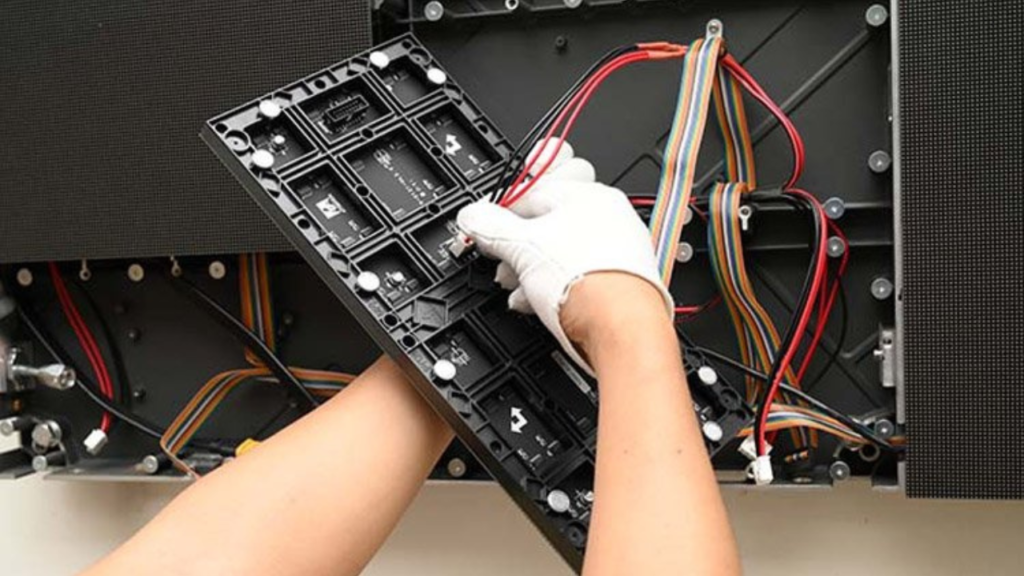
Connect power cables from panel to panel (daisy chain)
Connect the chain to the power supply
Connect power supply to main power source
Use circuit breakers for safety
For outdoor: use waterproof connectors
Data connection:
Connect Ethernet/data cables from panel to panel
Connect the chain to the controller
Connect controller to your computer
For large screens: use fiber optic for long distances
Cable routing diagram:
[Computer] → [Controller] → [Panel 1] → [Panel 2] → [Panel 3] → ...
                              ↓
                         [Power Supply] → [Main Power]
Cable management tips:
Use cable ties to organize wires
Keep power and data cables separated (to avoid interference)
Label both ends of every cable
Leave service loops for future maintenance
Step 5: Configure the Screen Software
With hardware installed, now configure the software.
Basic configuration steps:
Install Novastar LCT (or your controller’s software) on your computer
Connect computer to the controller via Ethernet or USB
Open the software and detect connected panels
Set screen size (width x height in pixels)
Set panel arrangement (rows and columns)
Map each panel’s position (e.g., Row 1, Col 1 = top-left)
Set brightness (1,000-1,500 nits for indoor, 4,000-6,000+ for outdoor)
Set refresh rate (1,920 Hz or higher)
Save configuration to the controller
Common configuration issues:
| Issue | Likely cause | Solution |
| No image on some panels | Data cable disconnected | Check connections |
| Image is scrambled | Panel mapping is wrong | Remap panel positions |
| Colors look wrong | RGB order incorrect | Change color settings |
| Flickering image | Refresh rate too low | Increase to 1,920 Hz+ |
Step 6: Test and Calibrate
Before finalizing, test everything thoroughly.
Testing checklist:
All panels turn on
No dead pixels or lines
Colors are consistent across all panels
Brightness is uniform (no dark spots)
Content plays smoothly (no stuttering)
Audio works (if speakers are installed)
Calibration tips:
Use a camera or colorimeter for professional calibration
Adjust gamma and color temperature for natural look
Set brightness based on ambient light
Save calibration profile to the controller
For outdoor screens: Test during both day and night to ensure proper brightness.
Step 7: Finalize and Clean Up
After testing is complete:
Secure all cables with covers or conduits
Lock all panel locking mechanisms
Install any cosmetic bezels or trim
Clean the screen surface (use soft, dry cloth)
Document the installation (photos, cable labels, configuration files)
Train staff on basic operation and troubleshooting
Indoor vs. Outdoor Installation: Key Differences
| Factor | Indoor Installation | Outdoor Installation |
| Brightness | 1,000-1,500 nits | 4,000-6,000+ nits |
| Weatherproofing | Not required | IP65 required |
| Mounting structure | Wall or floor stand | Heavy steel frame, concrete base |
| Cable connectors | Standard | Waterproof |
| Cooling | Natural air flow | Fans or air conditioning |
| Permits | Usually not required | Building permits often required |
DIY vs. Professional Installation
| Factor | DIY Installation | Professional Installation |
| Cost | Lower (labor free) | Higher ($1,000 – $5,000+) |
| Time | 1-3 days (depending on size) | 4-8 hours |
| Tools needed | Drill, level, ladder, etc. | Professional tools included |
| Experience needed | Moderate construction skills | Expert knowledge |
| Warranty | Self-supported | Installation warranty included |
| Best for | Small indoor screens (<10 sqm) | Large screens, outdoor, complex projects |
Recommendation:
DIY for small indoor screens (under 3m x 2m) if you have basic skills
Hire a pro for large screens, outdoor installations, or any project over 10 sqm
Common Installation Mistakes to Avoid
| Mistake | Consequence | How to avoid |
| Unlevel mounting | Gaps between panels, poor image | Use a level, check twice |
| Wrong cable type | Signal loss, no image | Use shielded Ethernet cables |
| Over-tightening panels | Warped panels, pixel gaps | Follow torque specifications |
| Ignoring thermal expansion | Panels buckle in heat | Leave 1-2mm gaps |
| Poor cable management | Difficult troubleshooting | Label cables, use ties |
| No grounding | Electrical shock risk | Always ground the frame |
| Skipping testing | Problems discovered late | Test each step |
Conclusion
Installing an LED screen is a manageable project if you follow the right steps:
Plan carefully – size, location, power
Prepare a level, strong mounting structure
Mount panels from bottom left, row by row
Connect power and data cables correctly
Configure software and map panel positions
Test everything before finalizing
For small indoor screens (under 10 sqm), DIY installation is possible with basic tools and patience.
For large or outdoor screens, professional installation is recommended to ensure safety, quality, and warranty coverage.
Need help? IvanLED provides installation guides, technical support, and can connect you with certified installers in Mexico.
FAQ
Q: How long does it take to install an LED screen?
A: 4-8 hours for a professional team. 1-3 days for DIY, depending on screen size.
Q: Can I install an outdoor LED screen myself?
A: Not recommended. Outdoor installations require weatherproofing, heavy structural work, and often building permits.
Q: What tools do I need for DIY installation?
A: Drill, level, wrench set, ladder, cable ties, and basic hand tools.
Q: Do I need special cables?
A: Yes. Use shielded Ethernet cables for data and properly rated power cables. For outdoor, use waterproof connectors.
Q: How do I know if my wall can support the screen weight?
A: Consult a structural engineer for screens over 100 kg. For smaller screens, ensure mounting screws go into studs or concrete anchors.
Get Help with Your LED Screen Installation
Need help installing your LED screen?
At IvanLED, we provide:
Free installation guides
Technical support via WhatsApp
Remote configuration assistance
Tell us your screen size and location. We will help you plan your installation.