What is HD?

HD refers to High Definition. It is primarily used to describe screen resolutions — the quantity of pixels your display uses to show pictures. The more pixels there are, the sharper and more defined the image will be.
There are varying levels of HD:
- 720p (HD)– 1280 x 720 pixels
- Full High Definition (1080p) – 1920 x 1080 pixels
- Ultra HD (4K) – 3840 x 2160 pixels
- 8K Ultra HD – 7680 x 4320 pixels
Briefly stated, when you hear the term HD, it describes the resolution of the screen and not the lighting capabilities of the screen.
What is LED?

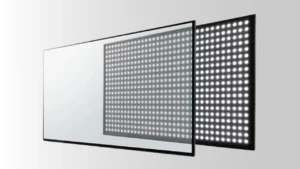
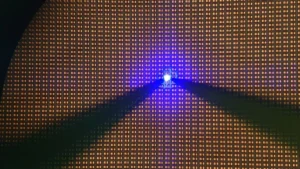
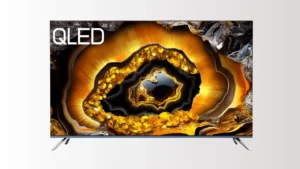
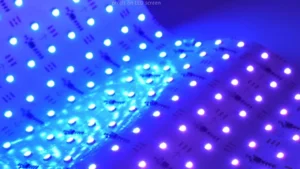
LED refers to Light Emitting Diode. It is the name given to the backlighting on your display that makes the pixels on the display visible so you can view the image.
Older LCD (Liquid Crystal Display) panels used Cold Cathode Fluorescent lights (CCFLs) for the backlight, whereas LED panels provide the backlighting with very small LED lights. LED is an abbreviation used to describe display technology rather than resolution. Therefore, you can use an HD display with LED backlighting.
LED displays exist in several variations such as:
- Edge-lit LED
- Back-lit LED
- Full-array LED
- Direct-lit LED
- Mini LED
- Organic LED (OLED).
HD vs LED – The Key Differences
Since you now know the basics about what HD and LED stand for, it’s time to move on and explore the major differences between the two terms:
· Resolution vs. Technology
The biggest distinction is what exactly the two describe. HD is used to describe the display resolution, the amount of pixels that are on the screen, and control how detailed the image is. LED describes the type of backlighting used to power the pixels so you are able to view the image.
· Image Quality
The high definition resolution offers sharp and crisp pictures. LED technology takes this forward by providing greater brightness, color, contrast, and uniformity leading to more vivid and realistic visuals.
· Energy Efficiency
LEDs are far more power-efficient than traditional CCFL backlighting. LED displays use less power to produce the same intensity of light, which means smaller bills and fewer environmental costs.
Resolution is not inherently what makes an HD display power-efficient, and more resolute displays may need greater processing capabilities. But contemporary HD displays nearly all employ LED backlighting to ride its power-saving advantages.

· Cost
The price of an LED display is based on the display’s resolution and the type of backlighting used. LED displays are more costly compared to stand-alone HD screens due to the advanced backlighting and power-saving technologies. Nevertheless, the majority of modern-day HD televisions utilize LED technology, so price becomes more related to size, resolution, and brand name than to mere LED or HD alone.
· Flexibility in Display Types
LED backlighting is an adaptable technology and can be applied to numerous display designs ranging from smartphones to large TV displays. HD resolution, by its nature, can be applied to many sizes of screens with the advantage of display flexibility.
· Lifespan & Maintenance
LEDs are more durable compared to CCFLs. Thus, LED-backlit displays are more long-lasting before any remarkable brightness decrease. LED backlighting is more reliable and needs fewer maintenance checks in general.
HD is not a factor directly related to the lifespan or maintenance of the display since its lifespan is dependent on the type of display employed.
· Brightness
LED displays are brighter compared to conventional HD panels with outdated backlighting such as CCFL. LED backlight offers improved visibility in sunny rooms and under the open sky whereas HD alone specifies the resolution and not the levels of brightness.
· Screen Size
HDR can be used with any size screen, but with larger displays, more benefit could be derived from resolutions like FHD or UHD to provide more defined images. LED uses are not restricted to any particular size of display with any loss in brightness or power efficiency.
· Color Accuracy
LED backlighting, with developments in quantum dot and LED phosphor technologies, provides a greater color gamut and more precise creation of colors. HD quality ensures these colors are represented with ample detail.
· Contrast Ratios
Contrast ratio, the level to which the display can produce the darkest black and the brightest white, depends largely on the backlighting technology used. LED backlighting with local dimming capabilities allows far greater contrast ratios to be realized. Having an HD resolution means that the finely graded differences between brightness and darkness are presented with adequate detail.
· Response Time
Response time, or how long it takes for one color to switch to another color. LED Displays generally exhibit faster response times and thus lower perceived blur in high-speed scenes, e.g. gaming or sporting action.
HD on the other hand Response time varies with display type (LED/LCD/OLED). Pure HD does not impact response time; it is the underlying technology (such as LED that does).
· Connectivity and Compatibility
Both LED backlighting and an HD resolution influence the input options provided by a display. Contemporary HD LED displays usually include several input ports such as HDMI and USB and support an array of devices with an output in the form of an HD signal.
· Applications
HD resolutions are ideal for numerous applications when detail matters, ranging from watching TV shows and films to video game play and showing high-definition graphics.
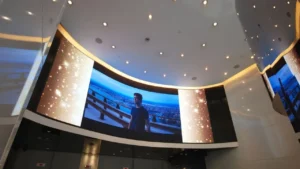
LED backlighting is advantageous in nearly all display uses because it is power-efficient, bright, and versatile. Thus, LED displays are found in televisions, computer monitors, laptops, smartphones, and digital signage among others.

How HD and LED Work Together
It’s important to know that LED and HD are not mutually exclusive. In reality, most displays that you’ll come across are both LED and HD.
You’ll probably notice that displays are referred to as an “HD LED TV” or “Full HD LED Monitor.” What this means is that the display contains high-definition resolution (i.e., 720p or 1080p) and LED backlighting to power the display.
The integration of LED backlighting and HD resolution presents an improvement on previous Standard Definition (SD) panels with conventional backlighting. You obtain a more defined and more detailed picture through the HD resolution and a brighter and more vibrant and power-saving display through the LED backlit one.
How to Choose the Right Resolution of LED Screen for Different Applications

When choosing an LED screen, its resolution is an important factor to consider depending on your intended application and viewing distance:
- Close viewing (such as desktop monitors, meeting rooms, and control rooms): 1080p full HD, 2K, or 4K resolution provides crisp, high-quality visuals when people are near the display.
- Living Rooms or In-Home Entertainment: 4K will provide an immersive viewing experience ideal for movies, gaming, and streaming entertainment.
- Outdoors (billboard and stadium screen display): Full HD or HD will do just fine, particularly when viewed from far away by an audience. It balances both cost and level of detail.
- Stage and Event Screens: Medium size (HD or Full HD) will suffice since the audience watches from some distance away.
Keep your budget in mind too, since more advanced displays are more expensive. In the end, the “correct” resolution is an equilibrium between display quality, viewing distance, display size, and your budget.
FAQs
Can a Display Be Both HD and LED?
Yes, certainly. In reality, the majority of contemporary high-definition displays make use of LED backlighting. They are usually sold under the name “HD LED TVs” or “Full HD LED Monitors,” referring to the fact that these products support an HD level of resolution and are illuminated using LED technology.
Which TV is better, LED or HD?
This will depend on your requirements for your TV. An HD screen brings crystal clear and high-quality pictures with 1080p resolution, whereas LED makes your TV brighter with more vivid colors and uses power efficiently.
When put together, an LED HD TV provides your ideal blend of brightness and vibrance with rich colors and power-saving performance. Thus, ideal for home entertainment, gaming, or work environments. If clear pictures and power-saving performance are your priority, an LED TV with Full HD or 4K will be your ideal choice.
Is LED the same as HD?
No, LED and HD are not the same. LED refers to the screen’s backlighting technology, making displays brighter and more energy-efficient.
HD refers to screen resolution, showing how clear and detailed the image appears. They are distinct technologies that often work together in modern displays.
Conclusion
Being familiar with the distinctions between LED and HD assists you in making better display choices. HD denotes imagery quality, whereas LED offers more brightness and efficiency. Both are found in most newer screens, so select the display with your desired resolution and the advantages offered by LED tech.