Part 1: What Is LED Display?
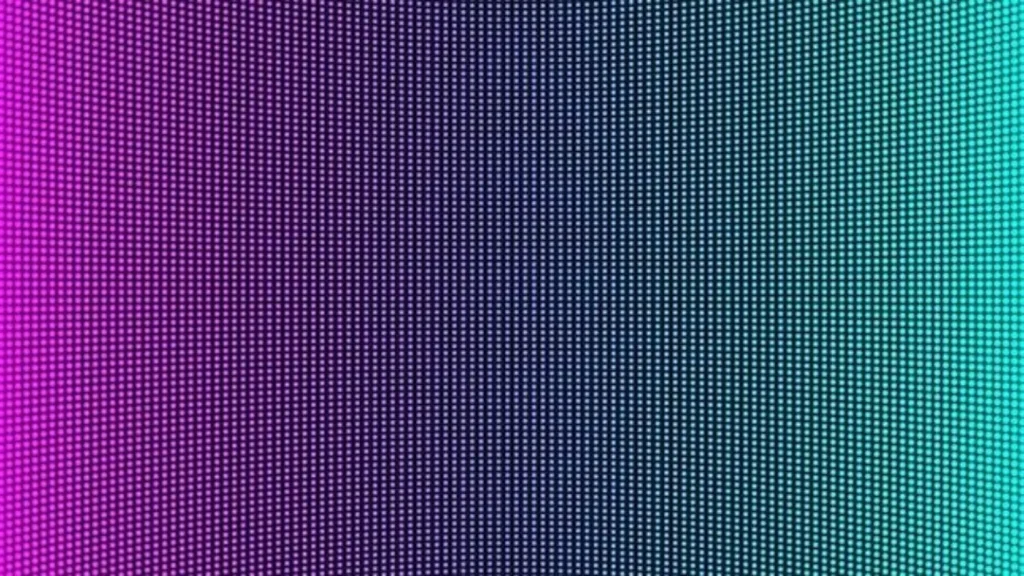
LED display texture is the physical surface characteristic of the screen. It determines:
| What texture affects | How |
| Glare | How much light bounces off the screen |
| Contrast | How deep blacks appear |
| Viewing comfort | How eyes feel after long viewing |
| Image sharpness | How crisp details appear |
| Durability | How well the surface withstands cleaning and impact |
Think of it like paper: Glossy photo paper (smooth) gives vibrant colors but shows fingerprints. Matte paper reduces glare but colors are slightly less punchy. The same principle applies to LED displays.
Part 2: What Components Affect Texture?
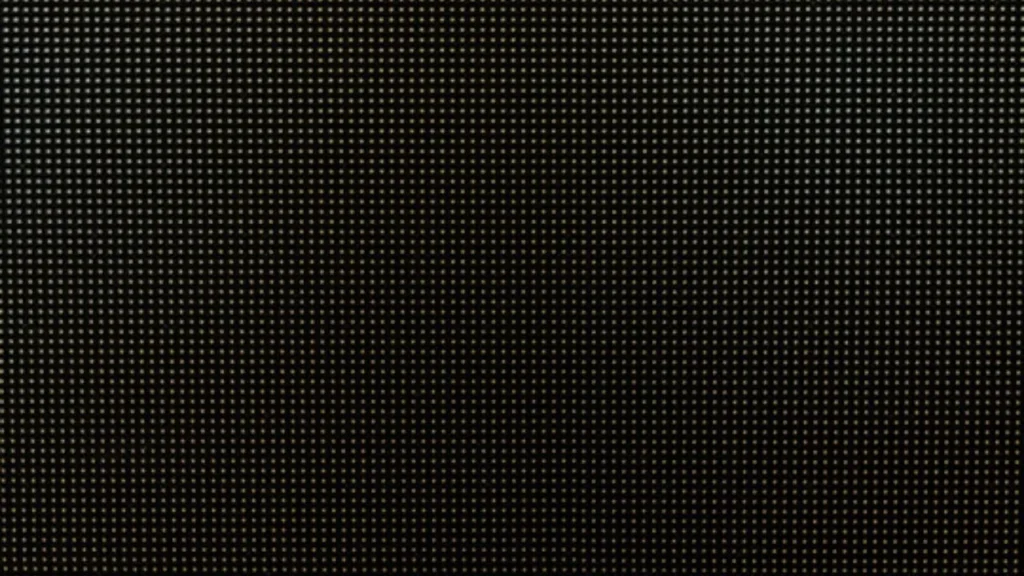
| Component | How it affects texture |
| LED package type | SMD, COB, GOB have different surface finishes |
| Encapsulation material | Epoxy vs silicone – affects smoothness and durability |
| Pixel pitch | Smaller pitch = smoother appearance (pixels less visible) |
| Surface coating | Matte coating, anti-glare layer, or glossy finish |
| Pixel mask | Black mask between pixels improves contrast |
Part 3: Types of LED Display Textures
1. Smooth Texture (Glossy)
| Characteristic | Details |
| Appearance | Shiny, mirror-like |
| Image quality | Sharpest, most vivid colors |
| Glare | High – reflects ambient light |
| Best for | Indoor, controlled lighting (conference rooms, studios) |
| Not good for | Bright rooms, outdoor, areas with windows |
2. Matte Texture
| Characteristic | Details |
| Appearance | Dull, non-reflective |
| Image quality | Good – slightly less punchy than smooth |
| Glare | Low – diffuses reflected light |
| Best for | Bright indoor (retail, lobbies, airports) |
| Not good for | Very dark rooms (contrast slightly reduced) |
3. Anti-Glare Texture
| Characteristic | Details |
| Appearance | Textured, etched surface |
| Image quality | Good – readable in any light |
| Glare | Very low – redirects light away |
| Best for | Outdoor, direct sunlight, transportation hubs |
| Not good for | Applications requiring absolute color accuracy |
4. Micro-textured Surface (Advanced)
| Characteristic | Details |
| Appearance | Engineered microscopic patterns |
| Image quality | Excellent – best contrast, wide viewing angle |
| Glare | Very low – controlled light diffusion |
| Best for | High-end indoor, broadcast studios, control rooms |
| Not good for | Budget applications (costs more) |
Part 4: How Texture Affects Visual Performance
Glare and Reflections
| Texture | Glare level | When it matters |
| Smooth | High | Rooms with windows, overhead lights |
| Matte | Low | Bright retail, lobbies |
| Anti-glare | Very low | Outdoor, direct sun |
| Micro-textured | Very low | Studios, broadcast |
Contrast Ratio
| Texture | Perceived contrast | Why |
| Smooth | Highest | No light diffusion – deep blacks |
| Matte | Good | Some light diffusion |
| Anti-glare | Moderate | Light scattering reduces black depth |
Viewing Comfort
| Texture | Eye strain risk | Best for long viewing |
| Smooth | Higher (glare) | Short sessions |
| Matte | Lower | Control rooms, offices |
| Anti-glare | Lowest | Outdoor, public spaces |
Image Sharpness
| Texture | Sharpness | Best for |
| Smooth | Sharpest | Fine detail, text, data |
| Matte | Good | General content |
| Anti-glare | Slightly softer | Distance viewing |
Part 5: Texture by Application
Indoor Applications
| Application | Recommended texture | Why |
| Conference room | Smooth or matte | Controlled lighting, need sharp text |
| Control room | Matte | Long viewing hours, reduce eye strain |
| Broadcast studio | Micro-textured | Camera-friendly, no reflection |
| Retail store | Matte | Bright ambient light, reduce glare |
| Corporate lobby | Smooth or matte | Professional appearance |
| Museum / exhibit | Matte or micro-textured | Close viewing, reduce glare from exhibit lights |
| Church sanctuary | Matte | Mixed lighting, long service times |
Outdoor Applications
| Application | Recommended texture | Why |
| Billboard | Anti-glare | Direct sunlight readability |
| Stadium scoreboard | Anti-glare | Sun from all angles |
| Bus shelter | Anti-glare or matte | Covered but bright |
| Gas station sign | Anti-glare | Direct sun, day and night |
| Building facade | Anti-glare | Sun exposure |
| Rental outdoor events | Anti-glare | Unpredictable lighting |
Part 6: COB vs SMD – Texture Difference
| Technology | Surface texture | Visual effect |
| SMD | Individual LED lenses visible | Pixels visible up close |
| COB | Smooth continuous surface | No visible pixels, seamless look |
| GOB | Smooth, slightly glossy | Protects SMD, smoother appearance |
Why COB texture is better for close viewing:
| Feature | SMD | COB |
| Pixel visibility | Visible up close | Not visible |
| Glare | Higher (lenses) | Lower (flat surface) |
| Cleaning ease | Hard (avoid damaging lenses) | Easy (smooth surface) |
| Viewing comfort | Moderate | Excellent |
For applications where viewers are close (under 3 meters), COB’s smooth texture provides a significantly better viewing experience.
Part 7: How to Choose the Right Texture
Decision Flow
| Step | Question | Answer |
| 1 | Where is the screen installed? | Indoor → smooth or matte. Outdoor → anti-glare |
| 2 | Is there direct sunlight? | Yes → anti-glare. No → continue |
| 3 | Are there bright overhead lights? | Yes → matte. No → smooth |
| 4 | How close are viewers? | Under 3m → consider COB for smoother texture |
| 5 | Will the screen be touched? | Yes → GOB or COB (smooth, cleanable) |
Quick Selection Table
| Environment | Lighting condition | Recommended texture |
| Indoor | Controlled (dim) | Smooth |
| Indoor | Bright (lights, windows) | Matte |
| Indoor | Mixed (variable) | Matte |
| Outdoor | Shaded | Matte or anti-glare |
| Outdoor | Direct sun | Anti-glare |
| Outdoor | Night only | Smooth or matte |
Part 8: Common Texture Problems and Solutions
| Problem | Cause | Solution |
| Glare makes screen unreadable | Smooth texture in bright room | Choose matte or anti-glare |
| Screen looks washed out | Too much ambient light reflection | Add anti-glare coating |
| Visible pixels up close | Large pixel pitch, SMD texture | Choose smaller pitch or COB |
| Fingerprints visible | Smooth glossy surface | Choose matte or use anti-fingerprint coating |
| Uneven brightness across screen | Poor surface uniformity | Choose quality manufacturer |
Part 9: Maintenance by Texture Type
| Texture | Cleaning method | Cleaning frequency | Special care |
| Smooth | Soft microfiber cloth | Weekly | No harsh chemicals |
| Matte | Soft microfiber cloth | Weekly | Avoid pressure (can polish the matte finish) |
| Anti-glare | Specialized cleaner | As needed | Never use abrasive cloths (damages etching) |
| COB/GOB | Soft cloth, water | Weekly | Easy – smooth, sealed surface |
Ivan’s LED Displays
At IvanLED, we offer multiple texture options:
- Smooth finish – For indoor controlled environments
- Matte finish – For bright indoor spaces
- Anti-glare – For outdoor applications
- COB technology – Seamless smooth surface for close viewing
Tell us your installation environment and lighting conditions. We will recommend the optimal texture and provide a free quote.
Frequently Asked Questions
Q: What is the difference between matte and anti-glare texture?
Matte diffuses light to reduce reflections. Anti-glare uses an etched surface that redirects light away. Anti-glare is more effective in direct sunlight but may slightly soften image sharpness. Matte is better for indoor bright light.
Q: Can I change the texture of my existing LED display?
Not easily. Texture is determined by the surface coating and LED package type. You cannot change it after manufacturing. Minor glare issues can be reduced with external anti-glare film, but this may reduce image quality.
Q: Which texture is best for a church sanctuary?
Matte texture is usually best. Churches have mixed lighting – windows, overhead lights, stage lighting. Matte reduces glare while maintaining good image quality for lyrics and sermon notes.
Q: Does texture affect how easy the screen is to clean?
Yes. Smooth and COB textures are easiest to clean – just wipe with a soft cloth. Anti-glare and matte textures require more care – aggressive cleaning can damage the surface finish.
Q: What texture do most rental LED displays use?
Most rental displays use matte or anti-glare texture. This works well under stage lighting and reduces reflections from cameras. COB rental screens are becoming popular for their smooth, durable surface.
Q: Does IvanLED offer COB displays with smooth texture?
Yes. Our COB LED displays have a completely smooth, seamless surface – no visible pixels, no glare issues, easy to clean. Contact us for COB options.