Why Understanding LED Components Matters
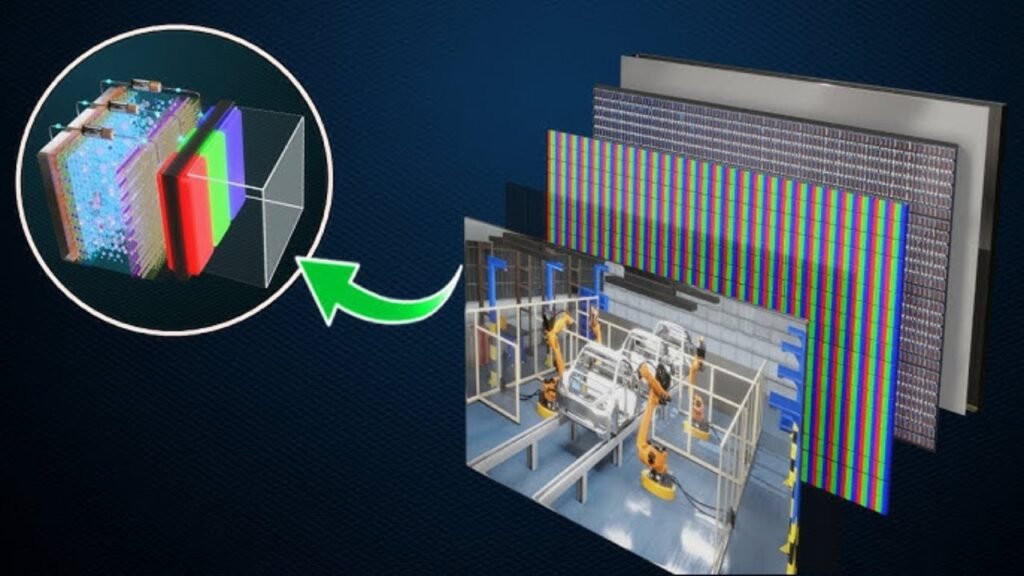
An LED display is not a single device – it is a system of interconnected components. The quality and compatibility of these parts determine:
Image quality – brightness, color, clarity
Reliability – how long the screen lasts
Installation ease – how quickly it goes up
Maintenance cost – how easy to repair
This guide explains the 10 key components of an LED display, what each one does, and why it matters for your purchase decision.
Quick Overview: 10 Key Components
| # | Component | Primary function |
| 1 | LED Modules | Emit light – create the image |
| 2 | Control Card (Sending Card) | Sends signal from PC to screen |
| 3 | Receiving Cards | Distributes signal to modules |
| 4 | Driver ICs | Controls individual LEDs |
| 5 | PCB (Printed Circuit Board) | Holds and connects components |
| 6 | Power Supply Unit (PSU) | Provides stable power |
| 7 | Cabinet | Holds everything together |
| 8 | Control Software | Manages content and settings |
| 9 | Cables and Connectors | Transmits power and data |
| 10 | Cooling System | Prevents overheating |
Part 1: Core Components
1. LED Modules

What it is: The building block of an LED display. Each module contains hundreds or thousands of individual LEDs arranged in a grid.
What it does: Emits light to create images. The quality of the LED chips determines brightness, color accuracy, and lifespan.
Why it matters for your purchase:
| Factor | What to look for |
| LED brand | Nationstar, Kinglight, San’an |
| Pixel pitch | Smaller = higher resolution (higher cost) |
| Brightness | Indoor: 800-1,500 nits; Outdoor: 4,000-6,000+ nits |
| Color consistency | Well-binned LEDs have uniform color |
Pro tip: Ask what brand of LED chips are used. Premium brands cost more but deliver better color consistency and longer life.
2. Control Card (Sending Card)
What it is: The device that connects your computer to the LED display. It converts video signals into data the screen can understand.
What it does: Sends processed image data to the receiving cards on the display.
Why it matters:
| Feature | Why important |
| Processing speed | Affects refresh rate and smoothness |
| Input options | HDMI, DVI, SDI, Ethernet |
| Maximum resolution | Limits screen size and pixel count |
| Redundancy | Dual sending cards prevent total failure |
Common brands: NovaStar, Colorlight, Linsn
3. Receiving Cards
What it is: Small boards attached to each LED module. They receive data from the sending card and control individual modules.
What it does: Interprets the signal and tells each module what to display.
Why it matters:
| Feature | Why important |
| Compatibility | Must match sending card brand |
| Cable length support | Longer distance = more flexibility |
| Image retention | Affects grayscale and color accuracy |
| Diagnostic features | Helps find problems quickly |
4. Driver ICs (Integrated Circuits)
What it is: Tiny chips that control individual LEDs on a module. Each driver IC typically controls 16, 24, or 48 LEDs.
What it does: Regulates current to each LED – determines brightness and color accuracy.
Why it matters:
| Factor | Impact |
| Current accuracy | Better accuracy = more uniform brightness |
| Refresh rate | Higher rate = smoother video, no flicker |
| Low brightness performance | Good ICs maintain color even when dim |
| Heat generation | Better ICs run cooler |
5. PCB (Printed Circuit Board)
What it is: The board that holds LED chips, driver ICs, and other components. It provides electrical connections between parts.
What it does: Carries power and data signals across the module.
Why it matters:
| Factor | What to look for |
| Layer count | 2-layer or 4-layer (4-layer is better) |
| Material | FR4 (standard) or aluminum (better heat dissipation) |
| Copper thickness | Thicker = better current capacity |
| Surface finish | Gold or tin – gold is better for fine pitch |
6. Power Supply Unit (PSU)
What it is: Converts AC mains power (110-240V) to DC power (typically 5V) that LEDs use.
What it does: Provides stable, clean power to the display.
Why it matters:
| Factor | Why important |
| Efficiency rating | Higher efficiency = lower electricity bill |
| Overload protection | Prevents damage during power spikes |
| MTBF rating | Mean time between failures – higher is better |
| Temperature rating | Must handle environment (outdoor needs higher rating) |
Common brands: Meanwell, Chuanglian, G-Energy
7. Cabinet
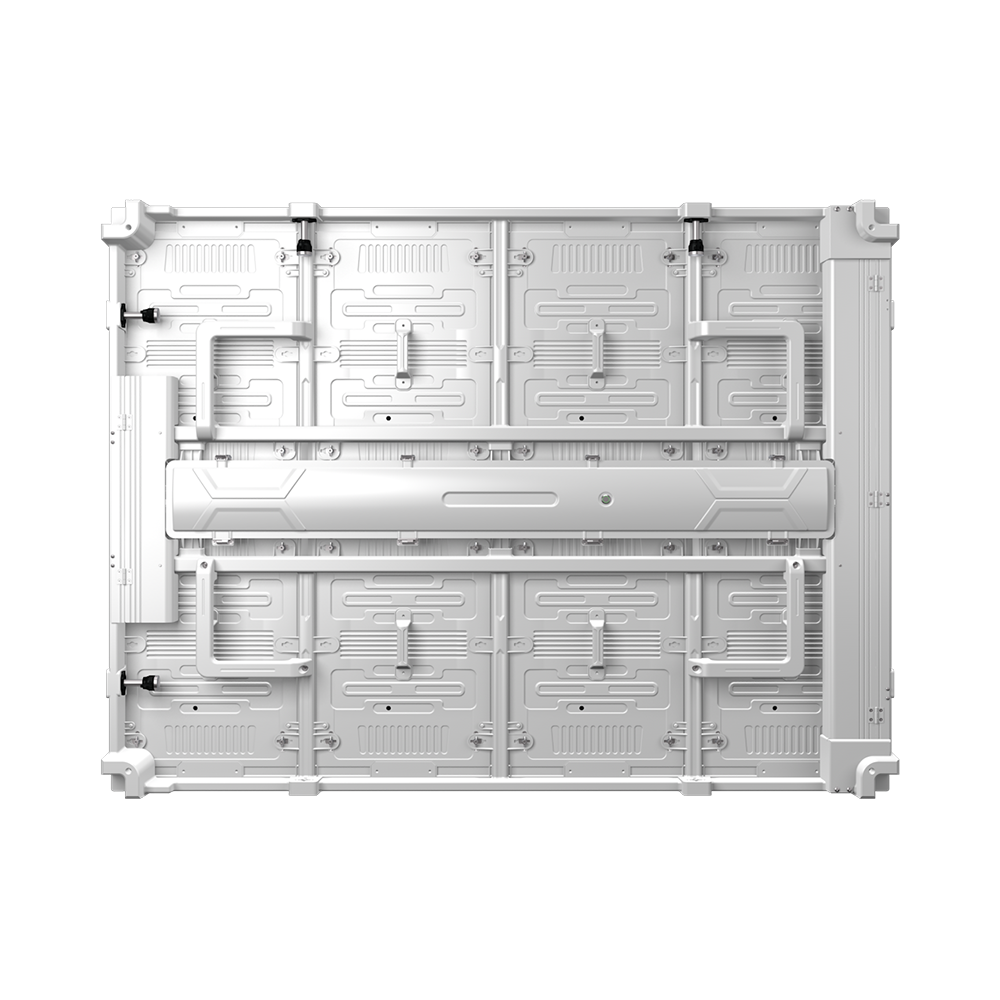
What it is: The metal frame that holds modules, power supplies, and receiving cards together.
What it does: Provides structural support and protection.
Why it matters:
| Factor | Impact |
| Material | Die-cast aluminum (premium), aluminum profile (standard), steel (heavy duty) |
| Weight | Affects shipping cost and installation |
| Thickness | Thinner = sleeker appearance |
| IP rating | Indoor (IP20-IP40), outdoor (IP65) |
8. Control Software
What it is: The program on your computer that manages content and screen settings.
What it does: Controls brightness, color calibration, content layout, and scheduling.
Why it matters:
| Feature | Why important |
| Ease of use | Learning curve – affects daily operation |
| Feature set | Scheduling, remote control, zone management |
| Compatibility | Must work with your control card brand |
| Mobile app | Convenient for quick updates |
Common software: NovaLCT, HDPlayer, LEDSet
9. Cables and Connectors
What it is: Wires that connect components – power cables, data cables (Ethernet), and signal cables.
What it does: Transmits power and data between system parts.
Why it matters:
| Cable type | Quality indicators |
| Power cables | Wire gauge (thicker = better), insulation rating |
| Data cables | Shielded (better), length rating |
| Connectors | Gold-plated (corrosion resistant) |
10. Cooling System
What it is: Fans or passive cooling components that remove heat from the display.
What it does: Prevents overheating, extends component life.
Why it matters:
| Cooling type | Best for |
| Passive (no fans) | Small indoor screens, quiet environments |
| Active (fans) | Most indoor screens, rental displays |
| Air conditioning | Large outdoor screens, hot climates |
Part 2: Component Quality Impact on Performance
| Performance factor | Components that affect it |
| Brightness | LED chips, driver ICs, power supply |
| Color accuracy | LED chips, driver ICs, calibration |
| Refresh rate | Driver ICs, sending card, receiving cards |
| Lifespan | LED chips, power supply, cooling system |
| Reliability | All components – weakest link matters |
| Serviceability | Cabinet design, modularity |
| Installation ease | Cabinet weight, connectors, cable management |
Part 3: Component Quality Tiers
| Component | Economy | Standard | Premium |
| LED chips | Generic China | Nationstar | Kinglight / Nichia |
| Driver IC | Basic | High refresh | High refresh + low gray |
| PCB | 2-layer FR4 | 2-layer FR4 | 4-layer FR4 / aluminum |
| Power supply | Generic | Chuanglian | Meanwell |
| Control card | Off-brand | NovaStar | NovaStar (dual backup) |
| Cabinet | Steel | Aluminum profile | Die-cast aluminum |
Part 4: Component Selection Guide
| Application | Priority components | Recommendation |
| Outdoor billboard | Brightness, IP rating, power supply | 5,000+ nits, IP65, Meanwell PSU |
| Indoor fine pitch | Driver IC, PCB, LED chips | High-refresh IC, 4-layer PCB, Nationstar LED |
| Rental screen | Cabinet, connectors, cooling | Die-cast aluminum, rugged connectors, active cooling |
| Control room | Driver IC, refresh rate | High-refresh IC (3,840 Hz) |
| Retail signage | Ease of use, aesthetics | Slim cabinet, simple software |
Part 5: Summary – What to Ask Your Supplier
| Component | Questions to ask |
| LED chips | What brand? What bin? |
| Driver ICs | What refresh rate? |
| PCB | How many layers? |
| Power supply | What brand? Efficiency rating? |
| Control card | What brand? Does it have backup? |
| Cabinet | What material? IP rating? |
| Warranty | What is covered? How long? |
Ivan’s LED Displays
At IvanLED, we use quality components in all our displays:
LED chips: Nationstar, Kinglight (premium brands)
Driver ICs: High refresh rate (1,920-3,840 Hz)
PCB: 4-layer FR4 for fine pitch, 2-layer for standard
Power supply: Meanwell or equivalent
Control card: NovaStar or Colorlight
Cabinet: Die-cast aluminum or aluminum profile
Warranty: 1 year
Frequently Asked Questions
Q: Which component most affects image quality?
LED chips and driver ICs have the biggest impact. Premium LED chips provide better brightness and color consistency. High-quality driver ICs enable smooth video, accurate colors, and high refresh rates.
Q: Can I mix components from different brands?
Some components are interchangeable, but mixing brands can cause compatibility issues. Control cards and receiving cards must be the same brand. Power supplies and LED modules are more brand-agnostic but quality varies.
Q: What is the most common component failure?
Power supplies fail most often (especially on cheap screens). LED chips rarely fail. Receiving cards and cables can also fail, but less frequently. Buying quality power supplies (Meanwell, Chuanglian) reduces failure risk.
Q: How do I know if my components are good quality?
Ask your supplier for brand names. Quality components come from known brands (Nationstar, Kinglight for LEDs; Meanwell for power supplies; NovaStar for control). If the supplier cannot name brands, components are likely generic.
Q: Can I upgrade components later?
Yes, but with limits. You can replace power supplies, receiving cards, and even modules. However, mixing old and new modules may show color differences due to LED aging. For best results, replace whole sections together.
Q: Does IvanLED use premium components?
Yes. Our displays use Nationstar or Kinglight LEDs, high-refresh driver ICs, and Meanwell power supplies. We use NovaStar control systems – the industry standard.