









What is 1440p Resolution?

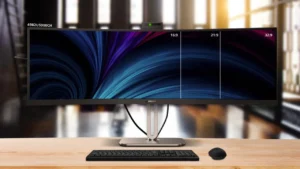
1440p does not refer to a single resolution alone, but rather a series. It refers to the fact that the vertical pixels of the screen are 1,440, while the horizontal pixels vary according to the aspect ratio of the screen. Typically, QHD (Quad HD) or WQHD (Wide Quad HD) with a 16:9 aspect ratio is the most common type, which has 2560 × 1440, approximately 3.69 million pixels.
The following are the common aspect ratios and pixel counts for 1440p resolution:
| Aspect Ratio | Pixel Count | Total Number of Pixels |
| 16:9 | 2560 × 1440 | 3.69 million |
| 16:10 | 2304 × 1440 | 3.32 million |
| 4:3 | 1920 × 1440 | 2.76 million |
| 21:9 | 3360 × 1440 | 4.84 million |
| 32:9 | 5120 × 1440 | 7.37 million |
Advantages of 1440p Resolution
High Clarity and Rich Details
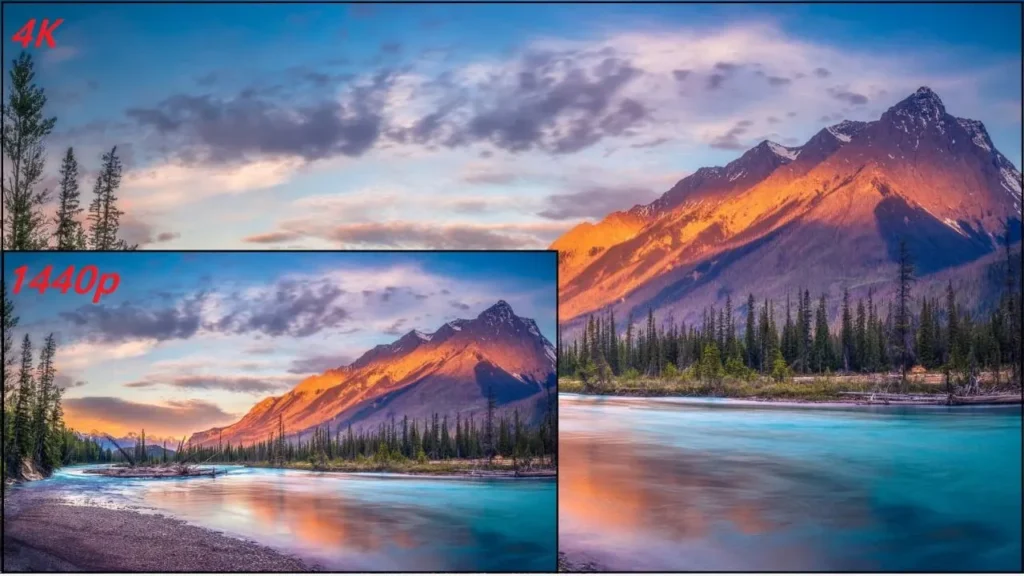
The vertical pixel count of 1440p is twice that of 720p and one-third more than that of 1080p. In terms of the total number of pixels, 1440p is 1.8 times more than 1080p, which makes the text and images displayed on 1440p screens clearer and more detailed. At a common viewing distance, you can hardly see the pixels on the screen.
Besides, for the general screen size and viewing distance, you can hardly tell the difference between 1440p and 4k. At this time, choosing 1440p is already sufficient.
Manageable cost
Compared with 4k, 1440p has fewer modules, fewer LED beads, and lower driver IC specifications, which will significantly reduce the purchase price. In addition, due to its simpler system architecture, 1440p is more cost-effective than 4k in other aspects, such as heat dissipation, maintenance, and power consumption.
Moderate System Load
In terms of system load and bandwidth requirements, 1440p also has a significant advantage over 4k. 1440p LED displays have lower requirements for video processors and do not need high-end equipment. Moreover, for transmitting 1440p signals, cables with medium bandwidth can ensure smooth transmission.
High Content Compatibility
The optimal design resolutions for a large number of professional software interfaces, web designs, and high-definition video promotional materials are based on 1080p and 1440p. When the proportion is appropriate, 1440p can be perfectly compatible with these contents. Also, for computer monitors used in gaming, 1440p is compatible with most games and can support a relatively high refresh rate.
Disadvantages of 1440p Resolution
Resolution Below 4K
When you are watching the screen at a normal distance, you will feel that the clarity of 1440p is appropriate, and you can’t find any pixels. However, if your viewing distance is smaller, for example, less than 2 meters, and the screen is relatively large, 1440p cannot display extremely high-definition content. In particular, in scenarios with high clarity requirements, such as high-end control rooms and command centers, 1440p is not the best choice.
Low Market Acceptance
Compared with 1440p, 1080p, and 4k are two more common resolutions. When you sell to a consumer base or customize LED displays for a project, 1440p is often not well-known to customers. And moreover, 1440p occupies an awkward middle position in the market: its supply chain maturity and cost-performance are inferior to 1080p, while its clarity falls short of 4K, making it difficult for users to accept.
Difficult in Adapting Technological Development
As 4K and 8K resolution sources and production processes become increasingly popular, the advantage of 1440p in terms of clarity will gradually decrease. A 1440p screen cannot display 4k and 8k content; it can only compress the content to its own resolution. That is to say, the 1440p is increasingly losing its competitiveness.
Common Pixel Pitch of 1440p Resolution
For LED displays, what determines clarity is not only resolution but also pixel pitch. The smaller the pixel pitch and the denser the pixels, the higher the clarity of the image presented. The optimal pixel pitch range for achieving 1440p resolution is between P1.8 and P4.
Generally speaking, p1.8 and below are the top choices for high-end projects. An LED display with a pixel pitch of 1.8mm only requires a width of 4.61m and a height of 2.59m to achieve 1440p. 2.0-2.5mm is the most common choice for business and conference applications, but to achieve 1440p, a larger screen size is required.
Main Usage Scenarios of 1440p Resolution
TVs, Smartphones, and Monitors
For products with a huge retail market, such as televisions, mobile phones, and computer monitors, 1440p is one of the common resolutions. Compared with 1080p, 1440p resolution has a significant improvement in clarity on these small screens. If you hope to use the screen in retail, for these products, a higher resolution is a great selling point.
Meeting Room and Exhibition Hall
The viewing distance between conference machines and exhibition hall screens is generally within 10 meters, and the displayed content is mostly PPTS, videos, and data presentations. For these scenarios, 1440p is a choice that combines cost-effectiveness and visual experience.
Advertisement LED Displays
For some indoor advertising screens, advertisers often hope that the picture is clearer and can clearly display the details of posters or videos. 1440p can meet this requirement, especially for those large-sized display screens, such as airport video walls and LED posters.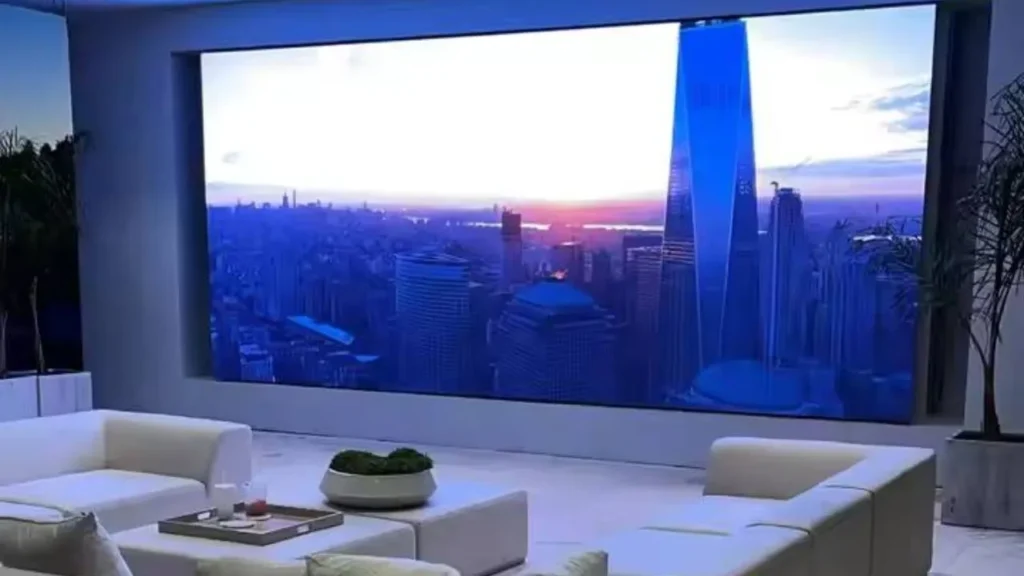
Photography and Video Equipment
In the field of video shooting and production, 1440p can retain more details and adjustment space than 1080p. In the field of monitoring and playback devices, 1440p can maintain clear picture details at a high cost-performance, which is a reasonable choice.
Curved Screen projects
For curved screens, a pixel pitch that is too low will make you feel a grainy texture when looking at the curved parts, while a pixel count that is too high will increase the difficulty of integration and transmission pressure. From the perspective of current technology, 1440p can well balance these two indicators and is a friendly choice for curved screens.
What are the Differences Among 1080p,1440p and 4K Resolution
1080p Resolution
1080p resolution is usually referred to as Full HD. Generally, it has a resolution of 1920×1080, and the number of pixels is approximately half that of 1440p. For most application scenarios, such as conference LED screens and car LED screens, the clarity of 1080p is already high enough and has a very high cost-performance. However, it is not clear enough when viewed up close, displayed on large screens, or showing details of text and charts.
4K Resolution
4k resolution is usually also called Ultra HD or UHD. It usually has 3840×2160 pixels, which is more than twice the number of pixels of 1440p. Due to the extremely high clarity, 4k is often used in some high-end scenarios, such as high-end meeting rooms and control centers.
However, the current 4k technology is still not mature; its price and requirements for hardware equipment are relatively high, and it only has a small consumer market.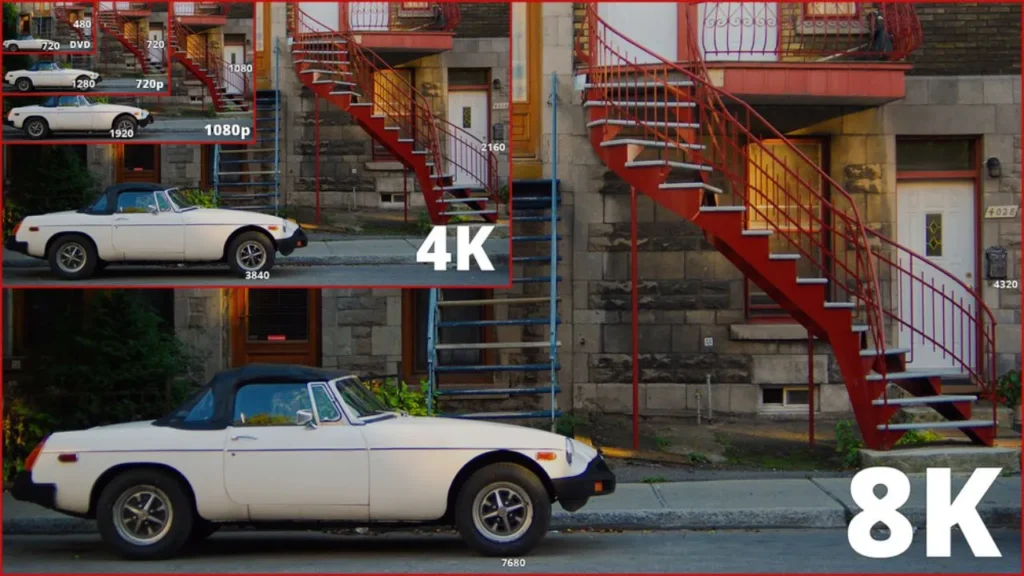
| Terms | 1080p (Full HD) | 1440p (QHD) | 4K (Ultra HD) |
| Pixel count | 1920×1080 | 2560×1440 | 3840×2160 |
| Screen cost | Low | Medium | High |
| Maintenance difficulty | Low | Medium | High |
| Power consumption | Low | Medium | High |
| Optimal viewing distance | 5 meters or longer | Within 5 meters | Within 3 meters |
| Applicable screen size | Small or medium | Medium or large | Medium or extremely large |
| Visual experience | Adequate for far viewing | Clear | Ultra-clear |
| Market maturity | High | Medium | Low |
Suggestions for Choosing Different Resolutions
For Retailers and Brand Owners
When to Choose 1080p Resolution
For distributors, 1080p has the advantages of a huge market, low cost, and fast turnover. When your budget is limited, and you want quick profits and a low risk of inventory overstock, you can make 1080p your main promoted product.
When to Choose 1440p Resolution
When consumers feel that the clarity of 1080p is not high enough, 1440p can solve this pain point while maintaining high cost performance. You can use 1440p to build a more high-end product line, and this can bring a higher profit margin.
When to Choose 4k Resolution
4k resolution can offer an ultimate visual experience and is suitable for professionals or consumers with a sufficient budget. When your target consumers are these professionals, your procurement costs are sufficient, and you want to achieve higher profits, focusing on 4k resolution is an ideal choice.
For Integraters and Project Procurement Managers
When to Choose 1080p Resolution
The 1080p clarity is sufficient, and the cost, maintenance cost, and power consumption are all very low. When your budget is limited, or the screen size you need to customize is very small, and your requirement for clarity is not particularly high, 1080p is the most reasonable choice.
When to Choose 1440p Resolution
When 1080p is insufficient to meet the clarity requirements of your customers and your budget is limited, 1440p is definitely a good compromise solution. Moreover, it is budget-friendly in the long term, can support high refresh rates, and is suitable for various scenarios.
When to Choose 4k Resolution
When you need an extremely immersive and stunning experience, such as museum exhibitions, theme park immersive theaters, and other scenes, or other scenarios that require extremely high definition, such as cinemas and ultra-high-definition studios, 4k can definitely bring you the ultimate experience.
FAQs
Is Higher Resolution Always Better for LED Displays?
Although higher resolution can bring better visual effects, it also means that you need a more advanced video processor and transmission speed, as well as higher costs. Therefore, the resolution you choose should match your actual needs rather than simply being as high as possible.
Does a Higher-Resolution Screen Mean Higher Power Consumption?
As the number of pixels increases, power consumption may also increase accordingly. However, the power consumption of an LED display is influenced by the number of pixels, luminous efficiency, actual brightness, and a variety of other factors, not just resolution.
Are 1440p and 2K Displays the Same Concept?
1440p is sometimes referred to as 2k. However, from a professional perspective, this term is not professional, and 1440p and 2k are not the same. In the cinema projection industry, 2K is defined as a resolution of 2048 × 1080, whereas 1440p is typically 2560 × 1440. More accurately, 1440p should be classified as 2.5K.
Is a 1440p Screen Suitable for Long-Term Monitoring in a Control Room?
Yes. Control rooms typically need to display a large amount of information simultaneously. Compared with 1080p, 1440p provides clearer details without consuming excessive bandwidth, and it is a good choice that balances clarity and cost-effectiveness.
Final Thoughts
If you wish to customize a high-definition screen, whether for indoor or outdoor use, IvanLED can offer you a satisfactory solution. We are a factory with over ten years of experience in the production of LED displays. We can provide you with various pixel pitches, brightness levels, sizes, and uses of LED screens, which can perfectly meet your needs.
If you wish to order a custom screen, get in touch with us!