Buyer Pain Points: Resolution Confusion in LED Projects
B2B buyers sourcing LED displays face these specific resolution challenges:
- Over-specifying – Paying for 4K when 1440p would look identical at the intended viewing distance.
- Under-specifying – Choosing 1080p for close-viewing applications where pixels become visible.
- Content mismatch – 1440p content is less common than 1080p or 4K, creating scaling challenges.
- Supplier confusion – Many LED suppliers only offer 1080p or 4K configurations, skipping 1440p entirely.
- Hidden costs – 1440p requires more cabinets and processing than 1080p, but less than 4K.
At IvanLED, we help buyers match resolution to viewing distance and content — not just sell the highest number.
What Is 1440p Resolution for LED Displays?
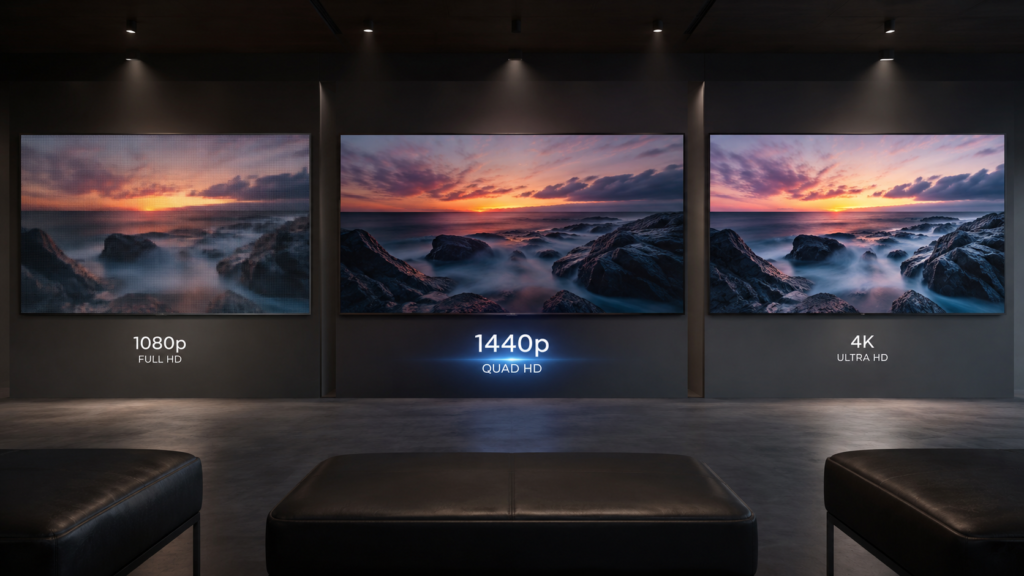
1440p resolution, also called QHD (Quad High Definition) or 2K, refers to a display with approximately 2,560 horizontal pixels and 1,440 vertical pixels — about 3.7 million total pixels.
For comparison:
- 1080p (FHD): 1,920 × 1,080 ≈ 2.1 million pixels
- 1440p (QHD): 2,560 × 1,440 ≈ 3.7 million pixels (about 1.8x 1080p)
- 4K (UHD): 3,840 × 2,160 ≈ 8.3 million pixels (about 4x 1080p, 2.25x 1440p)
On an LED display, achieving 1440p means arranging cabinets to hit these pixel counts. For example, using 500×500mm cabinets with a P2.5 pixel pitch, a 1440p screen would be approximately 6.4m wide × 3.6m high.
1440p vs. 1080p vs. 4K: Key Differences for LED Displays
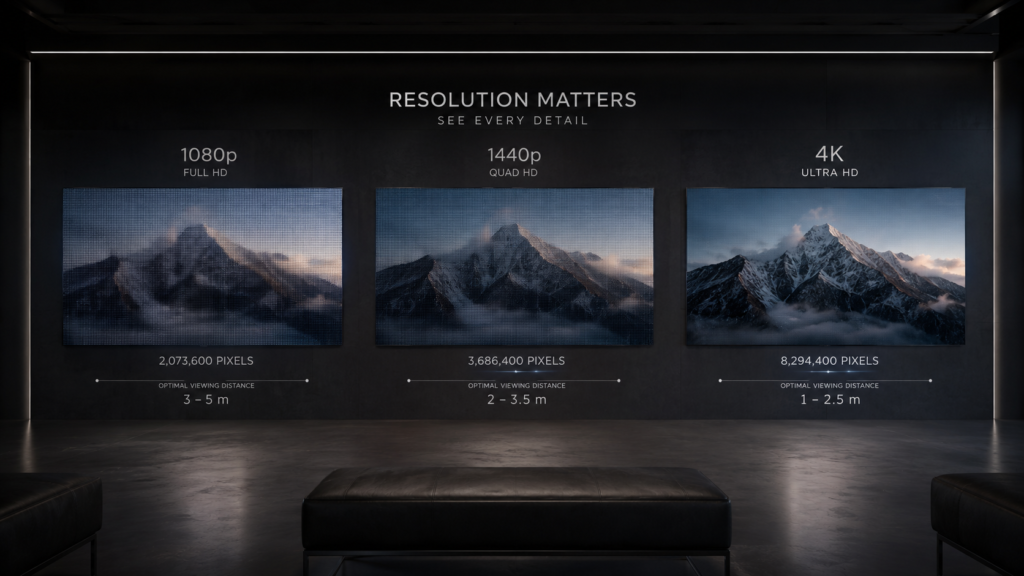
| Resolution | Total Pixels | Relative to 1080p | Best Viewing Distance | Typical Applications |
| 1080p (FHD) | ~2.1 million | 1x | 2–5 meters | Digital signage, churches, trade shows |
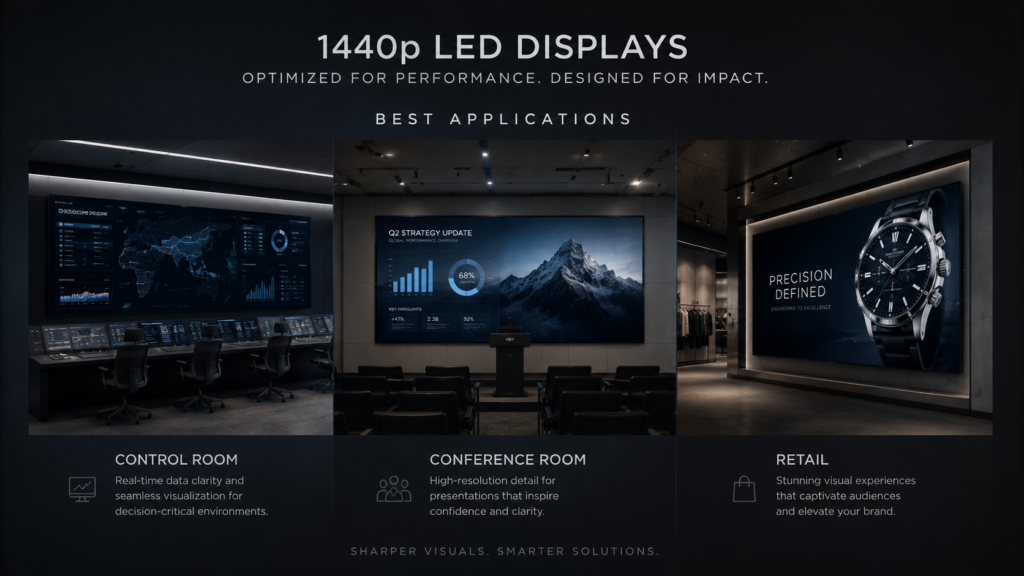
| 1440p (QHD) | ~3.7 million | 1.8x | 1.5–3 meters | Control rooms, conference rooms, premium retail |
| 4K (UHD) | ~8.3 million | 4x | Under 1.5 meters | Broadcast studios, virtual production, luxury showrooms |
Visual Quality at Different Viewing Distances
At typical commercial viewing distances, the human eye has limits. Here is when 1440p actually matters:
- Viewing distance > 4 meters – 1080p and 1440p look identical. 4K is wasted.
- Viewing distance 2–4 meters – 1440p provides noticeable improvement over 1080p. 4K provides marginal benefit.
- Viewing distance < 2 meters – 4K shows clear advantage. 1440p is acceptable but not optimal.
Key takeaway: 1440p is the “sweet spot” for viewing distances between 1.5 and 3 meters — close enough to see pixels on 1080p, but far enough that 4K is overkill.
Cost Comparison
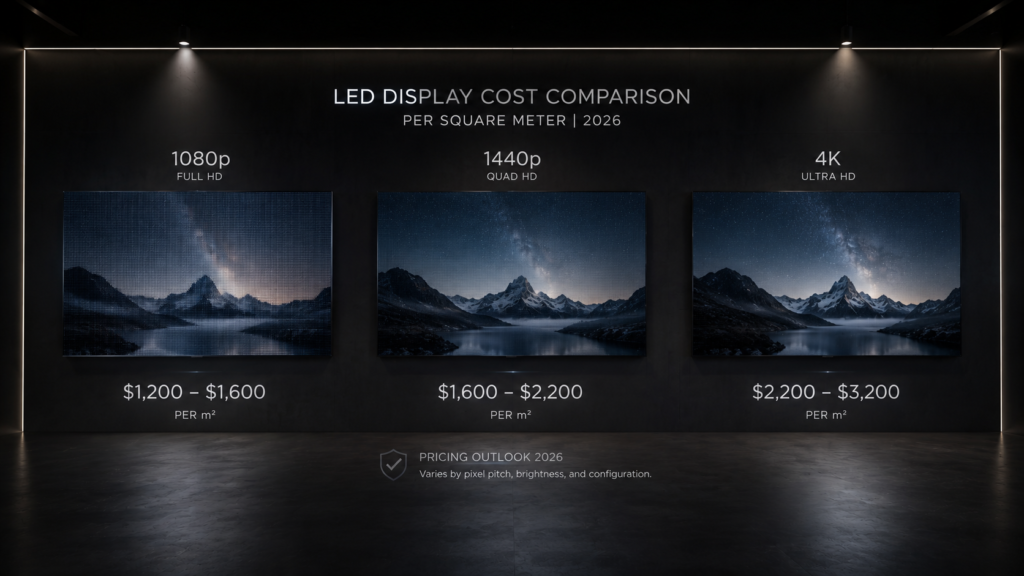
For a fixed screen size (e.g., 3m × 2m = 6m²), here is how costs compare:
| Resolution | Approximate Pixel Pitch | Relative Cost (vs. 1080p) | Controller Requirement |
| 1080p | P2.5–P3.9 | 1x (baseline) | Standard |
| 1440p | P1.8–P2.5 | 1.5–2x | Higher performance |
| 4K | P1.2–P1.5 | 3–5x | Premium + fiber optics |
For a 6m² screen: 1080p ≈ $6,000–$8,000; 1440p ≈ $10,000–$14,000; 4K ≈ $18,000–$30,000.
Content Availability & Scaling
- 1080p content on 1440p screen – Must be upscaled. Quality depends on processor. Poor upscaling creates soft or blurry images.
- 4K content on 1440p screen – Must be downscaled. You lose detail but retain good overall quality.
- Native 1440p content – Limited availability. Most video content is 1080p or 4K. PC desktops and some dashboards support 1440p natively.
Critical advice: If most of your content is 1080p, upscaling to 1440p may not improve image quality. Match native resolution to your primary content.
Applications Best Suited for 1440p LED Displays
When 1440p Does NOT Make Sense
- Outdoor billboards – Viewing distance > 10m makes resolution irrelevant. 1080p or even 720p is sufficient.
- Large digital signage (viewing distance > 5m) – Viewers cannot distinguish 1080p from 1440p. Save budget.
- Churches (large sanctuaries) – First row is often 8m+ away. 1080p is perfectly adequate.
- Event rental (general use) – Most events use 1080p content. 1440p adds cost with no visible benefit to audiences.
- When your content is 1080p-only – Upscaling to 1440p provides no real improvement. Stick with 1080p.
How to Achieve 1440p Resolution with LED Displays
Unlike LCD monitors with fixed panels, LED displays achieve 1440p by arranging cabinets to hit the target pixel count. Here is an example using standard 500×500mm cabinets with different pixel pitches:
| Pixel Pitch | Cabinets Needed for 2560 Pixels Wide | Resulting Screen Width |
| P1.8 | 2560 ÷ (500 / 1.8) ≈ 9.2 cabinets → 10 cabinets | 5.0 meters |
| P2.0 | 2560 ÷ (500 / 2.0) ≈ 10.2 cabinets → 11 cabinets | 5.5 meters |
| P2.5 | 2560 ÷ (500 / 2.5) ≈ 12.8 cabinets → 13 cabinets | 6.5 meters |
Important: Not all pixel pitches divide evenly into 1440p. Your supplier will calculate the exact cabinet count and final dimensions. Always request a pixel map before manufacturing.
Common 1440p Resolution Mistakes with LED Displays
- Choosing 1440p for long viewing distances – At 5+ meters, 1080p looks identical. Paying for 1440p is wasted budget.
- Assuming 1440p content is widely available – Most video is 1080p or 4K. Native 1440p content is rare outside PC gaming and some professional applications.
- Ignoring upscaling quality – A cheap controller will make 1080p content look worse on a 1440p screen than on a native 1080p screen.
- Overlooking processing demands – 1440p requires more bandwidth and processing than 1080p. Confirm your controller can handle it.
- Forgetting about future content – If you plan to use 4K content in the future, 1440p may be an awkward intermediate resolution.
Expert Tips from 10+ Years in LED Displays
Tip 1: Calculate your actual viewing distance first.
Measure the distance from screen to the closest viewer. Use this rule: 1080p works up to 2.5× screen height; 1440p extends that to about 1.8× screen height. Match resolution to actual distance, not marketing claims.
Tip 2: Test with your actual content before committing.
Bring a laptop with your typical dashboards, videos, and presentations. View them on a 1080p screen and a 1440p screen at the intended distance. The difference may be invisible — or critical.
Tip 3: For mixed content, invest in a good scaler.
If you show both 1080p and 4K content on a 1440p screen, a high-quality video processor is essential. Cheap scalers introduce artifacts, blur, or lag.
Tip 4: Consider the total system cost, not just the screen.
A 1440p screen may cost 1.5–2x a 1080p screen. But controllers, cabling, and media players may add another 20–40%. Get a complete quote including all components.
Tip 5: For control rooms, ask about native dashboard resolution.
Many SCADA and monitoring systems are designed for 1080p or 4K, not 1440p. Using 1440p may cause letterboxing or scaling artifacts. Check with your software vendor first.
Frequently Asked Questions (FAQ)
Q1: Is 1440p the same as 2K for LED displays?
Yes, 1440p is often called 2K or QHD (Quad High Definition). It has approximately 2,560 × 1,440 pixels. Note that some industries call 1080p “2K” as well, so always confirm the exact pixel count when discussing with suppliers.
Q2: Is 1440p better than 1080p for a church LED display?
For most churches, no. The first row is typically 5–10 meters from the screen. At that distance, the human eye cannot distinguish 1440p from 1080p. Save your budget for better brightness, uniformity, or reliability instead.
Q3: How much more does 1440p cost than 1080p for LED displays?
Typically 50–100% more for the screen cabinets alone. A 1080p screen might cost $800/m², while a 1440p screen with finer pixel pitch costs $1,200–$1,600/m². Controllers and cabling add another 20–40% on top.
Q4: Can I play 4K content on a 1440p LED display?
Yes, but the content will be downscaled to 1440p. You lose some detail compared to a native 4K screen, but image quality remains good. However, 1080p content upscaled to 1440p may appear soft. A good video processor is recommended.
Q5: What pixel pitch is needed for 1440p on an LED display?
For a typical 5–6 meter wide screen, P1.8 to P2.5 achieves 1440p. Exact pixel pitch depends on the target screen size. Ask your supplier for a pixel map showing how cabinets achieve the resolution.
Q6: Does IvanLED offer 1440p LED displays?
Yes. We manufacture LED displays at 1080p, 1440p, 4K, and custom resolutions. We help buyers select the optimal resolution based on viewing distance, content, and budget — never over-selling.
Conclusion: Is 1440p Right for Your LED Project?
Your decision flowchart:
- What is the minimum viewing distance?
- > 4 meters → 1080p is sufficient (save budget)
- 2–4 meters → 1440p provides noticeable improvement
- < 2 meters → Consider 4K; 1440p is acceptable but not optimal
- What is your primary content resolution?
- 1080p → 1440p offers little benefit; stick with 1080p
- 1440p native → Perfect match
- 4K → Consider 4K display; 1440p will downscale and lose detail
- What is your total budget?
- Tight → 1080p is cost-effective
- Mid-range → 1440p offers excellent value for closer viewing
- Premium → 4K for critical applications
IvanLED’s straightforward advice for 2026:
– For 70% of LED display applications (digital signage, churches, rental, outdoor): 1080p is sufficient and cost-effective.
– For control rooms, conference rooms, and premium retail with viewing distances of 1.5–3 meters: 1440p is the sweet spot — noticeably better than 1080p without the premium of 4K.
– For broadcast studios, virtual production, and luxury showrooms with viewing distances under 1.5 meters: 4K is the right choice.
At IvanLED, we provide transparent resolution recommendations based on your actual viewing distance and content — not just the highest number.
Ready to specify the right resolution for your LED display project?
👉 Contact IvanLED with your viewing distance and content requirements for a free recommendation.