Buyer Pain Points: Resolution Confusion Costs Money
B2B buyers sourcing LED displays struggle with:
- Over-specifying resolution – Buying UHD for a 10-meter viewing distance wastes budget.
- Under-specifying processing – An UHD screen with weak controllers still looks bad.
- Content mismatch – Playing HD content on UHD screens often looks worse than on HD screens.
- Hidden bandwidth costs – UHD requires 5–10x more cabling and processing power.
- Supplier confusion – Many LED suppliers use TV terminology without explaining real-world impact.
At IvanLED, we help buyers match resolution to application — not just sell the highest number.
What HD and UHD Mean for LED Displays
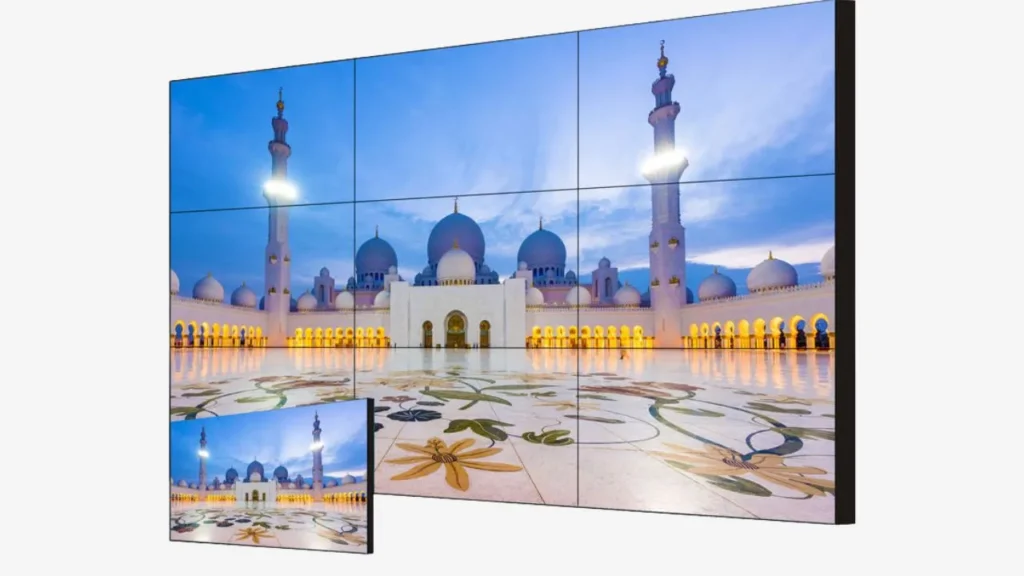
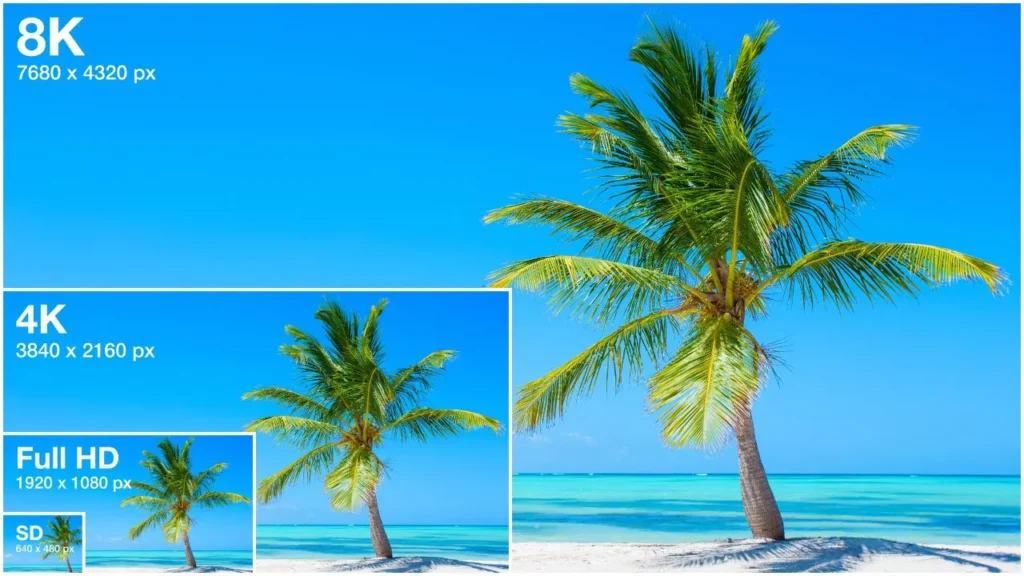
In the LED display industry, resolution is defined by pixel pitch (mm between pixels) and total pixel count across the assembled screen.
HD (High Definition) on LED displays:
Typically means 1280×720 pixels total across the screen. For a 4.8m × 2.7m screen, this equals roughly a P3.7–P4.8 pixel pitch. Common for entry-level indoor signage and small outdoor boards.
UHD (Ultra High Definition) on LED displays:
3840×2160 pixels total. For a 9.6m × 5.4m screen, this equals roughly a P2.5 pixel pitch. Used for premium indoor displays, broadcast studios, and high-end retail.
Key distinction from TVs: On LED displays, you can achieve any resolution by scaling the cabinet count. UHD is not a fixed size — it is a pixel target.
HD vs. UHD for LED Displays: The Real Differences
1. Pixel Count & Pixel Pitch Equivalents
| Resolution | Total Pixels | Typical Pixel Pitch Range | Typical Screen Size for This Resolution |
| HD (720p) | ~0.92 million | P4 – P8 | 4m–6m wide |
| FHD (1080p) | ~2.07 million | P2.5 – P4 | 5m–8m wide |
| QHD (1440p) | ~3.69 million | P1.8 – P2.5 | 6m–9m wide |
| UHD (4K) | ~8.29 million | P1.2 – P1.9 | 8m–12m wide |
2. Visual Experience at Different Viewing Distances
| Viewing Distance | HD (P4+) | FHD (P2.5–P4) | UHD (P1.2–P1.9) |
| < 2 meters | Pixelation visible | Slightly visible | Excellent |
| 2–4 meters | Noticeable pixels | Good | Excellent |
| 4–8 meters | Acceptable | Good to excellent | Overkill (wasted) |
| > 8 meters | Good enough | Very good | Completely wasted |
Rule of thumb for LED displays:
– UHD (P1.2–P1.9) only makes sense when viewers stand under 3 meters from the screen.
– For distances > 5 meters, HD or FHD provides identical perceived quality at half the cost.
3. Cost Differences in LED Displays
UHD requires much smaller pixel pitch (P1.2–P1.9) vs. HD (P4–P8). Smaller pitch means:
- 2–5x higher LED density per square meter
- More driver ICs per cabinet
- Higher precision manufacturing – rejects increase
- More processing power – controllers, sending cards, receiving cards
Typical price per square meter (2026 estimates):
- HD (P4–P8): $400 – $900 USD/m²
- FHD (P2.5–P4): $700 – $1,400 USD/m²
- QHD (P1.8–P2.5): $1,200 – $2,200 USD/m²
- UHD (P1.2–P1.9): $2,000 – $4,000+ USD/m²
A 20m² UHD screen can cost $40,000–80,000 vs. $8,000–18,000 for HD — a 4–5x difference.
4. Processing & Bandwidth Requirements
| Component | HD (P4+) | UHD (P1.2–P1.9) |
| Sending card ports | 1–2 | 4–8+ |
| Total data rate | < 2 Gbps | 12–20 Gbps |
| Fiber optic runs | Optional | Required |
| Controller processing | Basic | High-end (Nova H-series, etc.) |
| Power consumption (per m²) | 150–250W | 250–450W |
Hidden cost: A $15,000 UHD screen may require an additional $5,000–$10,000 in controllers, cables, and processing.
5. Content Compatibility
- HD content on UHD screen: Looks soft, requires upscaling. Many LED controllers do poor upscaling, making HD look worse on UHD than on a native HD screen.
- UHD content on HD screen: Downscaled, loses detail. Wasted source material.
- Mixed content (HD + UHD clips): Avoid. Switching resolutions often causes black screens or sync issues on LED processors.
IvanLED recommendation: Match native resolution to 90%+ of your expected content. Do not buy UHD “for future-proofing” unless you already have a UHD content pipeline.
Application-Based Resolution Guide for LED Displays
| Application | Recommended Resolution | Pixel Pitch | Why |
| Outdoor billboard (street level) | HD to FHD | P4 – P8 | Viewing distance > 8m, higher resolution invisible |
| Indoor trade show booth | FHD | P2.5 – P3.9 | Viewing distance 2–4m, good balance of cost and quality |
| Retail window display | FHD to QHD | P1.8 – P2.5 | Close viewing (< 2m) needs finer pitch |
| Broadcast studio background | UHD | P1.2 – P1.5 | Cameras zoom in, any pixelation is visible on air |
| Control room / command center | FHD to QHD | P1.5 – P2.5 | Text clarity matters, but extreme resolution not needed |
| Church sanctuary (close seating) | FHD | P2.5 – P3.9 | First row may be 4–6m away, FHD sufficient |
| Event rental (indoor) | HD to FHD | P3.9 – P4.8 | Durability and weight matter more than resolution |
| Luxury retail (interactive floor) | UHD | P1.2 – P1.5 | Very close viewing, brand image demands perfection |
Common Mistakes When Choosing Resolution for LED Displays
- Buying UHD for long viewing distances – At 10 meters, the human eye cannot distinguish P1.2 from P3.9. You are paying 4x for zero visible benefit.
- Ignoring controller limitations – A cheap controller on UHD creates lag, tearing, or downscaling. The screen is only as good as its processor.
- Forgetting about source content – If your media server outputs 1080p, UHD is useless. Invest in content first.
- Assuming all “UHD” LED is equal – Some suppliers call P2.5 “UHD ready.” True UHD for close viewing requires P1.5 or smaller.
- Not planning for spare modules – UHD modules are more complex and harder to match later. Buy spares upfront (10–15% vs. 5–10% for HD).
Expert Tips from 10+ Years in LED Displays
Tip 1: Calculate your actual viewing distance first
Measure the distance from screen to the closest viewer. Double it for the farthest viewer. Use this formula: Pixel pitch (mm) = Viewing distance (m) ÷ 0.8 to 1.0.
Example: 5 meters viewing distance = P4–P6. UHD (P1.2–P1.9) is unnecessary.
Tip 2: Test with your actual content
Ask suppliers for a demo using your videos and images. Many “UHD” screens look identical to FHD with typical content.
Tip 3: Budget for the whole system, not just the screen
A $30,000 UHD screen needs a $5,000–$10,000 controller, $1,000+ in fiber cables, and a powerful media server. Total system cost is often 1.5–2x the screen alone.
Tip 4: For rental, prioritize durability over resolution
Rental clients rarely notice the difference between P3.9 and P2.5. They do notice dead pixels, broken cabinets, and setup delays. Choose GOB or COB at slightly larger pitch over fine-pitch SMD.
Tip 5: Future-proof with controller, not pixel pitch
Buy a controller that supports UHD input even if your screen is HD. You can upgrade to finer pitch cabinets later without replacing the entire processing chain.
Frequently Asked Questions
Q1: Is UHD worth it for an outdoor LED display?
Almost never. Viewing distances for outdoor displays are typically 8–50+ meters. At those distances, the human eye cannot resolve UHD vs. HD. You are paying 3–5x more for zero visible benefit. Stick with P4–P8 (HD to FHD).
Q2: Can I mix HD and UHD cabinets on the same screen?
No. Different pixel pitches cannot be mixed on one screen — brightness, color, and scaling will be inconsistent. Choose one resolution for the entire display.
Q3: What pixel pitch is true UHD for LED displays?
For a typical 8m–10m wide screen, UHD requires approximately P1.2–P1.5. Some suppliers call P1.9 “UHD ready” — this is marketing. Ask for total pixel count (3840×2160) to verify.
Q4: How much more does UHD cost than HD for LED displays?
Typically 3–5x more per square meter. A 20m² HD screen might cost $8,000–$18,000. The same size in true UHD (P1.2–P1.5) costs $40,000–$80,000 or more. Controllers and cabling add another 20–40%.
Q5: Does higher resolution reduce LED display lifespan?
Indirectly. Finer pitch means more LEDs per area, which generates more heat. If cooling is inadequate, lifespan decreases. But with proper thermal design, UHD can last just as long (50,000–100,000 hours).
Q6: Does IvanLED offer both HD and UHD LED displays?
Yes. We manufacture HD (P4–P8), FHD (P2.5–P4), and UHD (P1.2–P1.9) displays. We help buyers select the right resolution based on viewing distance, content, and budget — never over-selling.
Conclusion: Your Resolution Decision Checklist
Before you choose HD or UHD for your LED display project, answer these three questions:
- What is the minimum viewing distance? Under 3 meters? Consider UHD. Over 5 meters? HD or FHD is sufficient.
- What resolution is your content? If 90%+ of content is 1080p or lower, UHD is wasted. Invest in content first.
- What is your total system budget? UHD requires 3–5x higher screen cost plus 20–40% more for processing and cabling.
IvanLED’s straightforward advice for 2026:
– For 80% of B2B applications (outdoor, rental, trade shows, churches, retail signage): FHD (P2.5–P3.9) is the sweet spot — excellent image quality without overspending.
– For broadcast studios, luxury retail with < 2m viewing, and high-end control rooms: UHD (P1.2–P1.5) makes sense.
– For everything else: HD (P4–P8) is cost-effective and perfectly adequate.
At IvanLED, we do not push the most expensive resolution. We help you match resolution to real-world viewing conditions and budget.
Ready to specify the right resolution for your LED display project?
👉 Contact IvanLED for a free resolution consultation and customized quote based on your exact viewing distance and content.