What Is a Conference LED Display?
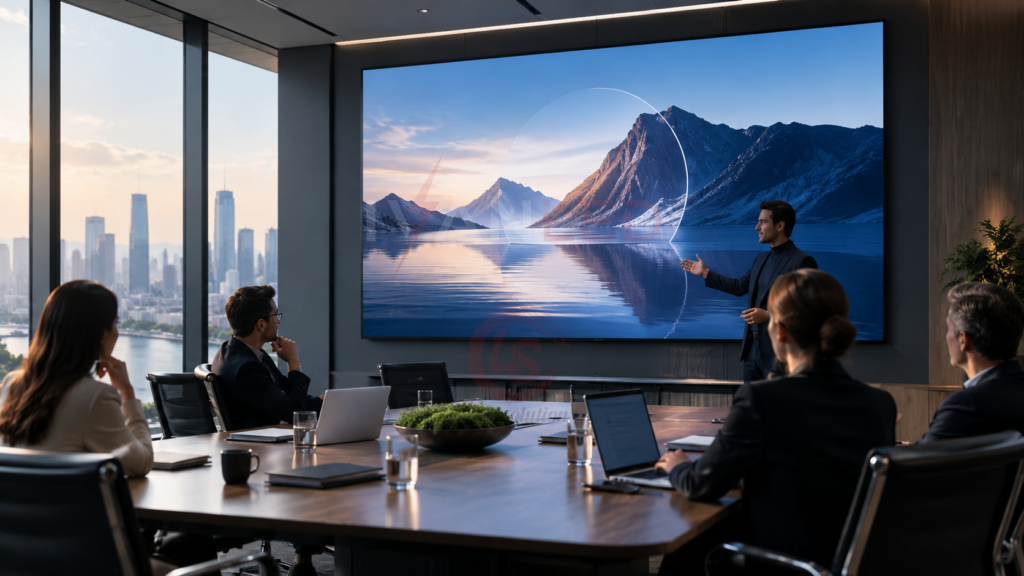
A conference LED display is a large-format LED screen designed for meeting rooms, boardrooms, and presentation spaces. It replaces traditional projectors and LCD video walls with brighter, clearer, and more flexible display technology.
Unlike projectors that require dim lighting, conference LED displays work well in normal room lighting. They deliver sharp text, vibrant colors, and seamless integration with presentation sources. Modern conference LED displays also support wireless casting, video conferencing, and interactive features.
For more on display applications, see our LED display solutions.
Key Factors for Choosing a Conference LED Display
Five factors determine the right conference LED display for your meeting room: resolution, screen size, viewing distance, maintenance accessibility, and installation type.
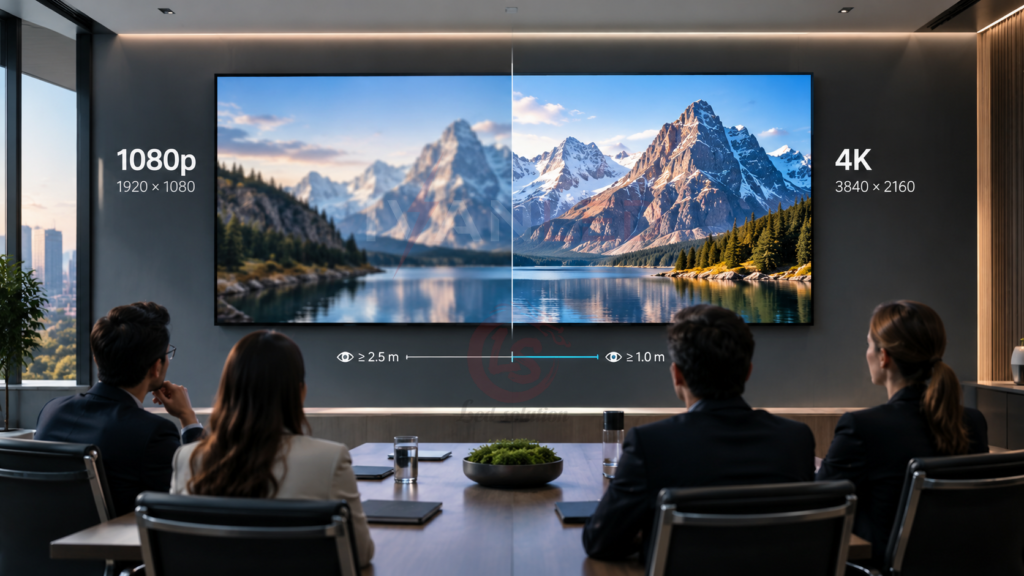
Resolution: For most conference rooms with viewing distances of 2-4 meters, 1080p (Full HD) is sufficient. 4K is only necessary for very large screens (over 100 inches) or when viewers are under 1.5 meters from the screen. Higher resolution increases cost without visible benefit at typical conference viewing distances.
Screen size: Choose screen size based on room dimensions and seating layout. For a 10-person conference room, a 2m wide screen is typically sufficient. For a 50-person boardroom, 4m+ wide screens are recommended. The screen should be visible to all participants without straining.
Viewing distance: The closest viewer determines the required pixel pitch. Use the rule: pixel pitch (mm) = viewing distance (meters). For a conference room where the closest viewer is 2.5 meters away, P2.5 is ideal. For 3.9 meters, P3.9 is sufficient.
Maintenance: Choose displays with front maintenance for wall-mounted installations where rear access is limited. Modular design allows individual module replacement without replacing the entire screen.
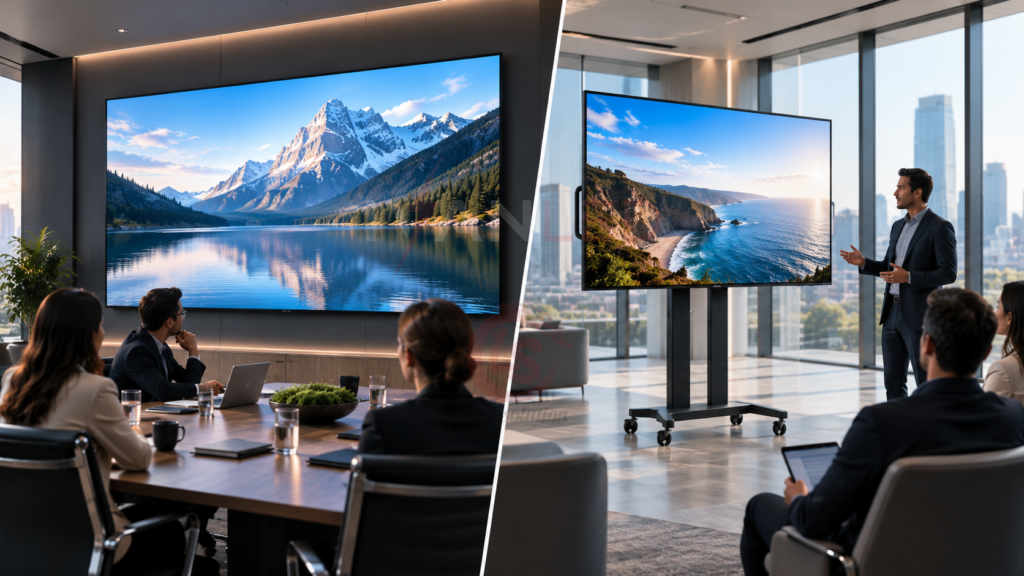
Installation type: Fixed installation for permanent boardrooms; mobile stands with casters for flexible meeting spaces.
For more on pixel pitch, see our pixel pitch guide.
Conference LED vs LCD: Key Differences
Conference LED displays outperform LCD screens in three key areas: image quality (higher contrast and brightness), lifespan (50,000–100,000 hours vs 30,000–60,000 hours), and maintenance (modular design allows individual module replacement).
| Factor | Conference LED Display | LCD Display |
| Image quality | Superior contrast, color, brightness | Good but limited contrast and color gamut |
| Lifespan | 50,000–100,000 hours | 30,000–60,000 hours |
| Maintenance | Modular design, replace individual modules | Complex repairs, often requires full panel replacement |
| Brightness | 800–1,500 nits, visible in normal lighting | 300–700 nits, may require dimming |
| Seamless design | No bezels, seamless video wall | Visible bezels between panels |
For more on display technology, see our LED screen quality guide.
Types of Conference LED Displays
Two main types of conference LED displays exist: fixed installation (wall-mounted for permanent boardrooms) and mobile (casters for flexible meeting spaces). The choice depends on room usage and flexibility needs.
Fixed installation: Permanently mounted on the wall. Best for formal meeting rooms, boardrooms, and presentation spaces where the screen stays in one position. Offers clean, professional appearance with no visible cables.
Mobile LED displays: Equipped with casters for easy movement. Suitable for small conference rooms, training rooms, and spaces that serve multiple purposes. Allows repositioning for different meeting configurations.
Advantages of Conference LED Displays
Conference LED displays offer six key advantages: high resolution and clarity, flexible screen sizing, energy efficiency, easy maintenance, long lifespan, and customization options.
High resolution and clarity: Detailed images and text for complex data, charts, and high-definition videos. Improves information delivery effectiveness.
Flexible screen size: Adjustable to match room dimensions and seating layout. Ensures all participants can clearly see content.
Energy efficient: Lower power consumption than traditional projection equipment. Generates less heat, reducing air conditioning load.
Easy maintenance: Modular design allows replacement of individual modules. Reduces maintenance costs and downtime.
Long lifespan: 50,000–100,000 hours of stable operation. Reduces replacement frequency and equipment failure interruptions.
Customization: Modular design enables custom shapes, sizes, and resolutions for specific conference room requirements.
Common Mistakes When Buying Conference LED Displays
The most common mistake is choosing a screen that is too small for the room. A screen that is too small forces participants to strain to see content, reducing meeting effectiveness. For a 10-person room, 2-3m wide screens are recommended.
Other frequent errors:
- Over-specifying resolution: Paying for 4K when 1080p would look identical at typical conference viewing distances
- Ignoring viewing angle: Ensure the screen is visible from all seats, especially side positions
- Forgetting about ambient light: Choose adequate brightness for the room’s lighting conditions
- No maintenance planning: Choose front-maintenance screens for wall-mounted installations
- Underestimating installation costs: Structural mounting and cable management add to total project cost
Expert Tips for Conference LED Display Buyers
Tip 1: Match resolution to viewing distance.
For most conference rooms with 2-4 meter viewing distances, 1080p is sufficient and cost-effective. 4K only provides visible benefits when viewers are under 1.5 meters from the screen.
Tip 2: Choose pixel pitch based on closest viewer.
Use the formula: pixel pitch (mm) = closest viewing distance (meters). For a room where the closest seat is 2.5 meters away, P2.5 is ideal.
Tip 3: Plan for front maintenance.
For wall-mounted installations, choose front-maintenance screens. Rear access is often impossible in conference room wall installations.
Tip 4: Consider wireless casting.
Select displays with integrated wireless casting support (Miracast, AirPlay, Chromecast) for seamless laptop and mobile device connectivity.
Tip 5: Order spare modules.
Order 5-10% spare modules with your initial purchase to ensure color match for future repairs.
For more on pricing, see our LED display price guide 2026.
Frequently Asked Questions (FAQ)
What is the best resolution for a conference LED display?
For most conference rooms with viewing distances of 2-4 meters, 1080p is sufficient. 4K is only necessary for very large screens (over 100 inches) or when viewers are under 1.5 meters from the screen. Higher resolution increases cost without visible benefit at typical conference viewing distances.
How do I choose the right size LED display for my conference room?
For a 10-person conference room, 2-3m wide screens are recommended. For a 50-person boardroom, 4m+ wide screens are recommended. The screen should be visible to all participants without straining. Consider the room dimensions and seating layout when selecting size.
What pixel pitch do I need for a conference LED display?
Use the formula: pixel pitch (mm) = closest viewing distance (meters). For a room where the closest seat is 2.5 meters away, P2.5 is ideal. For 3.9 meters, P3.9 is sufficient. Choose the pixel pitch that matches your room’s closest viewing distance.
What is the difference between fixed and mobile conference LED displays?
Fixed installation screens are wall-mounted for permanent boardrooms. Mobile screens are equipped with casters for flexible meeting spaces that serve multiple purposes. Choose fixed for dedicated meeting rooms; choose mobile for multi-purpose spaces.
Does IvanLED offer conference LED display solutions?
Yes. IvanLED manufactures conference LED displays in various sizes and pixel pitches for corporate meeting rooms and boardrooms.
Conclusion: Upgrade Your Conference Room with LED
Conference LED displays offer superior image quality, longer lifespan, and easier maintenance compared to traditional projectors or LCD screens. The right choice depends on room size, viewing distance, and budget.
Our straightforward advice:
– For most conference rooms: Choose 1080p resolution and pixel pitch matching your closest viewing distance.
– For wall-mounted installations: Choose front-maintenance screens.
– For flexible spaces: Choose mobile LED displays with casters.
– Always order spare modules (5-10%) with your initial purchase.
At IvanLED, we manufacture conference LED displays for corporate meeting rooms and boardrooms. Browse our LED display products or contact us to discuss your conference room requirements.