What does Resolution Mean?
As we all know, images are made up of individual pixels. In the display technology area, resolution refers to the number of pixels in an image along both the horizontal and vertical directions. For example, the 720 resolution means that the image is composed of approximately 1280 pixels horizontally and 720 pixels vertically.
What is 8K Resolution?
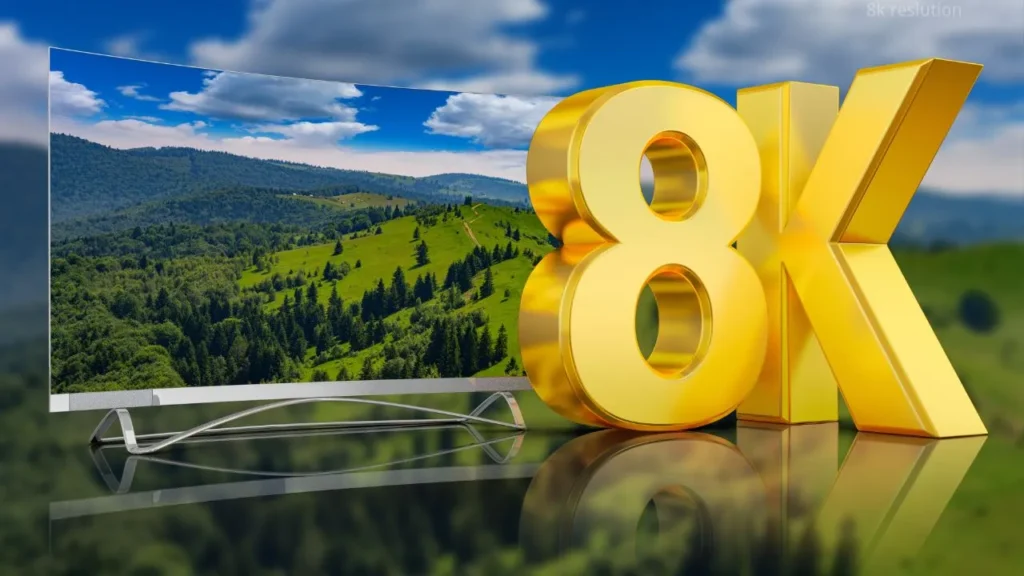
Similar to 720p, 8K refers to a display with approximately 8,000 horizontal pixels, with a typical resolution of 7680×4320 pixels. 8K is an advancement of 4K technology, which is nearly the highest resolution available for purchase currently. On the same display size, an 8K screen shows four times as many pixels as a 4K screen (3840×2160 pixels). Therefore, 8K resolution can make the display much clearer.
Factors Affecting the Viewing Experience: Not Merely Resolution
Resolution
Resolution is an important element that affects the visual experience; higher resolution can provide more details, which gives you a more realistic experience.
Frame Rate
The unit of frame rate is fps, which means the number of frames shown on screen in one second. For instance, 120fps refers to the number of frames output per second is 120 frames.
Frame rate determines the smoothness of a video. The higher the fps, the smoother the video, and the better your visual experience.
Brightness and Contrast
Insufficient screen brightness will cause the picture to be too dark, making it impossible for you to see the details clearly; on the contrary, excessive brightness will lead to an strain.
As for contrast, it means the ratio between the brightest white and the darkest black on a screen. Low contrast can make the image look flat and less three-dimensional.
Viewing Distance and Viewing Angle
When the viewing distance is short, you can see the pixels on the screen more clearly. If your viewing distance is within 2 meters, the incredible detail of 8K brings an incredible sense of immersion. On the other hand, at longer viewing distances, the advantage of higher resolution becomes less noticeable.
For the viewing angle, some underdeveloped technologies can cause screen distortion when you look from the left or right side. A good screen, such as OLED, allows you to see the display clearly from more angles.
8K, 4K, or Full HD: What are the Actual Differences?
Resolution and Pixel Account
Here is the contrast in pixels among these three items:
| Full HD | 4K UHD | 8K UHD | |
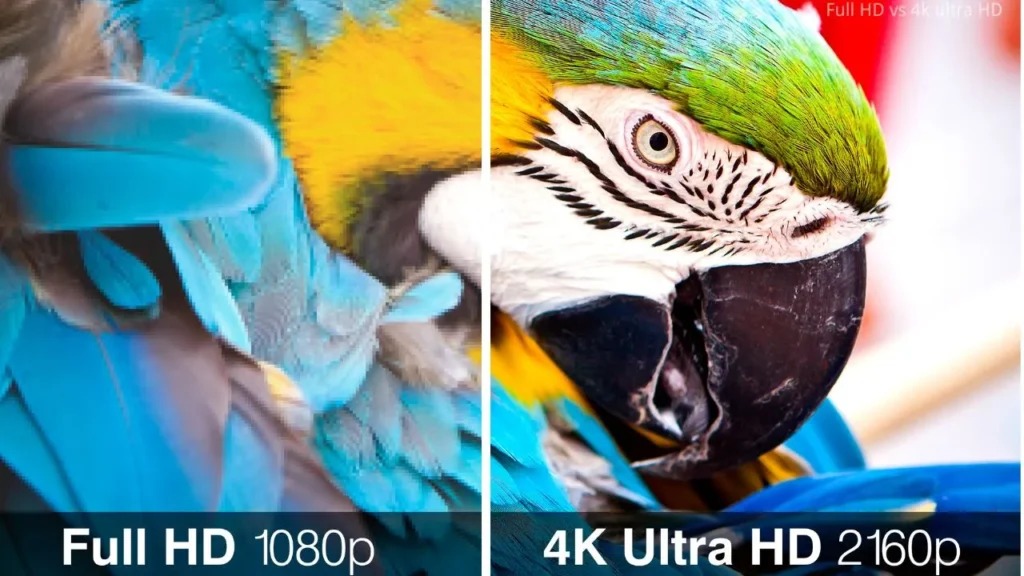
| Resolution | 1920×1080 | 3840×2160 | 7680×4320 |
| Pixels | 2.07 million | 8.29 million | 33.18 million |
Due to the more pixels, 8K usually can show you more clearly, followed by 4K and Full HD. Correspondingly, 8K also requires higher network bandwidth and more memory.
Suitable Viewing Distance
Because of the high resolution, 8K is suitable for most scenarios where the viewing distance is short. If the viewing distance is ten meters or more, you often cannot distinguish between these resolutions; 4K or Full HD is the better choice.
Application Scenarios
- Full HD: Full HD is usually used for short distances, such as laptops, meeting rooms.
- 4K: For some high-end computer monitors and TVs with typical viewing distances, always use a 4K resolution screen.
- 8K: 8K is always used for large-sized screens or scenarios with high requirements for details, like professional cameras, exhibitions.
Price Comparison
For the sales price, 8K is much more than 4K and Full HD. For example, A 65-inch 8K(UHD) TV from Samsung is priced at around $6,500, while a 55-inch 4K (UHD) TV costs approximately $700, and a 32-inch Full HD TV is priced at around $180.
Advantages of 8K Resolution
High Definition
With 33 million pixels, 8K resolution provides you with almost the ultimate viewing experience. You can hardly see the individual pixels, so you can see more details during viewing.
More Flexible Cutting
If you want to keep a portion of a frame when editing videos or photos, high-definition originals are a good choice. 8K allows the image to be heavily cropped while still remaining very clear.
More Immersive Experiences
According to the photographer Roger N. Clark, the human eye can distinguish about 5.76 million pixels. The closer the number of pixels in an image is to this number, the clearer it appears to you. Therefore, under 8K resolution, the content will provide you with a more immersive experience.
Disadvantages of 8K Resolution
High Cost
Due to the large number of pixels and the high-end manufacturing process, the cost of 8K shots or screens is much higher than 4K and Full HD ones. Furthermore, the requirements for GPUs and storage devices are equally high. If you want an 8K display to run smoothly, the corresponding GPU and storage are essential.
Limited Content
Most images and videos today are still in 4K or 1080p resolution. However, if you want to view 8K resolution videos or pictures, the only streaming media available are YouTube and Vimeo. Many mainstream platforms, such as Netflix and Disney+, currently don’t support 8K content.
High Hardware Demand
Whether you want to shoot or view 8K videos, relevant hardware is essential for you. If you want to record an 8K video, you need to prepare not only a professional camera, bt also a high-speed SD card, a tripod used to prevent the picture from shaking, and a high-performance computer used for post-production processing.
If you want to review an 8K video or picture, you need an 8K monitor, a GPU supporting 8K resolution, and at least 50–100 Mbps of network bandwidth. If you lack any of these components, the playback of 8K videos will be limited.
Main Application Scenarios of 8K Resolution
- Family cinema: For those TVs that are larger than 85 inches, 8K resolution provides greater advantages in image clarity.
- Professional film and television content production: For easier cropping, special effects processing, and a better viewing experience, movies and TV shows are usually filmed using the highest available resolution.
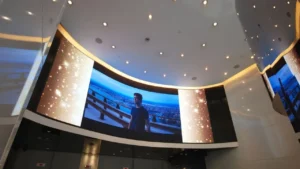
- Commercial applications: Some museums, stage backgrounds, and exhibition venues also require high resolution for visitors to view clearly.
- Immersive Experiences like VR/AR: Compared to TVs and computer monitors, 8K displays are even more popular in the AR/VR field. Applying it to the AR/VR field can make users feel more immersed due to its higher image clarity.
- Industrial application: With 33 million pixels, 8K can also be used for technical applications, including satellite imagery, mapping and surveying, engineering design, and architectural visualization.
Whether 8K Resolution been Widely Used?
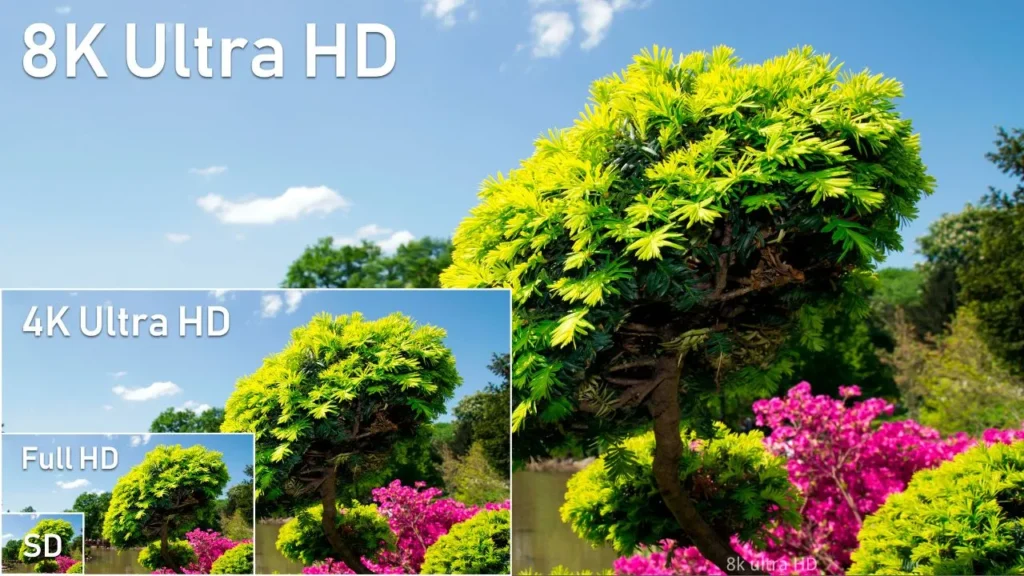
Though some manufacturers have already started producing 8K displays and cameras, 8K is not widely used because of its high expenses and device requirements. Furthermore, for those ordinary consumers who don’t use large screens in daily life, there’s little difference between 8K and 4K, so they tend to prefer 4K displays.
Difference Between 8K UHD and 8K DCI
8K UHD is the abbreviation of 8K Ultra High Definition, which refers to a resolution with 7680×4320 pixels, which comes with an aspect ratio of 16:9. 8K UHD is commonly used in televisions and other home display devices.
For 8K DCI, it stands for 8K Digital Cinema Initiatives and meets cinematic standards with 8192×4320 pixels and an aspect ratio of 16:9, and is used for professional film production and screening. Because of film standards, it has a wider aspect than 8K UHD.
What Devices are Required for 8K Resolution Video playing?
Screens
When you want to view an 8K resolution video, you must use a screen that supports 8K display. Normal screens with 4K or 1080p resolution can play 8K videos, but they cannot display the full 8K detail because their pixel count is lower than 8K.
Furthermore, the PPI (Pixel Per Inch) of high-end OLED TVs typically ranges from 70 to 130. That is to say, to enjoy 8K resolution, a screen size of 65 inches or larger is recommended. For the LED displays, if an LED screen has a 0.6 mm pixel pitch, it should be approximately 208 inches.
GPU
The GPU (Graphics Processing Unit) is responsible for decoding and outputting videos. It’s best to use a high-end GPU for 8K video playback; otherwise, it may affect the smoothness of viewing. Currently, graphics cards that support 8K decoding include NVIDIA’s RTX 30/40 series and AMD’s RX 6000/7000 series.
Special Cables
Ordinary HDMI cables like HDMI 2.0 may not be capable of 8K smooth streaming transmission. If you use an unsuitable HDMI cable, there may be frame drops or blurred images. When you are viewing 8K videos, HDMI 2.1 with a label as 48Gbps or Ultra High Speed is a wise choice.
FAQs
Is 8K the highest resolution currently available on the market?
8K resolution is generally the highest resolution product that consumers can purchase. However, in some fields, higher resolution has already been invented. For example, medical scanners and astronomical images can reach tens of thousands of pixels.
Can an 8K display show 4K content?
Yes. Since an 8K screen has four times as many pixels as a 4K screen, when displaying 4K content, the screen automatically upscales it to 8K to fill the display. Other resolutions, such as 1080p or 720p, are also upscaled similarly when shown on an 8K screen.
What is PPI?
PPI is the abbreviation of pixels per inch, which is one of the indices for measuring resolution. The higher the PPI, the greater the pixel density, and the clearer the image appears to the naked eye. For example, a common P0.7mm LED screen has a PPI of about 36.
8K& 60fps and 4k& 120fps, which one should I choose?
As mentioned, viewing experience is not only affected by the resolution, but also by factors such as frame rate and brightness. To the human eye, the difference between 8K and 4K on a TV or computer screen may be less; the difference between 60fps and 120fps is more noticeable. For everyday use, 4K at 120fps is a better choice for watching movies. In places like cinemas or concerts, higher resolution should be considered.
Can curved or transparent screens be used in 8K?
Yes. If transparent screens like shop windows and curved screens like gaming monitors or large TVs have a native 8K resolution, they can show 8K content. In addition, foldable, dual-sided, or other unique screens can also display 8K content if specific conditions are met.
Will 8K resolution overload or overheat my device?
8K videos playing can increase the load on devices, but whether it causes overheating or overloading depends on various factors, such as GPU performance, usage time, and the device’s cooling design. If your device has high performance, overloading rarely occurs.
IvanLED— Customize any LED Display you Want
If you want to customize LED displays of any resolution— including 8K— try partnering with IvanLED. As a professional manufacturer with over ten years of experience in LED displays, IvanLED can customize LED displays of almost all types and sizes for you, such as concert background screens, LED advertising screens. For pixel pitches, we provide five different pixel pitches ranging from p16 to p5.
IvanLED also has a strict quality control team to ensure the quality of the LED displays. Moreover, we offer various services, including real-time production supervision, warranty, after-sales services, and more. IvanLED serves clients around the globe, no matter where you are, we can deliver the products to you.