Buyer Pain Points: Eye Health Concerns in Commercial Displays
Procurement professionals face specific challenges when clients express eye health concerns:
Do LED displays damage eyes? No. Quality LED displays are designed with eye-safe features like flicker-free technology and blue light filters. The blue light emitted by LED displays is well within safety limits and is similar to what you get from daylight.
Why do some users report eye strain? Eye strain is typically caused by poor brightness settings, long viewing hours without breaks, or low refresh rates. It is not inherent to LED technology itself.
Are all LED displays equally eye-friendly? No. Budget displays may have lower refresh rates, less effective blue light filters, and poor anti-glare coatings. Premium displays incorporate advanced eye-care features.
What about blue light? LED displays do emit blue light, but at levels far below what is considered harmful. Modern displays include blue light reduction modes for added safety.
How can I reassure my clients? By specifying displays with high refresh rates, blue light filters, and anti-glare coatings — and by recommending proper usage practices.
Why Quality LED Displays Are Eye-Friendly
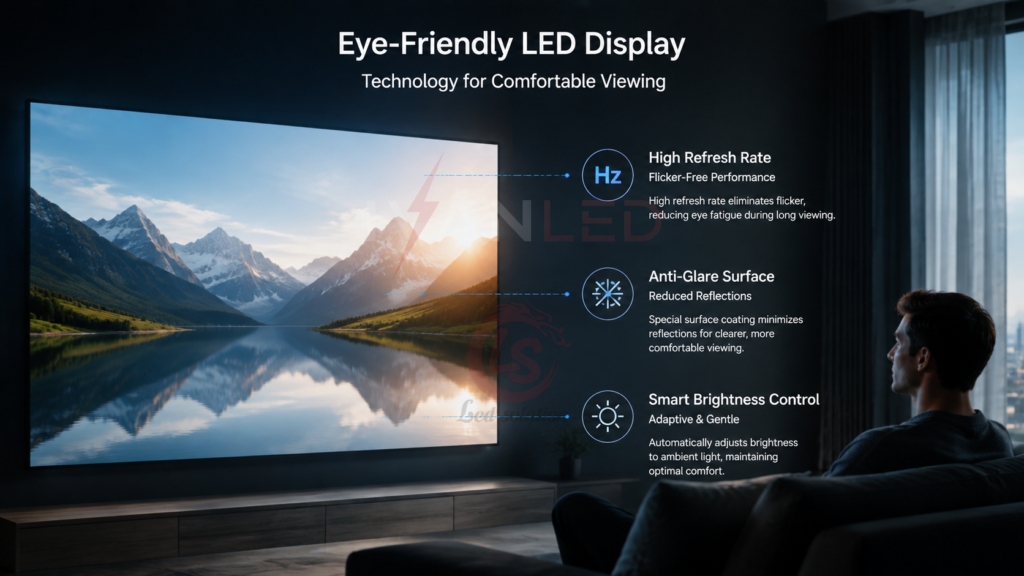
High-quality LED displays reduce eye strain through superior brightness, flicker-free operation, blue light filters, and anti-glare surfaces. These features make them more comfortable for prolonged viewing than older display technologies.
Key eye-friendly features:
- High refresh rate (1920Hz+): Eliminates visible flicker that causes eye fatigue
- Blue light reduction: Filters harmful high-energy visible light
- Anti-glare coating: Reduces reflections and uneven lighting
- Superior brightness: Clear visibility without excessive contrast strain
- Flicker-free technology: Consistent light output reduces eye muscle fatigue
For more on display specifications, see our LED display functions guide.
How LED Blue Light Affects Eyes
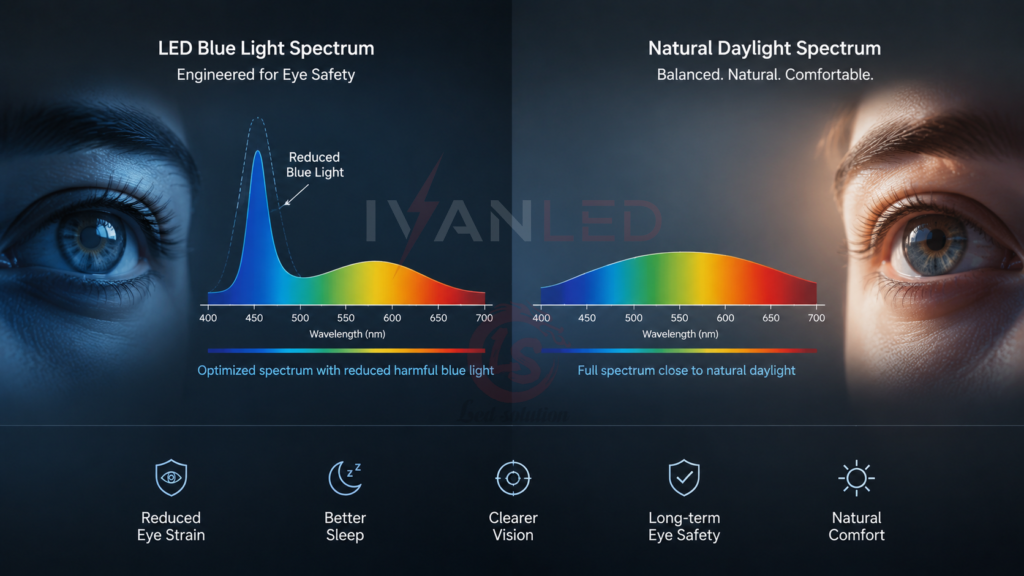
LED displays emit blue light at wavelengths between 400-495nm. This high-energy visible light can cause eye fatigue after prolonged exposure, but quality LED displays incorporate blue light reduction features to minimize this risk.
Understanding blue light:
- Daylight exposure: Natural sunlight contains far more blue light than any LED display
- Safe levels: LED displays emit blue light well within international safety standards
- Nighttime effects: Blue light can disrupt sleep patterns if viewed excessively before bedtime
- Mitigation: Blue light filters, night mode, and proper brightness settings reduce exposure
The key takeaway: Blue light from LED displays is not dangerous at normal viewing levels. The same technology that makes displays bright and clear can be managed with simple precautions.
LED vs Traditional Displays: Eye Health Comparison
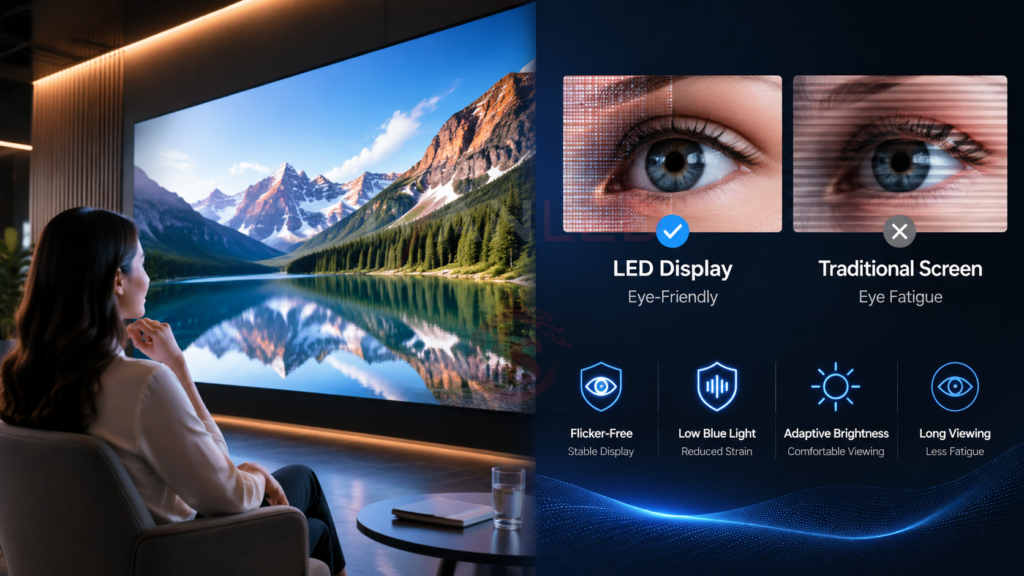
Modern LED displays outperform traditional displays (CRT, older LCD) in every eye-health metric: less flicker, better brightness control, superior clarity, and reduced UV radiation.
| Eye Health Factor | Modern LED Display | Traditional Display |
| Flicker visibility | Flicker-free (1920Hz+) | Visible flicker (60-120Hz) |
| Blue light emission | Controlled with filters | Unfiltered |
| UV radiation | Virtually none | Low-level UV emission |
| Brightness control | Precise, wide range | Limited adjustment |
| Anti-glare capability | Advanced coatings available | Limited or none |
| Color clarity | Sharp, high resolution | Soft, lower resolution |
| Viewing comfort | High (long periods) | Moderate (fatigue builds) |
Features That Make LED Displays Eye-Friendly
When specifying LED displays for eye-sensitive environments — control rooms, classrooms, healthcare facilities — prioritize these four features: high refresh rate, blue light reduction, anti-glare coating, and automatic brightness adjustment.
1. High refresh rate (1920Hz+): Eliminates visible flicker that causes eye fatigue. For broadcast and camera applications, 3840Hz is recommended.
2. Blue light reduction: Built-in filters reduce high-energy visible light. Night mode or low-blue-light settings are available on quality displays.
3. Anti-glare coating: Reduces reflections from ambient light, eliminating the need to constantly refocus. This is especially important in bright environments.
4. Automatic brightness control: Adjusts screen brightness based on ambient light, maintaining optimal viewing comfort throughout the day. See our brightness guide for more on optimal levels.
Specifying Eye-Friendly Displays for Commercial Projects
For commercial projects where users spend extended hours in front of screens — control rooms, classrooms, retail environments — specify displays with the eye-health features outlined above.
Recommendation by application:
- Control rooms (24/7 use): 3840Hz refresh rate, blue light reduction, auto-brightness
- Corporate lobbies (staff and visitors): 1920Hz refresh rate, anti-glare coating
- Retail signage (customer-facing): 1920Hz refresh rate, auto-brightness
- Education (student use): Blue light reduction, anti-glare coating
For a complete LED display price guide 2026, see our detailed breakdown.
Common Mistakes When Buying for Eye Health
The most common mistake is focusing solely on resolution while ignoring refresh rate and blue light protection. A 4K display with low refresh rate will cause more eye strain than a 1080p display with high refresh rate and blue light filters.
Other frequent errors:
- Overlooking flicker: Low refresh rates cause invisible flicker that strains eyes over time
- Ignoring brightness control: Displays without auto-brightness are either too bright or too dim for the environment
- Forgetting anti-glare: Reflections force eyes to constantly refocus, causing fatigue
- Not considering viewing distance: Displays viewed from too close cause more strain regardless of technology
- Underestimating user habits: Even the best display causes strain if users do not take regular breaks
Expert Tips for Buyers
Tip 1: Prioritize refresh rate over resolution.
A 1080p display with 1920Hz refresh rate is better for eye health than a 4K display with 60Hz. The flicker-free experience matters more than pixel count for long-term comfort.
Tip 2: Specify auto-brightness for variable environments.
Displays in spaces with changing natural light need automatic brightness adjustment. This prevents the eye strain caused by screens that are too bright or too dim.
Tip 3: Choose anti-glare coatings for well-lit spaces.
In offices, retail spaces, and classrooms with strong ambient light, anti-glare coatings are essential for comfortable viewing.
Tip 4: Educate clients on the 20-20-20 rule.
Even the best display requires proper usage habits. Encourage clients to implement the rule: every 20 minutes, look at something 20 feet away for 20 seconds.
Tip 5: Verify blue light reduction features.
Ask suppliers specifically about blue light filtering. Many budget displays claim protection without effective implementation.
Frequently Asked Questions (FAQ)
Do LED displays damage eyes?
No. Quality LED displays with high refresh rates, blue light filters, and anti-glare coatings are safe for eyes. They emit far less blue light than natural daylight and incorporate features that reduce eye strain during prolonged use.
What features make an LED display eye-friendly?
The key features are: high refresh rate (1920Hz+), blue light reduction, anti-glare coating, automatic brightness control, and flicker-free technology. These features work together to minimize eye strain during extended viewing.
Is blue light from LED displays dangerous?
No. Blue light from LED displays is well within international safety limits and is significantly less than what you get from natural sunlight. However, prolonged exposure before bedtime can disrupt sleep patterns. Blue light filters and night mode reduce this effect.
Does higher refresh rate reduce eye strain?
Yes. Higher refresh rates (1920Hz+) eliminate visible flicker, which is a major cause of eye strain. For control rooms and environments where users spend long hours, choose displays with 3840Hz refresh rates.
What is the best display type for control rooms?
For control rooms, choose LED displays with 3840Hz refresh rate, blue light reduction, anti-glare coating, and automatic brightness control. COB (Chip on Board) technology offers superior image quality and is recommended for 24/7 environments.
Does IvanLED offer displays with eye-friendly features?
Yes. IvanLED manufactures LED displays with high refresh rates (1920Hz–3840Hz), blue light reduction, anti-glare options, and automatic brightness control.
Conclusion: Eye-Friendly Displays Are a Specification Choice
LED displays are not inherently harmful to eyes. The difference between an eye-straining display and an eye-friendly one comes down to specification choices: refresh rate, blue light reduction, anti-glare coating, and brightness control.
Our straightforward advice:
– For 24/7 environments: Specify 3840Hz refresh rate, blue light filters, and auto-brightness.
– For general commercial use: Specify 1920Hz refresh rate and anti-glare coating.
– Always include user guidelines — the 20-20-20 rule — with any installation.
– Verify that the display’s blue light reduction features are effective, not just marketing claims.
At IvanLED, we manufacture LED displays with eye-friendly features for control rooms, corporate environments, retail spaces, and education. Browse our commercial LED display solutions or contact us to discuss your project requirements.
Ready to specify eye-friendly displays for your next project?
👉 Contact IvanLED for a free consultation and customized quote.