The Significance of the Aspect Ratio for Monitors
On the one hand, when you use a monitor to watch videos or play games, the aspect ratio will directly affect your viewing experience. Different aspect ratios deliver different visual effects, varying levels of comfort for your eyes, and different degrees of immersion.On the other hand, when you are using a monitor for working, such as office work, artistic creation, scientific research, and other activities, the aspect ratio of the monitor determines your productivity. A larger and wider screen allows for more multi-screen collaboration, and it can effectively avoid frequent switching. Therefore, choosing a screen with an appropriate aspect ratio is quite important.
Differences Between 16:9, 21:9, and 32:9 Monitors
Horizontal and Vertical Size
Horizontally,
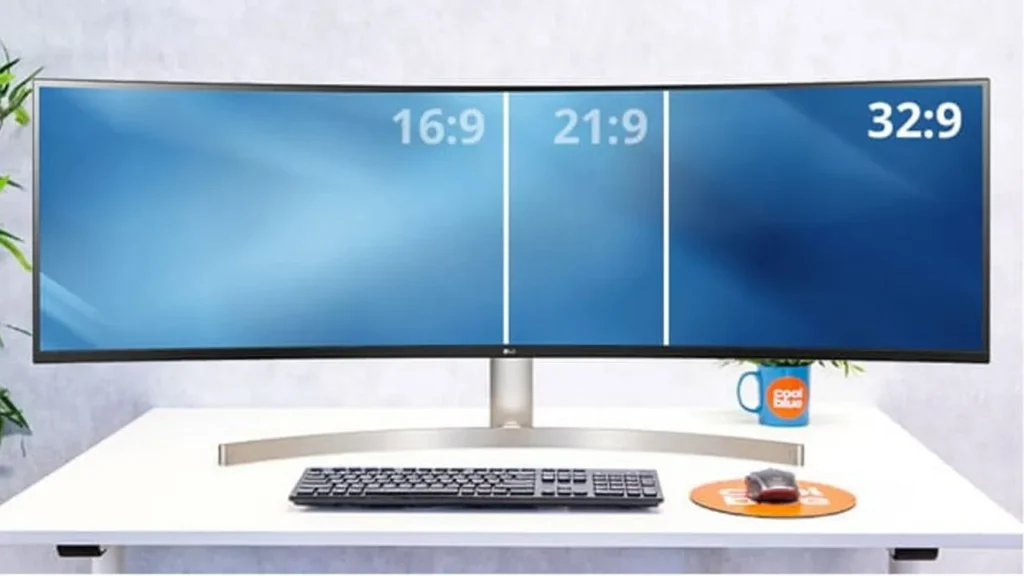
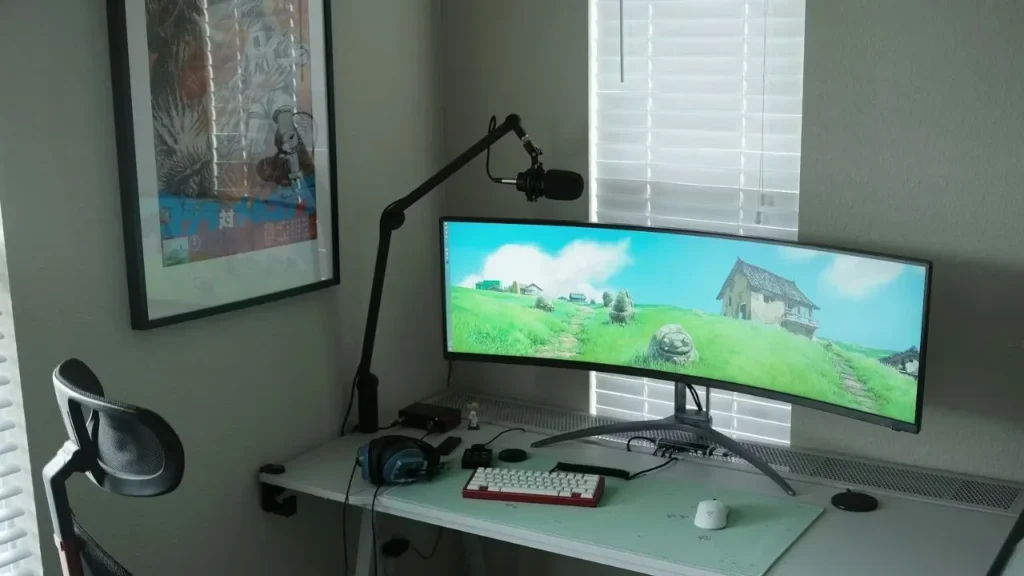
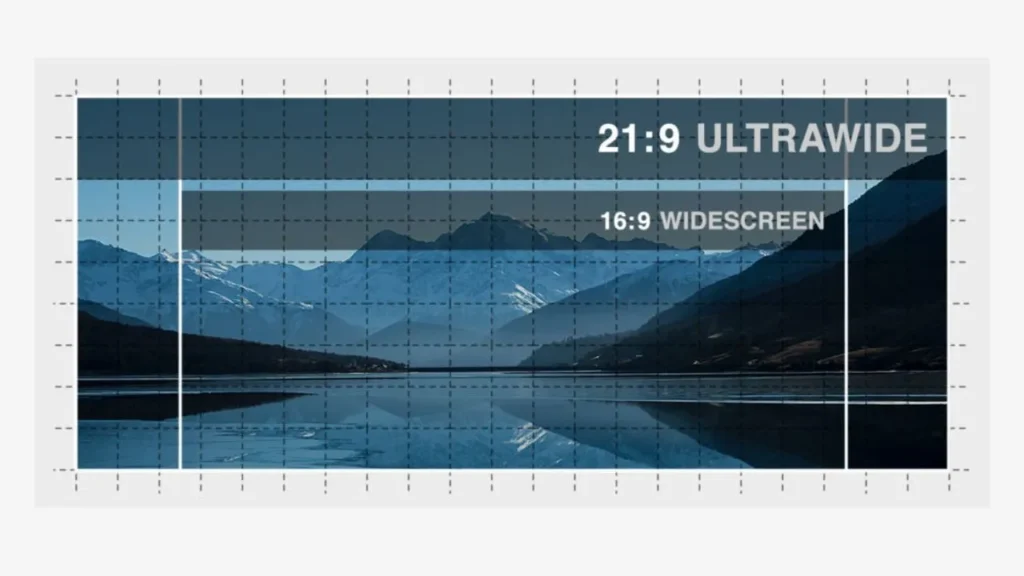
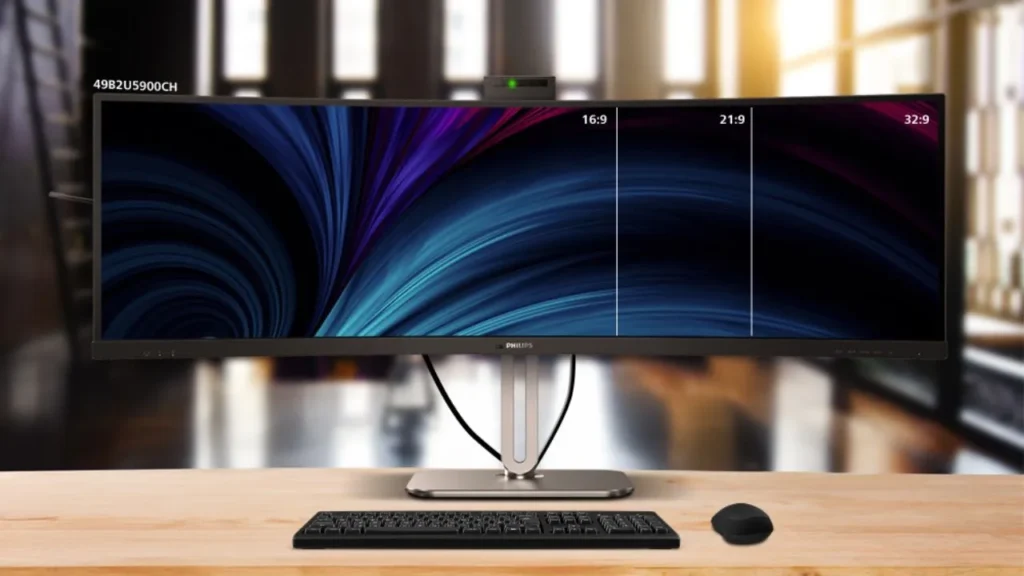
the 16:9 aspect ratio is the standard screen size, and the horizontal space is medium; 21:9 is wider than 16:9 and close to the aspect ratio of a movie’s wide screen.; while 32:9 is an extreme wide screen, which is equivalent to two 16:9 monitors placed side by side. Also, 32:9 monitors usually come with a curved ultra-wide monitor.In terms of vertical display space, 16:9 can show more vertical content, while 21:9 shows less. The 32:9 has the narrowest vertical space, and it is the most suitable for horizontal multitasking.
Software Compatibility
Almost all videos, console games, and office software are fully compatible with 16:9. When you play games, watch movies, or work in a 16:9 aspect ratio, you hardly encounter situations where the software is incompatible with the display screen.For a 21:9 aspect ratio, when you use a display screen of this aspect ratio for office work or to experience games and movies, incompatibility issues generally do not occur. Only a small number of games and videos support 16:9 and appear with black borders or other incompatibility manifestations.When you play 16:9 or 21:9 content or games on a 32:9 monitor, the picture may be stretched, distorted, or have wide black borders. 32:9 has the lowest content compatibility. Typically, only a few ultra-wide RPGS and simulation games can fully utilize the entire screen.
Split-screen working capability
In terms of multi-task collaboration, 16:9 is only suitable for simple 2 split-screens or more, and each window is relatively narrow. Too many split-screens will cause the content size to be compressed, the proportion to be distorted, and the work efficiency to decline.For 21:9 aspect ratio displays, they have sufficient horizontal space, and they are well-suited for two or three side-by-side windows, which is more efficient.A 32:9 aspect ratio screen has the highest multi-task parallel efficiency. Under the condition that the CPU allows, you can open five or more horizontal split-screens to improve work efficiency and avoid frequent switching.
Gaming Immersion
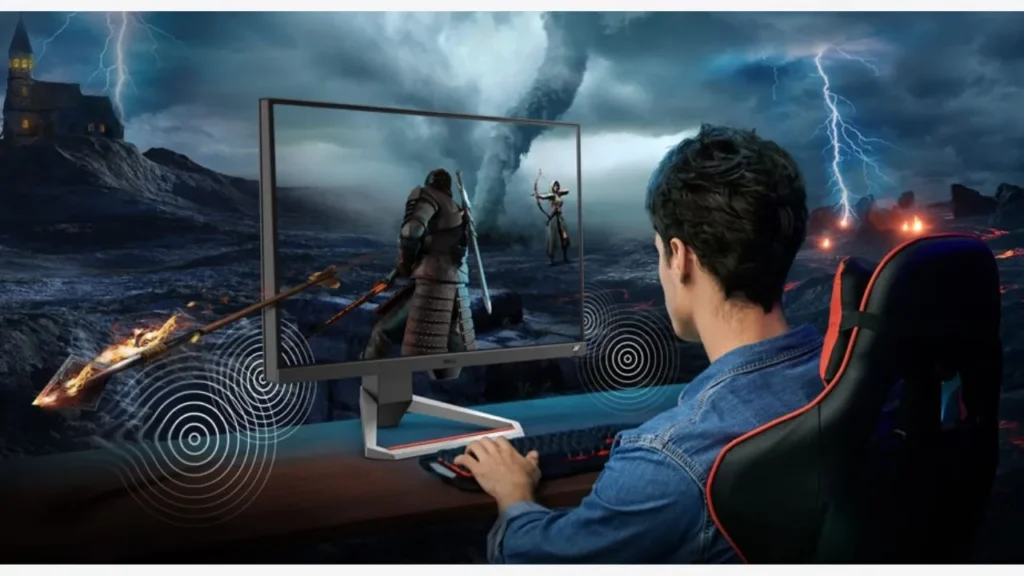
In terms of gaming experience, the 16:9 aspect ratio offers a relatively poor sense of immersion and is more suitable for scenarios that require high concentration on the central screen, such as FPS games and MOBA games. 21:9 can offer a better sense of immersion, basically covering most of your horizontal field of view, and is suitable for some RPG and open-world games. While 32:9 provides an extremely wide field of view, it can offer you an ultimate sense of immersion and making you feel as if you were right there.
Cost of Monitors
From the perspective of module manufacturing costs, for displays of the same width with a three-aspect ratio, the 32:9 display uses the most materials, has the greatest production difficulty, and the highest cost.The production difficulty of 21:9 is smaller, and the cost is relatively lower. Due to an exceptionally broad market and the lowest production difficulty, 16:9 has the most mature industrial chain and the most controllable price.Moreover, the price of monitors is not only determined by their aspect ratio, but also by various factors such as resolution,
refresh rate, and
screen size. For example,
the screen with 4K resolution is more expensive than those with 1080p resolution.However, due to the more advanced visual performance, 32:9 monitors are often positioned as high-end products and equipped with curved designs, higher refresh rates, and higher resolutions. Therefore, they are always significantly more expensive than 16:9 and 21:9.
Usage Scenarios
16:9 monitors are suitable for most scenarios and are sufficient to cover your daily work and entertainment, such as office work, various console games, web browsing, video playback, and other scenarios, but their performance may be limited.21:9 monitors are the ideal choice for watching movies and perform better in multi-window office work, creative design, and some games. It can offer you a better experience than 16:9 in all aspects.While 32:9 is the most professional choice, it is usually used in high-end monitors and is suitable for scenarios with high demands for multitasking, such as the financial and data analysis industries.
Pros of 16:9, 21:9, and 32:9 Monitors
Advantages of the 16:9 Aspect Ratio
- The highest content compatibility: A 16:9 monitor is compatible with the vast majority of software.
- A super large number of adaptation scenarios: 16:9 can fully meet your basic office and entertainment needs.
- The lowest price and cost: It has the most mature supply chain and the most controllable costs.
- Takes up little desktop space: It has the smallest width and will not take up too much desktop space.
- Lower graphics card pressure: 16:9 has fewer pixels, lower rendering load. Accordingly, it exerts less pressure on video memory and CPU.
Advantages of the 21:9 Aspect Ratio
- A larger horizontal field of view: It has a wider field of view than 16:9 and offers a stronger sense of immersion.
- Stronger multitasking ability: 21:9 can accommodate more split-screens while keeping the content from being squeezed.
- Immersive film experience: The 21:9 aspect ratio is generally the native aspect ratio of a film, which can precisely accommodate the film content without causing black borders.
- High cost performance: It is more expensive than 16:9, and overall, the cost performance is relatively high.
Advantages of 32:9 Aspect Ratio
- Ultimate horizontal field of view: The 32:9 aspect ratio is one of the widest aspect ratios of standard monitors currently available on the market, which can provide you with an extremely long horizontal space.
- The most immersive gaming experience: It can occupy almost your entire horizontal field of vision, and give you a strong sense of envelopment and an excellent gaming experience.
- The most efficient multitasking office: The horizontal space can accommodate the largest number of split screens, which greatly enhances your work efficiency.
- The strongest visual impact: Generally, they are large in size and provide you with an ultimate visual impact and viewing experience.
Cons of 16:9, 21:9, and 32:9 Monitors
Disadvantages of 16:9 Aspect Ratio
- Limited lateral field of view: The horizontal space of a 16:9 display screen is always narrow, and it is difficult to create an immersive experience for you.
- Low multitasking ability: 16:9 is generally smaller in size and can accommodate fewer split-screen displays.
- Low gaming immersion: A narrower picture cannot cover a wider field of view, and you may feel that the picture is framed.
Disadvantages of 21:9 Aspect Ratio
- Slightly low content compatibility: 21:9 is compatible with fewer software, and the screen is prone to distortion or black borders.
- The screen cost is higher: Generally, it is more expensive than 16:9, and it is more difficult to repair.
- Slightly higher requirements for the graphics card: It has to handle more pixels and has higher performance requirements and power consumption.

Disadvantages of 32:9 Aspect Ratio
- Low content compatibility: Only a few games and software support display on 32:9 screens.
- High manufacturing cost: It has more pixels, and the production technology is not as mature as 16:9, thereby is the most expensive.
- Takes up a lot of desktop space: Because it is extremely wide, it takes up a lot of desktop space and is not suitable for small spaces.
- High requirements for graphics cards: The pixel count is twice that of 16:9, which takes up more video memory and has high performance requirements. A mid-range or higher graphics card is needed.
- Limited longitudinal space: The height of the display screen is low, and its vertical display space is usually insufficient. When you are browsing the page, you may have to frequently scroll up and down.
- Learning costs and visual fatigue: Split-screen is something that beginners need to learn and adapt to, and too many pages can cause visual fatigue.
How to Choose Between the Three Aspect Ratios?
When to Choose 16:9 Monitors
In terms of target consumers, if you tend to purchase or sell monitors for daily office workers, FPS gamers, or users with less entertainment requirements, you can choose 16:9.In terms of budget, if your budget is limited or you hope for a larger sales volume, choose a 16:9 aspect ratio.
When to Choose 21:9 Monitors
If your target users are those engaged in creative work, such as video editing, graphic design, or have certain high demands for audio-visual entertainment and game experience, 21:9 is recommended.In terms of budget, the purchase cost of 21:9 is higher, and its sales volume is not as wide as that of 16:9, but the profit per unit may be higher. It is suitable for creating a high-end route for your brand.
When to Choose 32:9 Monitors
There is no doubt that the 32:9 aspect ratio is the most suitable for building high-end brands. It has a large display space, and the curved screen appearance makes the monitor look more upscale.If your target audience is programmers, professional creative-related workers, or groups with high demands for entertainment experiences, and you hope to enhance your reputation, then monitors with a 32:9 aspect ratio are an excellent choice.
FAQs
Why is the 32:9 Aspect Ratio Often Paired with a Curved Screen?
The 32:9 screen is very wide. If a flat screen is used to show the content, your eyes need to move horizontally significantly and constantly, which may cause fatigue. The curved screen, through its curved design, conforms to ergonomics, naturally surrounds the field of vision, reduces the movement of the head and eyes, and also enhances the immersive viewing experience.
Which Aspect Ratio is the Least Likely to Cause Visual Fatigue?
In fact, 16:9 monitors are the least likely to cause visual fatigue. This is because the 16:9 screen has a relatively moderate width. When you are working, browsing the web, or playing games, the horizontal movement of your eyes and head is always the smallest, which reduces your visual burden.
Which Resolutions are Supported by 16:9, 21:9, and 32:9, Respectively?
Common resolutions for 16:9 monitors include 1920×1080 (FHD), 2560×1440 (QHD), 3840×2160 (4K UHD), or higher; 21:9 monitors typically have resolutions of 2560×1080 (WFHD), 3440×1440 (UWQHD), or higher; 32:9 monitors usually offer the highest resolutions, generally 3840×1080 (DFHD), which is over four million pixels, and sometimes even more.
How Does a 16:9 Game Appear on a 32:9 Display?
When a 16:9 game runs on a 32:9 monitor, in most cases, it will be centered with black borders on both sides. Sometimes, the content will stretch horizontally to fill the screen. While a small number of games support custom aspect ratios, which can expand the field of view to ultra-wide screens without picture distortion.
Final Thoughts
If you want to customize a 16:9, 21:9, or 32:9 computer monitor,
IvanLED can perfectly meet your needs. We specialize in manufacturing LED displays of various uses and aspect ratios, especially monitors. Also, by cooperating with IvanLED, you can experience high-quality screens, full technical guidance, and up to five years of after-sales service.If you have any further questions, feel free to contact us!