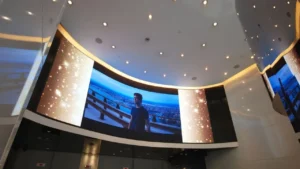
What is 4K Resolution?
The letter “k” is short for kilo. This means 4K resolution has about 4,000 horizontal pixels. Actually, 4K UHD has 3840 pixels horizontally and 2160 pixels vertically. That totals about 8.3 million pixels. It is four times the pixel count of 1080p.
Currently, 4K resolution has been used in commercial, entertainment, photography, and scientific fields. However, due to its high cost and demanding bandwidth and hardware needs, some buyers prefer a lower resolution.
What is 1080p Resolution?
‘P’ represents progressive scan, 1080p means that there are 1080 pixels in the vertical direction of the picture. 1080p is also called Full HD, has a resolution of 1920×1080, which is about 2 million pixels. With 1080p, you can see most of the details clearly in pictures. It is also widely used in daily electronics, including conference devices, laptops, and tablet phones.
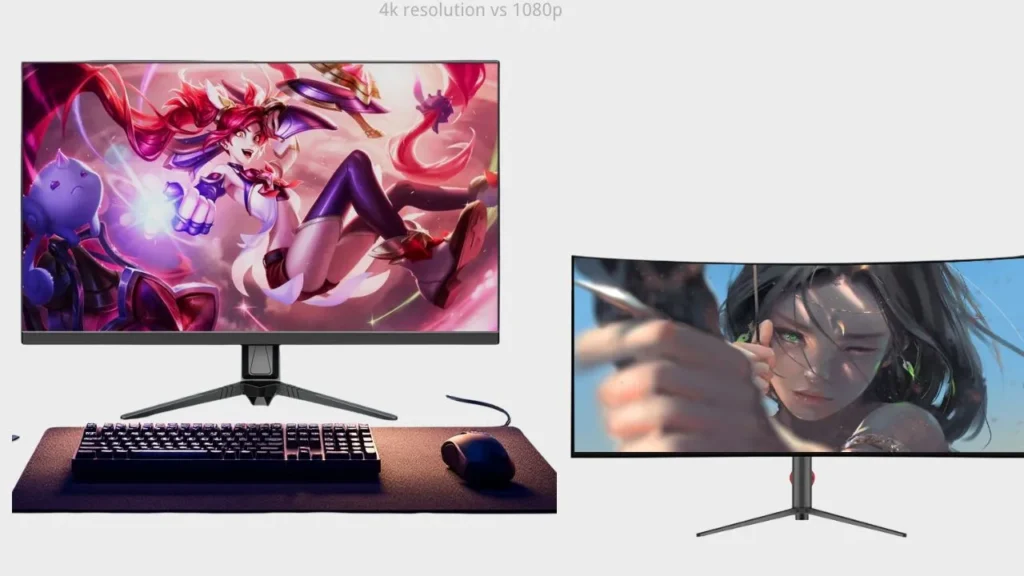
Difference Between 4K and 1080p
Clarity
On screens of the same size, the more pixels there are, the clearer the image is. Especially, the larger the screen and the shorter the view distance, the more noticeable this difference becomes. When the screen size reaches around 40 inches, you will see that 4K looks much clearer than 1080p.
Document Size
Due to the large number of pixels, a 4K video file is usually 3 to 5 times larger.This is compared to a 1080p video under the same settings, like frame rate and encoding. Therefore, to store 4K photos or video files, you should use a large-capacity hard drive.
Color Gamut
Color gamut refers to the total number of colors that the screen can display. Actually, the number of pixels does not directly decide the color gamut. The truth is that the manufacturers always use better panels, color depth, and HDR technology based on 4K’s high resolution. That’s why 4K not only displays clearer images but also shows more vibrant colors.
Suitable View Distance
As mentioned, the closer you view the display, the difference in resolution becomes even more obvious. Therefore, the optimal viewing distance varies for each resolution. When the screen is small and the view distance is greater than 3 meters, 4K may not show much benefit, and 1080p is a better choice. Otherwise, 4K is more suitable.
Hardware Strain
Compared to 1080p, playing 4K videos needs more powerful devices, including graphics cards(GPUs) and faster bandwidth. Here is a comparison of the required hardware for both:
| 1080p | 4K | |
| GPU | Integrated GPU | Mid-to-high-end GPU |
| CPU | Mid-end multi-core | High-end multi-core |
| Bandwidth | 5–10 Mbps | ≥15 Mbps |
| Video memory (VRAM) | 2GB is enough | 4–8GB or more |
Cost and Price
Because 1080p displays and shots have more mature manufacturing processes and lower material costs, their production cost is much lower than that of 4K displays. Besides, manufacturers often use better HDR technology when producing 4K displays and shots. Therefore, you can see that the 4K products are usually more expensive than the 1080p ones.
Pros of 4K and 1080p
4K
- Visual effect: More pixels can take on more details. 4K resolution can give you clearer images that look closer to what your eyes see. It can also improve your viewing experience.
- Fit for large screens: As the screen gets bigger, the on-screen details grow too. You may notice the pixels more. Using a 4K display can reduce the grainy appearance.
- The trend to use: The technology is developing, and traditional-sized TVs and lower resolutions are gradually being replaced. Larger TVs and monitors are becoming more common, and the use of 4K is also becoming increasingly widespread.
1080p
- Competitive price: Though the 1080p image is less sharp, it has a lower price. Especially when the viewing distance is long, many brands and event planners prefer lower resolutions to save costs.
- Video resources: Currently, many streaming media platforms like Netflix, YouTube, and Disney+ support 4K video display. However, most streaming media is still in 1080p because 4K playback hardware is not widely used.
- Low equipment requirements: Playing a 4K video often requires a more powerful CPU, while 1080p does not. That means you can play 1080p content without needing to purchase additional equipment.
- Low document size: When uploading or downloading 4K videos or images, it will take you more storage than 1080p.
Cons of 4K and 1080p
4K
- Expensive price: Cameras that support 4K recording often include more features. Displays that play 4K also use better materials. In other words, products that support 4K recording or playback are generally much more expensive.
- High equipment needs: When you buy 4K displays, you also need more powerful graphics cards or GPUs. Choosing the right brand and model can be a headache.
- Video resources: Since 4K shooting tools aren’t common, 4K videos are still relatively rare.
- High file size: Downloading 4K videos needs more storage. This is worse for long videos. It can strain your hard drive capacity.
- High bandwidth required: If you want to stream or transfer 4K videos, you need higher bandwidth. Otherwise, playback and transfer speeds may suffer.
1080p
- Gradually being replaced: Not only 4k, but 8K and even 16K screens are gradually entering the market. In the near future, 1080p may be replaced.
- Poor display on the large screen: When videos are played on 45-inch or larger screens, at 1080p, images can appear grainy, which may impact your viewing experience.
4K& 1080p: Performance on Different Devices
TVs
High resolution always offers you a better viewing experience and greater immersion. For TVs, the difference between 4K and 1080p becomes noticeable when your viewing distance is short and the screen size is generally larger than around 50 inches. In such cases, 4K resolution appears significantly sharper.
Cinema
The size of cinema screens is typically about 600inches, and sometimes even bigger. For example, IMAX theater screens are typically over 800 inches. With such a big screen and close viewing distance, the pixels become more apparent to the audience. A mid-size cinema screen should have a screen resolution of at least 2K (2048×1080 pixels) or 4K to ensure the details are clear enough.
Projector
Similar to TVs, when the projection area of the projector is larger than approximately 50 inches, 4K resolution is clearer than 1080p. Conversely, if the area is small, 1080p is a better choice due to the slight difference between the two.
Computer Monitor& Mobile Phones
Because of the small screen, there is little difference between 1080p and 4K when you display videos on computer monitors and mobile phones. By the way, when the screen is small, the primary factors to consider are not resolution, but rather refresh rate, power consumption, and similar specifications.
Camera
When you are taking high-definition photos or videos, you may typically choose between 1080p or 4K. For 4K displays, you should prepare a memory card with a large capacity, and you will get images that can be heavily cropped. On the other hand, 1080p is quite the opposite.
Commercial Large Screen
When used in large commercial displays, if the viewing distance is close enough, 4K resolution highlights finer details, making text and images appear sharper, while 1080p is more suitable for those small screens. However, when the viewing distance is relatively far, the advantage of 4K’s more detailed images becomes less noticeable.
Concert and Stadium
When you view the screen from 50 meters or even further away, you can hardly distinguish between 4K resolution and 1080p. Therefore, when you need to customize a display used in a concert or a stadium, 1080p is an economical option that delivers a good experience for viewers.
4K VS 1080p: How to Make a Choice in Different Situations?
If You are the Brand Owner:
- From a cost perspective, if you prefer a cost-effective or low-budget marketing approach, choose 1080p.
- If you care more about the user experience and have a sufficient budget, 4K resolution or more is a better choice. On the contrary, 1080p is more suitable.
- If you are targeting a high-end brand, choose 4K resolution so that you can enhance your reputation.
If You Want to Customize a Display for a Project:
- If your budget for customizing a display is limited, 1080p screens are much cheaper.
- If the project requires a large screen for display, or if the audience will be viewing from a close distance, choose 4K resolution. Otherwise, 1080p is fit for you.
- If you want to show more details to the viewers, 4K resolution is more suitable. On the contrary, if you only want to show the overall picture without focusing on details, you can choose 1080p or a lower resolution.
FAQs
Do 1080p and 4K support Blu-ray playback?
Yes, both 1080p and 4K support Blu-ray recording. One thing to note is that only UHD Blu-Ray can display 4K resolution, while a regular 1080p player can’t display 4K quality.
Can a common graphics card play 4K video?
Yes. Most modern graphics cards are capable of playing 4K videos. However, some graphics cards with insufficient performance cannot play smoothly. Besides, if you want to display a 4K video, you also need other relevant hardware, including a monitor that supports 4K playback and a connection cable that meets at least the HDMI 2.0 standard.
Which resolution is more suitable for playing games: 1080p or 4 K?
There’s no doubt that 4K offers you clearer visuals and a more immersive gaming experience. However, 4K puts a heavy demand on your graphics card. Some mid-end graphics cards, such as the RTX 2060, may struggle when running games in 4K resolution. You might experience overheating, frame drops, or even crashes.
Will 4K consume more power than 1080p?
Yes, 4K displays usually consume more power, especially when used on laptops or smartphones. Because 4K UHD has a higher number of pixels, the CPU and the GPU need to process more information. Under heavy load, the CPU and the GPU will also consume more power.
Final Thoughts: Choose an Experienced Manufacturer
As an LED display manufacturer with over ten years of experience, IvanLED can provide you one-stop service for custom displays. We are able to produce displays in almost any shape, such as curved, folding, or round LED displays. We also provide screens with various pixel pitches, ranging from P5 to P16. Whether you want to customize an LED poster or screens used in cars, on mobile phones, or on windows, IvanLED can produce any of them for you.