What Is LED Screen Brightness?
LED screen brightness refers to the amount of light your screen emits. It determines how much brightness and sharpness of images are shown on your screen in different lighting conditions.
Brightness adjustment controls how well the pictures are displayed on the screen as well as the comfort of your eyes during long periods of screen viewing.
How to Measure Brightness of LED Screens
The brightness level of an LED screen is measured in “nits” or candelas per square meter (cd/m²). Therefore, when you encounter a screen with 300 nits or 1000 nits it refers to the amount of light emitted. The higher the nit rating, the brighter the screen will be and the better it will perform in bright conditions.
What tools are used to measure the LED screen brightness? Light meters and colorimeters are professional tools that give accurate readings of brightness. They let you verify that your screen complies with your needs and manufacturers’ specifications.
Factors Affecting LED Screen Brightness
1. Pixel Pitch & Density
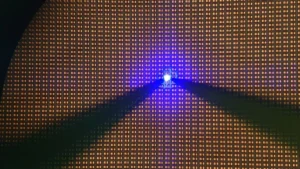
Pixel pitch significantly affects your LED display brightness. This is the distance between pixel centers on your display screen. The more closely the pixels are to each other, the smaller the pixel pitch, the higher the resolution and possibly affecting how brightness is distributed.
Also, the pixel density of your screen (expressed in PPI – Pixels Per Inch) work with pitch to affect brightness. High pixel densities contribute to a decreased total brightness due to the number of pixels competing for the same quantity of power within a given area.
2. Backlight Technology
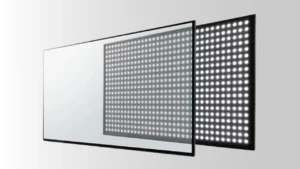
A key factor in determining the quality of brightness of your LED screen is its backlight configuration. The use of LEDs on the screen edges may contribute to patchy brightness in the viewing area. On the other hand,full-array backlighting places LEDs at the back of the screen for better control and brightness uniformity.
Moreover, high-end screens can have a local dimming technology which allows certain areas on the screens to alter brightness separately. This will improve your contrast ratio and will render you with more lifelike pictures.
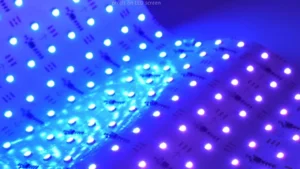
Additionally, the latest technology is mini LED backlighting with thousands of tiny LEDs to precisely control the brightness of the screen across your screen for a much better viewing experience.
3. Panel Type
LED display brightness performance is heavily dependent on the panel type used. For instance, IPS (In-Plane Switching) panels are widely used in some devices due to their excellent color accuracy and wide viewing angles but are not bright as VA (Vertical Alignment) panels.
On the other hand, TN (Twisted Nematic) panels are brighter but you will not benefit from viewing in different angles and representation of colors.
Furthermore, OLED displays work differently as each pixel produces its own light without a backlight. However, this provides your OLED screen with perfect blacks and infinite contrast at the expense of peak brightness. That is, when you compare them with the high-end LED-LCD displays.
Thus, by knowing the type of your panel helps set appropriate brightness expectations for your specific display technology.
4. Ambient Light Considerations
Your viewing environment largely affects perceived brightness of the screen. A screen seen with perfect brightness in dark rooms loses its quality when viewed under bright living room. For this reason, your eyes adjust to the ambient light conditions, making brightness relative rather than absolute.
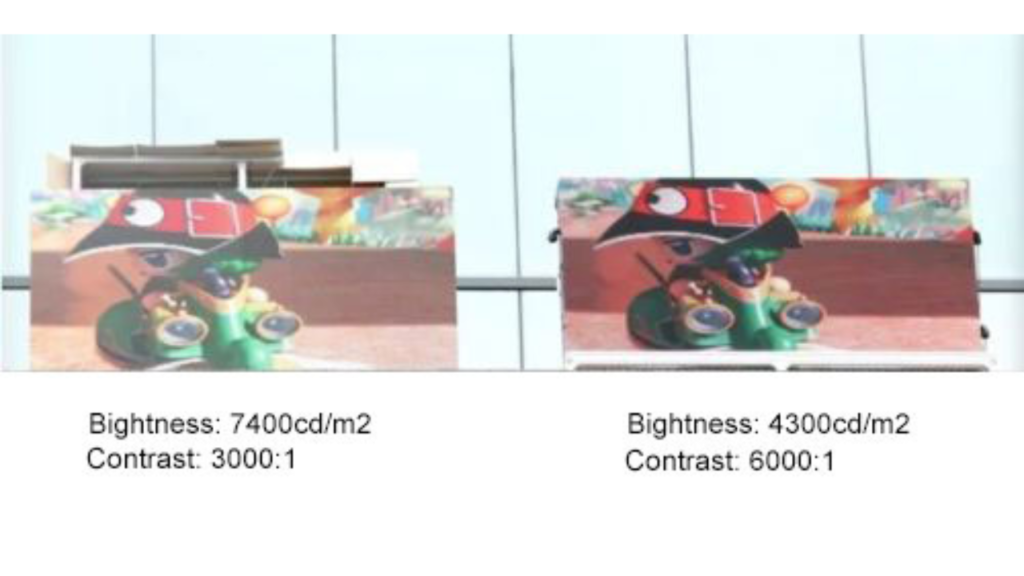
Furthermore, outdoor installation panels in your storefront or digital sign installations must be much brighter (typically 2,500+ nits) to counter direct sunlight.
250-350 nits are typically sufficient for indoor home or office installation. While your HDR-capable entertainment displays can be up to 1,000+ nits for breathtaking highlight detail in your movies and games.
How to Adjust LED Screen Brightness for Optimal Viewing
Manual vs. Automatic Adjustments
Manual adjustment of brightness is available to you for complete control over your viewing experience. You can get brightness controls in your device control panel, settings or in your hardware buttons. Using this function enables you to customize screen brightness settings for different activities such as document reading, spreadsheet editing or even video viewing.
On the other hand, automatic brightness controls depend on the ambient light sensor within your device to read the light around you. Without your manual intervention, your display will then automatically adjust the brightness to account. Although these displays are always convenient, they do not always reflect your own desires.
Advantages of High LED Screen Brightness
1. Better Visibility
High-brightness displays will let you see the content without any problems even in the most difficult lighting conditions. No more do outdoor activities, bright offices, or sunny rooms stand in the way of visibility of screens as it remains bright and clear without the need for you shielding the screen or changing the position.
2. Enhanced Picture Quality
Brightness enhances the quality of pictures in general. Having increased brightness range on your screen enables it to show richer colors and detailed bright scenes. Increased brightness is particularly beneficial to HDR content since it makes use of the luminance variation to create its dramatic visual effect.
Additionally, good levels of brightness improve your perception of contrast. Even without increasing the contrast ratio, properly calibrated brightness causes blacks to appear darker and highlights to appear brighter. It is this subjective improvement that enables you to enjoy viewing any content, from photographs to movies.
3. Wide Viewing Angles
Brightness levels influence how much you can view your screen from the side. Greater brightness preserves picture quality when not sitting directly in front of the screen.
This is extremely beneficial in your home viewing setup. That is where your family members are viewing from various angles or in presentation rooms where your viewers are sitting at various angles.
Your high-brightness screens minimize the washout effect otherwise experienced when viewing screens from the side. Colors are real, and the text is entirely readable even at the most extreme angles. This capability helps you with collaborative use when presenting on-screen information to others in your screen.
4. Ideal for Commercial Use
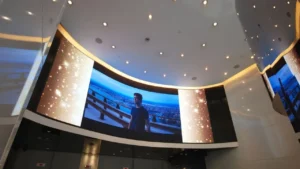
Displays for commercial environments have to be attention-commanding especially in the presence of other visual stimuli. High-brightness LED displays at high levels cut through the ambient illumination in a retail area so that an advertisement can reach your vision effectively.
5. Energy Efficiency in Newer Models
The new high-brightness screening technology incorporates efficiency technologies to reduce your energy use. Future LED backlighting technology in your new devices will offer you higher brightness with lower energy consumption compared to what has been used before.
The technology allows you to enjoy improved visual quality without paying higher rates in your electricity bill.
Additionally, your battery-powered devices have brightness control technologies that minimize the use of power. Adaptive brightness technologies modulate the screen brightness levels by aligning them with demands of the content instead of working at the peak brightness setting throughout.
These systems would keep your screen bright but save you some extra hours on your battery during the day.

FAQs
1. Does Higher Brightness Mean Better Display Quality?
Not always. While brightness makes everything stand out better in bright situations, excessive brightness will result in eye fatigue due to your extensive watching time.
In that case, brightness, contrast, color accuracy, and resolution should work together for the best screen quality in matching your viewing needs.
2. How much Brightness is Good for LED TV?
300-500 nits should be suitable for your lit living room. Your HDR content watching is upgraded by TVs with the ability to reach 1,000+ nits. When choosing for your long term comfort of watching, then you need to consider the ambient lighting as well as the distance of your viewing in the room.
3. What is the Minimum Brightness of LED Screen?
Entry-level displays normally output 200-250 nits of minimum brightness. Your normal indoor application requires this minimum. Your specific low-brightness modes for your evening use could reduce output below 100 nits for safeguarding your eyes in the dark mode.
4. Which is Brighter, LCD or LED?
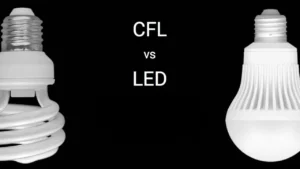
LED displays produce variations in brightness capacity, generally from 300 to 1500 nits; a function of the model you choose, but a typical CCFL backlit LCD will not go beyond 300 nits. Thus, LED technology takes your viewing to a new level of brightness.
5. Is there a Relationship between LED Pixel Display and Brightness?
Yes. Pixels density in your LED screen defines how brightness is distributed.To achieve higher resolution screens increase the power distribution among more pixels lowering the brightness per pixel.
6. What is the Recommended Outdoor LED Screen Brightness?
For your business, outdoor LED displays must be at least 2,500 nits. The greater the exposure to direct sunlight, the better your visibility will be. Good-quality outdoor displays offer 5,000+ nits, so your content is readable even in the most intense daylight conditions.
7. How many Nits Brightness is suitable for Outdoor LED Display?
For outdoor LED display needs, 2,500-5,000 nitsis sufficient for most daylight visibility. Where you are mounting matters, displays in direct sunlight must be brighter (4,000+ nits). Partial shade locations might get by with 2,500-3,000 nits for outdoor viewing.
Conclusion
Having the knowledge of LED screen brightness enables you to make informed choices for your display. Given your viewing environment, content type as well as personal preferences you will be able to choose the right level of brightness. Ultimately, don’t forget to maintain the balance and minimum brightness levels as they will be the most comfortable and visually pleasing for your eyes.