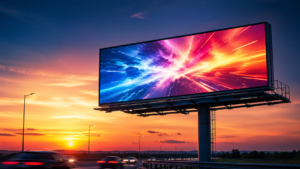
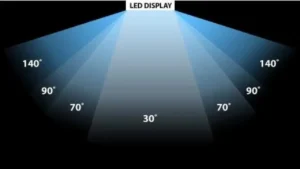
Quick Overview: Why LED Backdrop Screens Work
| Benefit | What it means for your event |
| High brightness | Visible in any lighting – no need to dim room lights |
| Seamless splicing | One continuous image – no bezels breaking the view |
| Customizable | Any size or shape – fits your stage perfectly |
| Dynamic content | Videos, animations, live feeds – not just static logos |
| Modular design | Quick setup and takedown – perfect for rental |
Part 1: What Is an LED Backdrop Screen?
An LED backdrop screen is a large display made of modular LED panels. It is installed behind performers, speakers, or products to create a dynamic background.
How it differs from traditional backdrops:
| Traditional backdrop | LED backdrop screen |
| Static printed banner | Dynamic video and animation |
| One-time use | Reusable for many events |
| Difficult to change | Change content in seconds |
| Flat, 2D appearance | Bright, vibrant, 3D-like visuals |
| Limited to one design | Unlimited content possibilities |
Common sizes:
Small: 3m x 2m (weddings, small stages)
Medium: 4m x 3m – 6m x 3m (corporate events, conferences)
Large: 8m x 4m – 12m x 5m (concerts, festivals)
Part 2: 5 Reasons to Use an LED Backdrop Screen
1. Impactful First Impressions
When guests enter your event, the backdrop is what they see first. An LED screen says “professional,” “high-end,” and “memorable.”
2. Sponsor Visibility
Sponsors pay for logo placement. With an LED backdrop, you can:
Rotate sponsor logos throughout the event
Show animated sponsor messages
Display sponsor videos during breaks
Provide on-screen recognition
Result: Sponsors are happier and more likely to renew.
3. Content Flexibility
Change your message instantly. No reprinting. No delays.
| Time | What to show |
| Before event | Welcome message, sponsor logos |
| During main session | Speaker name and title |
| Break times | Upcoming session schedule, sponsor videos |
| After event | Thank you message, social media hashtag |
4. Audience Engagement
Keep attendees watching the stage – not their phones.
What works:
Social media walls (live tweets from attendees)
Audience polling results displayed in real-time
Live camera feeds (close-ups of speakers)
Countdown timers before sessions start
5. Professional Appearance
A blank stage looks empty. An LED backdrop looks polished.
Pro tip: Even a simple branded background (company logo + event name + date) on an LED screen looks more professional than any printed banner.
Part 3: Types of Events That Use LED Backdrop Screens
1. Concerts and Music Festivals

How it is used: Dynamic visuals that sync with the music. The screen becomes part of the performance.
Why it works: Creates an immersive experience. The audience feels the music, not just hears it.
Content ideas:
Animated visuals timed to the beat
Live camera feeds of the performer
Lyrics for sing-along songs
Branded content for tour sponsors
Technical requirements:
High refresh rate (1,920-3,840 Hz) for smooth video
Seamless splicing for large stage coverage
Fast setup and takedown for touring
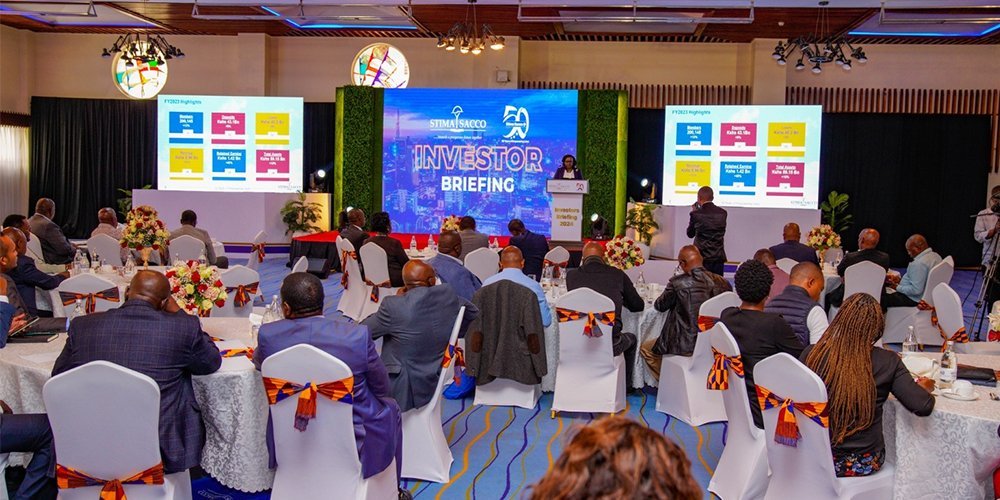
2. Corporate Events and Conferences

How it is used: Behind speakers, as a presentation screen, or as branding backdrop.
Why it works: Keeps audiences focused on the stage. Professional appearance impresses clients.
Content ideas:
Speaker name and title
Live presentation slides
Brand messaging and company values
Social media wall
Technical requirements:
Fine pitch (P2.5-P3.9) for clear text
4K resolution for detailed slides
Low noise (fans can be distracting)
3. Weddings and Private Celebrations
How it is used: Behind the head table, dance floor, or ceremony altar.
Why it works: Creates memorable photos and videos. Guests talk about it for years.
Content ideas:
Couple’s names and wedding date
Photo slideshow of the couple
Live feed of the dance floor
Animated monogram or logo
Technical requirements:
Smaller size (3m x 2m to 4m x 3m)
Quiet operation (no loud fans)
Quick setup (venue access is often limited)
4. Product Launches and Brand Activations

How it is used: Behind the product, as the product reveal screen, or as immersive environment.
Why it works: Builds excitement. Makes the product feel important.
Content ideas:
Product teaser videos
Live demonstration feed
Customer testimonial videos
Brand story and mission
5. Church and Worship Services
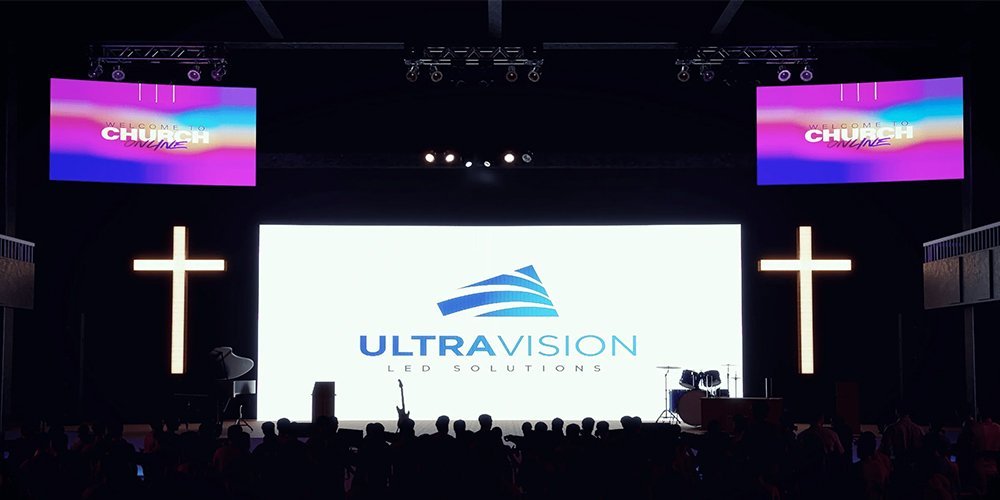
How it is used: Behind the worship band, pastor, or choir.
Why it works: Enhances worship experience. Lyrics become part of the visual design.
Content ideas:
Song lyrics with motion backgrounds
Sermon notes and Bible verses
Baptism or event photos
Live camera feed of the pastor
6. Trade Shows and Exhibitions
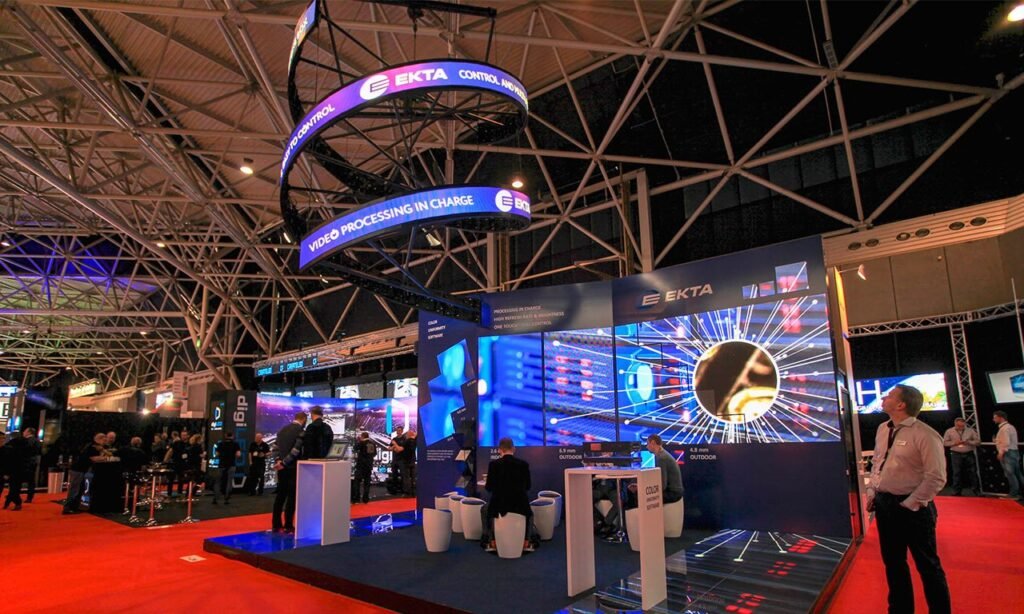
How it is used: Booth backdrop, product showcase, or brand statement.
Why it works: Attracts attendees from across the hall. Makes your booth stand out.
Content ideas:
Product demonstration videos
Customer testimonials
Booth schedule (meeting times, presentations)
Brand messaging
Part 4: How to Create Outstanding Effects
Content Design Tips
| Tip | Why it matters |
| Use high-resolution images | Blurry images look unprofessional |
| Design for the actual pixel pitch | Text too small becomes unreadable |
| Keep text minimal | Audiences read quickly – 5-7 words max |
| Use high contrast | Dark text on light background or vice versa |
| Include calls to action | Tell audiences what to do |
Layered Visuals
Combine multiple elements for depth:
| Element | Example |
| Bottom layer | Animated background pattern |
| Middle layer | Live camera feed of speaker |
| Top layer | Speaker name and title text |
Synchronization with Audio
Why it works: When visuals match the music or speech, the experience feels cohesive and professional.
How to do it:
Time visual changes to music beats
Change backgrounds when speaker changes topic
Sync countdown timers with event schedule
Interactive Elements
What you can add:
Live social media feed
Audience polling results
QR codes for downloads or registration
Text-to-screen messages
Pro tip: At corporate events, show a live Twitter feed with the event hashtag. Attendees love seeing their posts on the big screen – and it promotes your event for free.
Part 5: LED Backdrop Screen Price Guide
Factors That Affect Price
| Factor | Impact on price | Why |
| Size | Higher cost for larger | More panels needed |
| Pixel pitch | Smaller pitch = higher cost | More LEDs per square meter |
| Resolution | Higher resolution = higher cost | Better image quality |
| Brightness | Higher brightness = higher cost | Outdoor screens cost more |
| Refresh rate | Higher rate = higher cost | Smoother video |
| Rental vs purchase | Rental lower upfront, higher long-term | One-time vs repeated use |
Estimated Price Ranges
| Type | Pixel pitch | Price per sqm (USD) | Best for |
| Indoor event (standard) | P3.9 – P4.8 | 400–800 | Conferences, weddings |
| Indoor event (fine pitch) | P2.5 – P3.9 | 600–1,200 | Corporate, close viewing |
| Rental grade | P3.9 – P4.8 | 500–900 | Multi-use, touring |
| Outdoor event | P4.8 – P6.6 | 600–1,200 | Outdoor concerts, festivals |
Pro tip: If you produce 5+ events per year, purchasing pays for itself within 12-18 months.
Part 6: Setup Considerations
Timeline
| Task | Time |
| Delivery to venue | 1-2 hours |
| Unpack and layout | 1 hour |
| Assembly and rigging | 2-4 hours |
| Cable connection | 1-2 hours |
| Testing and calibration | 1-2 hours |
| Total for medium screen (4m x 3m) | 6-10 hours |
Team Requirements
| Screen size | Team size |
| Small (3m x 2m) | 2 people |
| Medium (4m x 3m – 6m x 3m) | 3-4 people |
| Large (8m x 4m+) | 5-8 people |
Power Requirements
| Screen size | Power needed |
| Small | Standard 15A circuit |
| Medium | Dedicated 30A circuit |
| Large | 3-phase power |
Part 7: Common Mistakes to Avoid
| Mistake | Consequence | How to avoid |
| Wrong pixel pitch | Audience sees individual pixels | Calculate viewing distance first |
| Insufficient brightness | Screen looks dim, hard to see | Choose 1,500+ nits for indoor, 4,000+ for outdoor |
| Poor content design | Text too small, unreadable | Test content on similar screen before event |
| No backup plan | Event stops if screen fails | Bring spare modules and processor |
| Ignoring rigging safety | Screen falls, injuries | Hire certified riggers |
| Low refresh rate | Flicker on video | Choose 2,880 Hz+ for camera recording |
Summary: LED Backdrop Screen Specifications by Event Type
| Event type | Recommended pixel pitch | Brightness | Key priority |
| Concert (indoor) | P3.9 – P4.8 | 2,500-4,000 nits | Fast setup, high refresh |
| Concert (outdoor) | P4.8 – P6.6 | 4,000-6,000+ nits | Weatherproof, brightness |
| Corporate conference | P2.5 – P3.9 | 1,500-2,500 nits | Text clarity, low noise |
| Wedding | P2.5 – P3.9 | 1,500-2,500 nits | Quiet operation, small size |
| Trade show booth | P2.5 – P3.9 | 1,500-2,500 nits | Easy transport, quick setup |
| Church service | P2.5 – P3.9 | 1,500-2,500 nits | Long life, reliable |
| Product launch | P2.5 – P3.9 | 1,500-2,500 nits | High image quality |
Our LED Backdrop Screens
At IvanLED, we manufacture LED backdrop screens for all event types:
Concerts and festivals – High brightness, fast setup
Corporate events – Fine pitch, quiet operation
Weddings – Small sizes, elegant design
Trade shows – Portable, quick assembly
Churches – Reliable, long-lasting
What we offer:
Pixel pitches from P2.5 to P6.6
Indoor and outdoor ratings
Custom sizes and shapes
Seamless splicing technology
1-year warranty
Shipping worldwide
Tell us your event type, stage size, and location. We will recommend the right LED backdrop screen and provide a free quote.
Frequently Asked Questions
Q: What is the best pixel pitch for a wedding backdrop screen?
For weddings, where guests are typically 3-10 meters away, a P2.5 or P3.9 screen is ideal. It provides clear images without visible pixels. Also ensure the screen is quiet – loud fans can distract from the ceremony.
Q: How long does it take to set up an LED backdrop screen?
For a small screen (3m x 2m), setup takes 1-2 hours. For a medium screen (4m x 3m), 3-4 hours. For large screens (8m x 4m+), 6-10 hours. Always add 50% more time for outdoor setups or complex stage designs.
Q: Do I need a special team to operate the screen?
For simple content (looping video or slides), one person with basic training can operate the screen. For complex content (live mixing, multiple camera feeds), hire a video engineer.
Q: How much does an LED backdrop screen cost?
Cost depends on size, pixel pitch, and features. Typical range: $400-$1,200 per square meter. Contact us with your requirements for a detailed quote.
Q: Can I use the same LED backdrop screen for outdoor and indoor events?
Outdoor screens are IP65 rated (weatherproof) and have higher brightness (4,000-6,000+ nits). They work indoors but are overkill. Indoor screens (1,000-2,500 nits) are not suitable for direct sunlight. Choose based on your primary use.
Q: What is the warranty on IvanLED backdrop screens?
1-year warranty against manufacturing defects. We also provide technical support and spare parts.