Buyer Pain Points: LED Screen Cleaning Challenges
Facility managers and rental companies face specific challenges when cleaning LED screens:
What cleaning products are safe for LED screens? Only distilled water and LED-safe cleaners are safe. Alcohol, ammonia (Windex), and glass cleaners destroy protective coatings.
Can I use paper towels or rags? No. Paper towels and rough rags scratch the surface. Only use soft, lint-free microfiber cloths.
How often should I clean the screen? Indoor screens: monthly in clean environments, weekly in industrial settings. Outdoor screens: weekly to bi-weekly. Rental screens: after every use.
Can I use a pressure washer on outdoor screens? Never. Pressure washers break seals and push water inside, even on IP65-rated screens.
What if liquid gets inside the screen? Power off immediately and contact a technician. Do not attempt to dry it with heat.
The Golden Rules of LED Screen Cleaning
Five golden rules protect your LED screen during cleaning: power off first, never spray directly, no harsh chemicals, gentle pressure only, and use only soft, lint-free cloths.
| Rule | Why |
| Power off first | Prevents electrical shock and damage |
| Never spray directly | Liquid seeps into edges, destroys modules |
| No harsh chemicals | Alcohol and ammonia remove protective coating |
| Gentle pressure only | LEDs are fragile |
| Soft, lint-free cloth only | Paper towels and rags scratch surfaces |
Remember these 5 rules, and you will never damage your screen during cleaning.
What You Need for Safe Cleaning
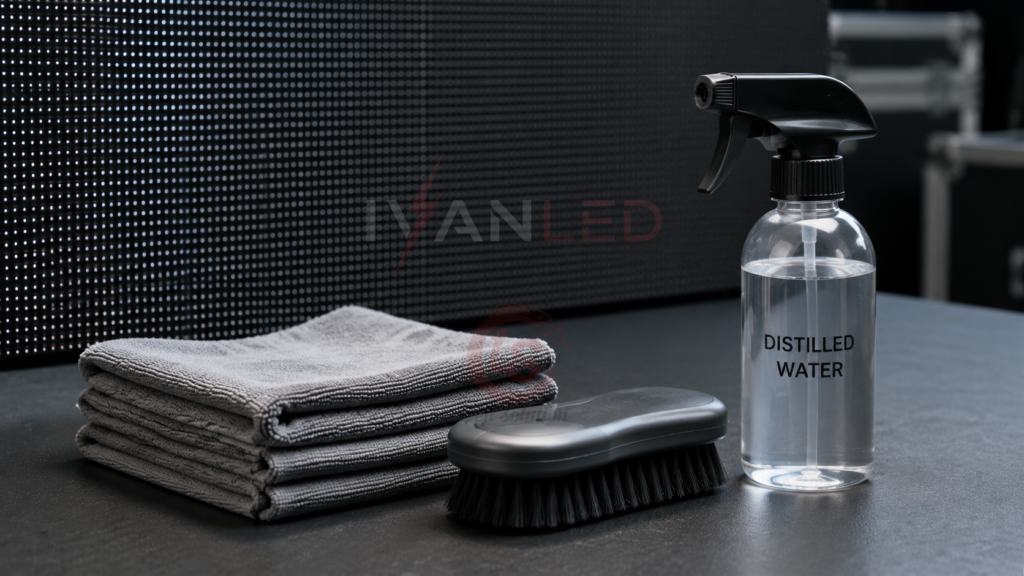
For safe LED screen cleaning, you need: a microfiber cloth, a soft brush, distilled water, a spray bottle, and optionally an LED-safe cleaner. Never use paper towels, alcohol, ammonia, or compressed air up close.
Safe cleaning supplies:
- Microfiber cloth: Soft, lint-free, non-scratch
- Soft brush: For loose dust (artist brush works well)
- Distilled water: No minerals or chemicals
- Spray bottle: For fine mist (label it clearly)
- LED-safe cleaner (optional): For stubborn stains
Never use these:
- Paper towels: Fibers scratch the surface
- Alcohol: Damages anti-glare coating
- Ammonia (Windex, glass cleaner): Destroys protective layer
- Bleach: Corrosive, will ruin screen
- Compressed air (from close range): Too strong, can push dust inside gaps
- Wet wipes: Too much moisture, chemicals
Step-by-Step Cleaning Process
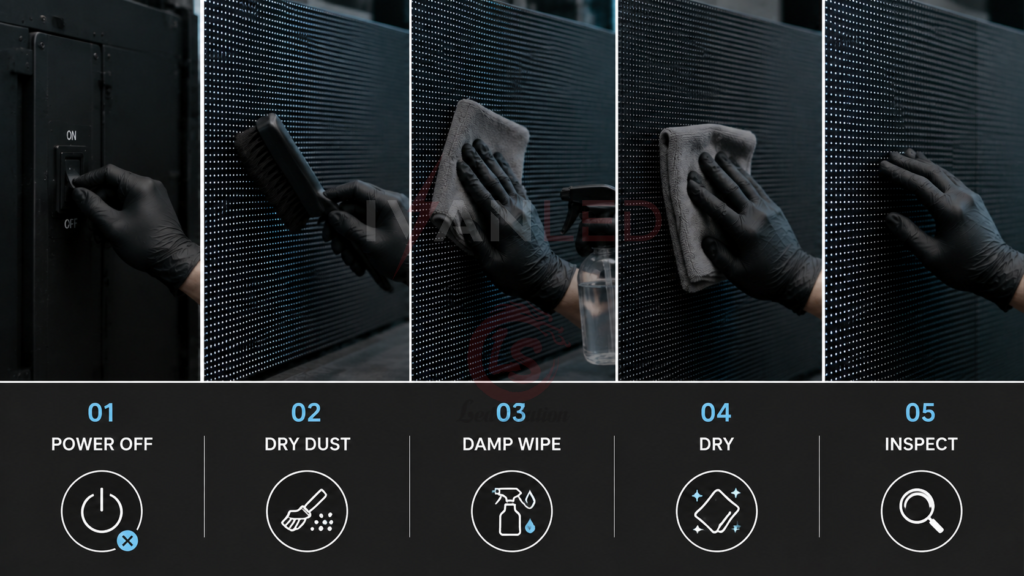
Cleaning an LED screen involves seven steps: power off, dry dust, prepare cloth, wipe screen, wipe frame, dry, and inspect. Never skip the power-off step.
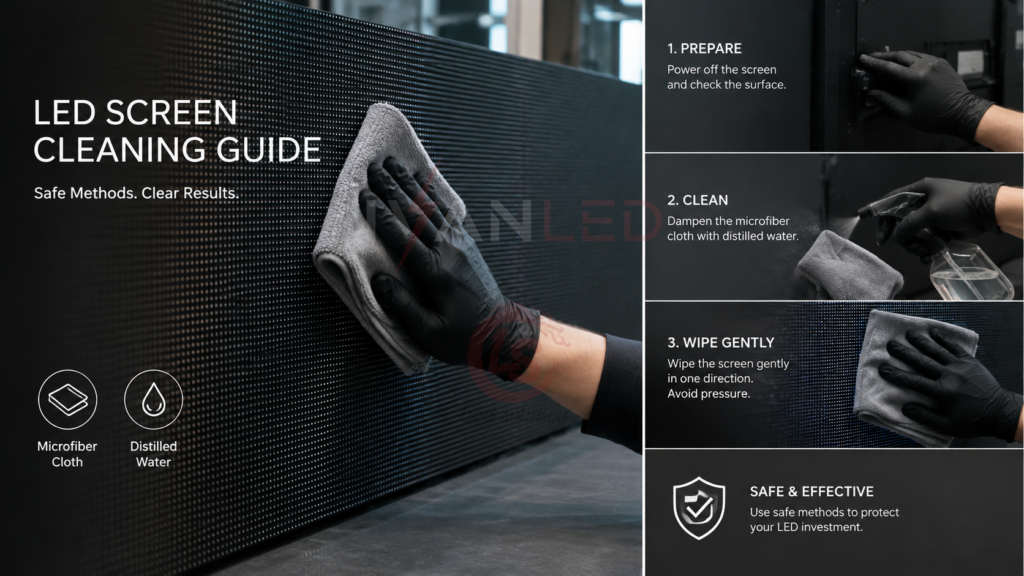
Step 1: Power off and unplug. Turn off the screen and unplug it from the power source. Wait 1-2 minutes for the screen to cool down. This ensures electrical safety and makes dirt more visible.
Step 2: Dry dusting. Use a soft, dry microfiber cloth or soft-bristled brush to remove loose dust. Wipe gently from top to bottom. Do not press hard. For outdoor screens, use a brush first to remove sand, dirt, or bird droppings before any wet cleaning.
Step 3: Prepare your cleaning cloth. Spray distilled water onto the microfiber cloth — never directly on the screen. The cloth should be damp, not wet. If using an LED-safe cleaner, spray on cloth, not on screen.
Step 4: Wipe the screen. Gently wipe the screen with the damp microfiber cloth. Wipe in gentle circular motions or top-to-bottom. Do not press hard — light pressure only. Work in small sections. For stubborn smudges, apply slightly more pressure (still gentle) and rub in small circles.
Step 5: Wipe the frame. The frame collects dust and grime too. You can use slightly more pressure on the frame, and a slightly more damp cloth is acceptable. Be careful not to let liquid drip onto the screen.
Step 6: Dry the screen. Use a dry microfiber cloth to wipe away any remaining moisture. This prevents water spots and removes streaking.
Step 7: Final inspection. Turn the screen back on and inspect for streaks, smudges, or any new dead pixels.
Cleaning Outdoor LED Screens
Outdoor screens face harsher conditions: dust, bird droppings, rain marks, pollution, and salt spray near oceans. They require more frequent cleaning and special care for bird droppings.
Additional challenges:
- Bird droppings: Acidic, can etch the surface if left too long
- Dust and sand: Abrasive, can scratch if wiped dry
- Rain residue: Leaves mineral deposits
- Salt spray: Corrosive, requires frequent cleaning
Outdoor cleaning steps:
- Check IP rating first: IP65 or higher is safe for damp cloth cleaning. Lower than IP65: consult manufacturer before any liquid use.
- Inspect seals: Before cleaning, check that all panel seals are intact. Damaged seals = water ingress risk.
- Dry clean first: Use soft brush to remove loose dirt, sand, bird droppings. Do not rub droppings in — try to lift them off.
- Damp clean: Use distilled water on microfiber cloth. Wipe gently — do not scrub.
- Never use pressure washer: The force breaks seals and pushes water inside. Even IP65 screens are not designed for pressure washers.
For more on outdoor display maintenance, see our indoor vs outdoor LED display guide.
Cleaning Rental LED Screens
Rental screens are moved, installed, and disassembled frequently. They get dirtier faster than fixed installations and must be cleaned after every single use.
Why rental screens need special attention:
- Frequent transport: Dust and dirt accumulate in cases
- Different venues: Each venue has different dust/dirt conditions
- Multiple handlers: Inconsistent cleaning practices
- Client expectations: Dirty screen = unhappy client = no repeat business
Rental cleaning best practices:
- Clean after every single use. Never store a dirty screen.
- Inspect before cleaning — document any existing damage with photos.
- Dry dust — use soft brush to remove loose dirt.
- Check connector ports — dust accumulates in cable ports; use compressed air (from a distance) or soft brush.
- Damp clean — same method as indoor screens.
- Dry thoroughly — before storing in flight cases.
- Final inspection — document cleanliness with photos.
- Store properly — in closed flight cases to keep dust-free.
For more on rental display maintenance, see our stage rental LED screen guide.
Cleaning Frequency Guide
Cleaning frequency depends on screen type and environment: indoor screens monthly in clean settings, outdoor screens weekly to bi-weekly, and rental screens after every use.
| Screen Type | Environment | Recommended Frequency |
| Indoor fixed | Clean office / retail | Monthly |
| Indoor fixed | Industrial / warehouse | Weekly |
| Outdoor fixed | Normal city | Weekly to bi-weekly |
| Outdoor fixed | Dusty / industrial | 2-3 times per week |
| Outdoor fixed | Coastal | Weekly (remove salt) |
| Outdoor fixed | After storms | Inspect and clean as needed |
| Rental | After every use | Always |
| Touch screens | High traffic | Daily |
Common Cleaning Mistakes
The most common mistake is spraying liquid directly on the screen. This causes liquid to seep inside, potentially destroying modules. Always spray on cloth first.
Other frequent errors:
- Using paper towels: Fibers scratch the surface
- Using alcohol or Windex: Damages protective coating
- Pressing hard: Can damage LEDs
- Cleaning while powered on: Hard to see dirt, electrical risk
- Using compressed air up close: Pushes dust inside gaps
- Scrubbing bird droppings: Scratches surface — soften with water first
- Ignoring the frame: Dust falls back onto screen
Signs You Need Professional Help
If you see dead pixels appearing after cleaning, discoloration, water visible behind the surface, or scratches you cannot remove, stop cleaning and call a technician immediately.
When to call a professional:
- Dead pixels appearing after cleaning: Possible liquid damage — stop cleaning, call technician
- Discoloration or blotches: Chemical damage — stop using that cleaner
- Water visible behind the surface: Liquid seepage — power off, call technician immediately
- Scratches you cannot remove: Permanent damage — contact manufacturer for options
- Modules feel loose: Fasteners may be damaged — re-secure before next use
For more on maintenance, see our guide to slowing light attenuation.
Expert Tips for Facility Managers
Tip 1: Create a cleaning schedule.
Document cleaning frequency for each screen type. Assign responsibility to specific team members. Consistent process prevents neglect.
Tip 2: Label your cleaning supplies.
Clearly label spray bottles to avoid accidental use of wrong chemicals. Keep cleaning supplies separate from general cleaning products.
Tip 3: Train your team.
Demonstrate the correct cleaning method. Many people instinctively spray directly on screens — train them not to.
Tip 4: Document damage before cleaning.
For rental screens, take photos before cleaning to document existing damage. This protects you from client disputes.
Tip 5: Order spare modules.
Order 5-10% spare modules with your initial purchase. If a module is damaged during cleaning, you can replace it immediately.
Frequently Asked Questions (FAQ)
What is the best cleaner for LED screens?
Distilled water on a microfiber cloth is the safest option for routine cleaning. For stubborn stains, use an LED-safe cleaner sprayed on the cloth — never directly on the screen. Never use alcohol, ammonia, or glass cleaners.
Can I use alcohol wipes on my LED screen?
No. Alcohol wipes damage the anti-glare coating and protective layer on LED screens. Use only distilled water or LED-safe cleaners applied to a microfiber cloth.
How do I remove bird droppings from an outdoor LED screen?
Place a damp cloth over the dropping for 1-2 minutes to soften it. Then gently wipe — do not scrape. Never pick or scrape with fingernails or tools, as this will scratch the surface.
How often should rental LED screens be cleaned?
Rental screens must be cleaned after every single use. Never store a dirty screen. For multi-day events, do a quick spot clean each morning.
Can I use a pressure washer on outdoor LED screens?
Never. Pressure washers break seals and push water inside, even on IP65-rated screens. Use a soft brush and damp microfiber cloth only.
Does IvanLED provide cleaning supplies or maintenance support?
Yes. IvanLED provides technical support, cleaning guides, and replacement parts for all our displays. Browse our commercial LED display solutions or contact us for maintenance support.
Conclusion: Keep Your LED Screens Clean and Professional
Regular, proper cleaning protects your LED display investment and ensures it always looks professional. The safe method is simple: power off, dry dust, damp clean with distilled water on a microfiber cloth, dry, and inspect.
Our straightforward advice:
– Never spray liquid directly on the screen — always spray on cloth first.
– Only use distilled water or LED-safe cleaners — no alcohol, ammonia, or glass cleaners.
– Use only microfiber cloths — no paper towels or rags.
– Clean rental screens after every use — never store a dirty screen.
– Create a cleaning schedule and train your team on the correct method.
At IvanLED, we provide technical support and replacement parts for all our displays.
Ready to keep your LED displays in top condition?
👉 Contact IvanLED for technical support and spare parts.