A. Synchronous Control Software
Synchronous software enables your LED display to update in real time. You get accurate timing and flawless image quality. These programs work best when your screen is plugged directly to a control box or hardware.
NovaStar
NovaLCT
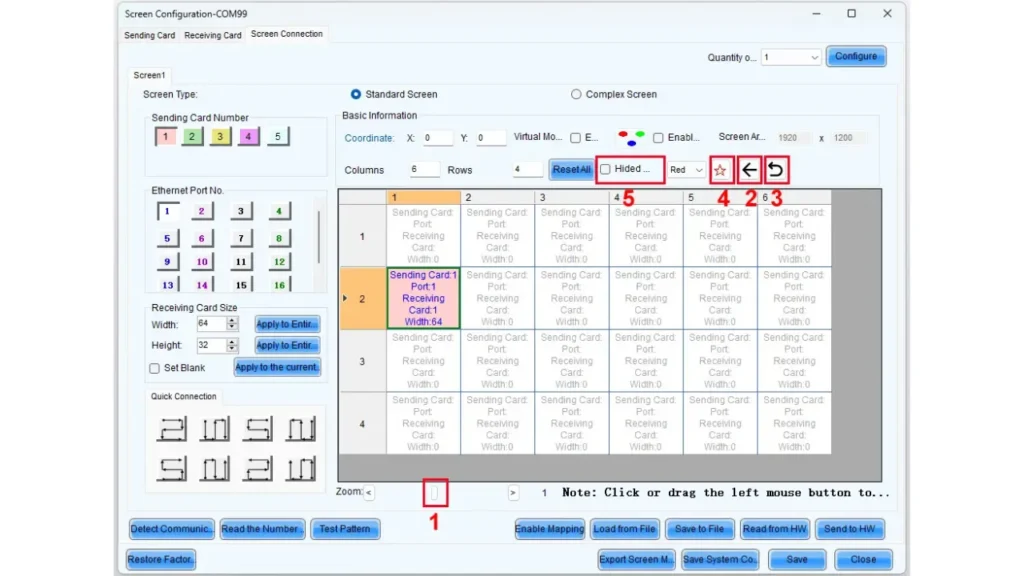
NovaLCT helps in managing your LED display. The software works both on single and multiple screens setups. The interface is simple and allows you to change brightness, color, and refresh rate.
Besides, it offers pixel-level calibration for clear images. You gain real-time monitoring to catch issues early. NovaLCT also supports remote management. It enables you to control your display from anywhere.
SmartLCT
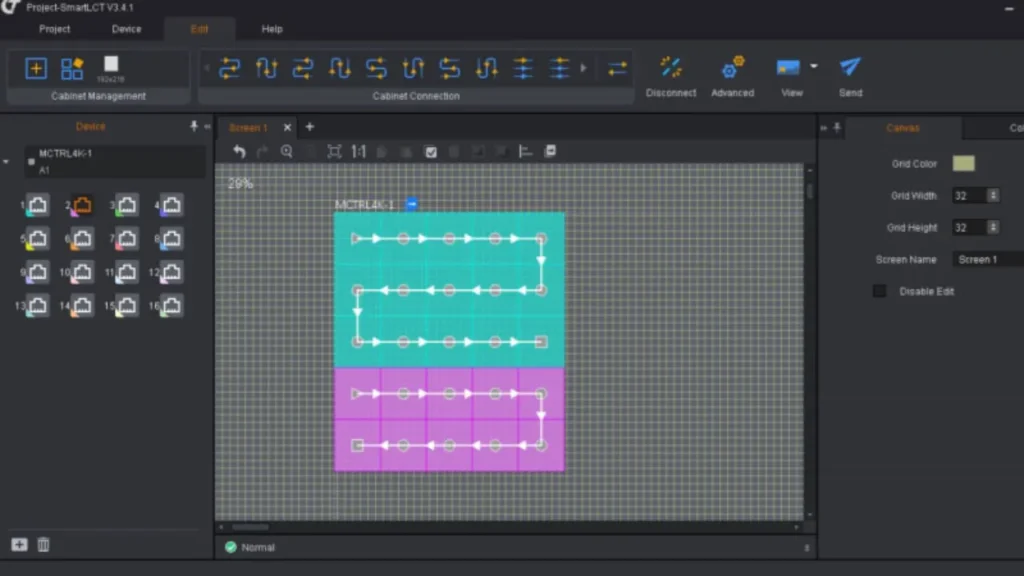
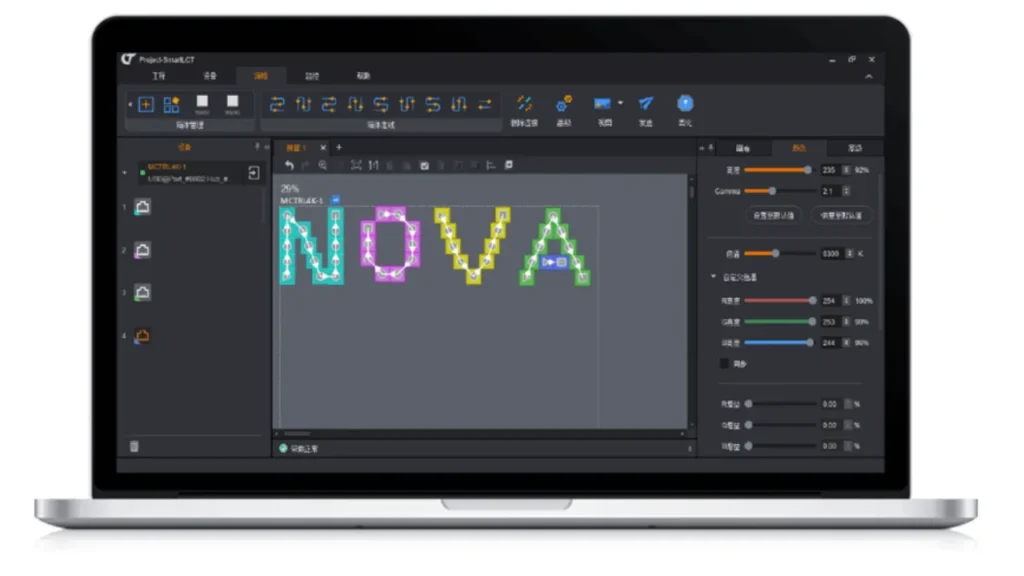
NovaStar’sSmartLCT takes control to a professional level with advanced features designed for high end LED screen arrangements. The software also supports 3D mapping and lets you preview your setup in a virtual space, making setup both easier and more accurate.
Also, you can schedule content and manage multiple screens at once as it works with all types of LED modules. SmartLCT includes automatic fault detection so your display runs smoothly and your content looks flawless every time.
Colorlight
LEDVISION
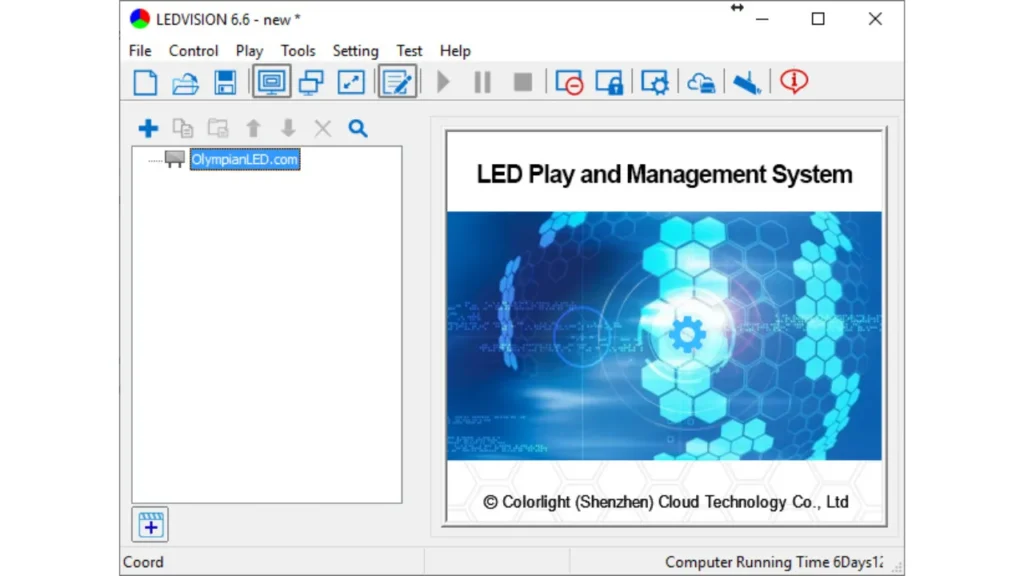
If you want easy control and compatibility, you may consider LEDVISION. It is designed to work with Colorlight controllers ensuring stable signal transmission. With the software, you can easily manage brightness and color settings and schedule update of contents with ease.
It’s user friendly so you won’t waste time trying to learn how to use it and it supports multiple screen types and sizes. Furthermore, LEDVISION offers real–time diagnostics that enable you to find and fix display problems fast.
Linsn
LEDStudio
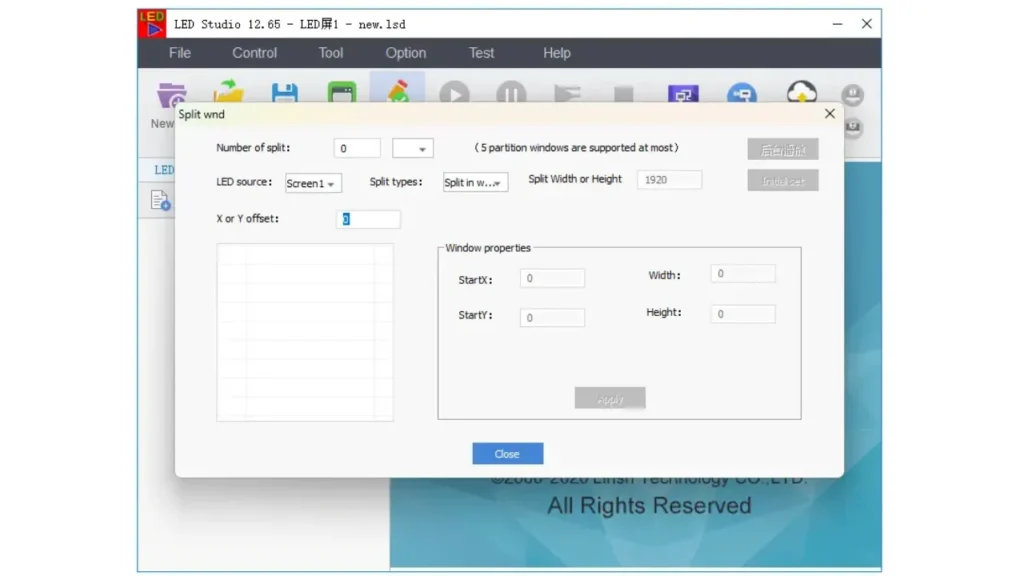
Linsn’sLEDStudio provides easy to use controls to enable you to personalize every pixel and achieve a flawless LED display. Managing your screens is easy with easy to use content design and scheduling tools. It is also capable of multi-screen control which makes it perfect for bigger setups.
In addition, LEDStudio makes available detailed status reports to show how screens are performing in real time. With precision you can fine tune brightness, contrast, and color calibration. A clean interface means a seamless workflow, less time being spent troubleshooting and more time creating beautiful content.
LEDTest
LEDTest keeps your LED display in good health with quick diagnostics and easy to use testing tools. It tests for dead pixels and color consistency through a series of test patterns that will indicate screen problems.
It also supports screen calibration ensuring better image quality. When used together with LEDStudio, it works great and offers more control. It makes running tests easier and faster, ensuring the best display performance.
Huidu
HDPlayer
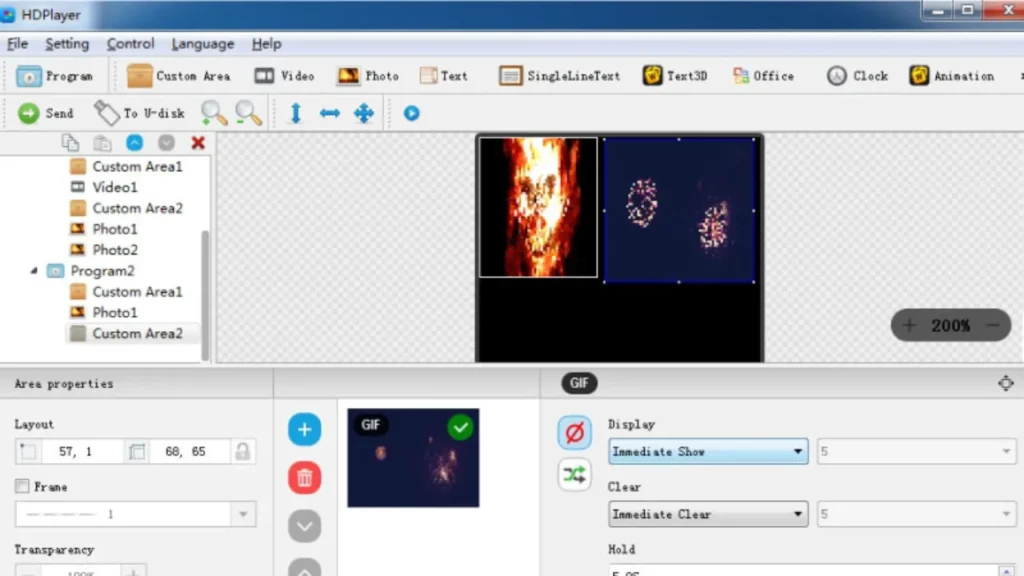
HDPlayer ensures easy to play and manage content on your LED screens. You can upload videos, images or even live feeds directly using the software. It supports synchronous control and high refresh rates guaranteeing a smooth viewing experience.
It also has tools that let you fine tune color, brightness and contrast so that you have total control over what you see on your display.
HDPlayer supports controlling several screens or zones which is useful for advanced displays. Its intuitive interface enables you to quickly get your updates done and your content always appears exactly as planned.
HD2020
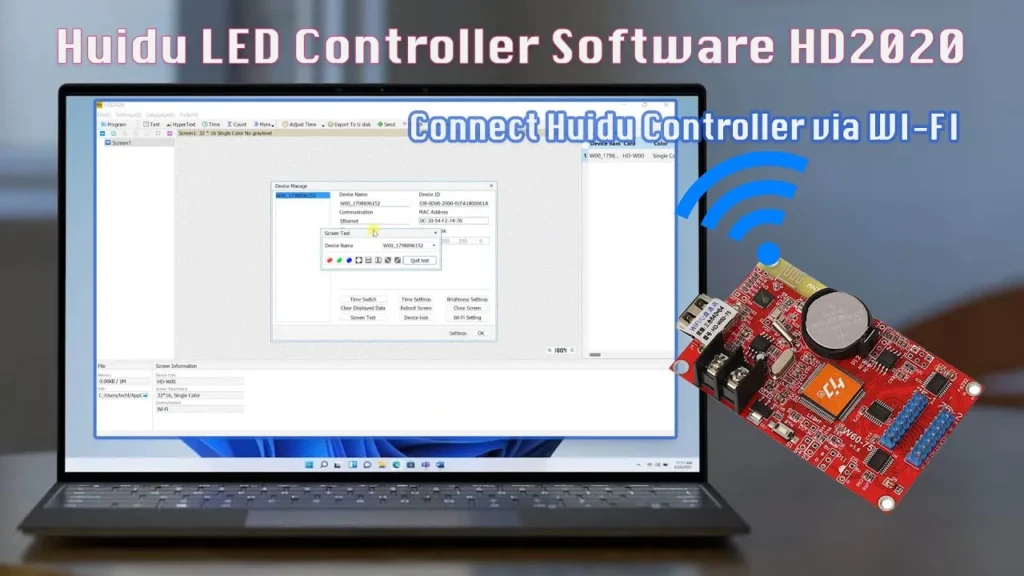
HD2020 is a powerful control software for Huidu’s LED products providing lots of features for professional display management. It has pixel-level correction and real-time monitoring to make sure your screens are running at their best. With multiple input sources like USB drives and network streams, you have the flexibility of content delivery. It also has a built in timeline feature so you can easily design and schedule content for playback.
HD2020 also supports complex screen configurations for example curved and irregular displays. With a user-friendly interface it’s designed for busy operators that need efficiency without a steep learning curve.
Mooncell
LEDStudio
With LEDStudio you will have complete control over your LED display setup, allowing you to configure your pixels precisely and manage your content. It can work with many types of LED modules and screen sizes, so it is flexible to various setups.
Furthermore, you have built-in tools for color correction and adjusting the brightness so your visuals will always remain clear and consistent. The software also provides real-time monitoring features which allows for immediate detection and resolution of any possible problems.
LED Editor
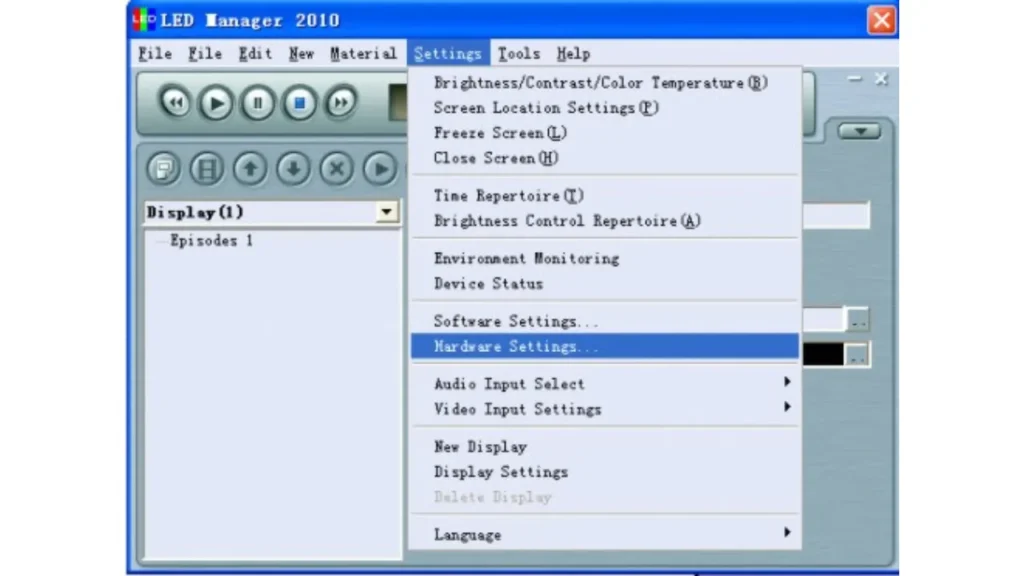
LED Editor is ZDEC’s native control software for asynchronous LED displays. This provides users with the ability to create, edit or publish multimedia content such as images, text, and videos while also making it easy to manage playlist and schedule management through a simple timeline interface.
The software is perfect for advertising or informational displays with support for multiple screen areas and a variety of display effects. It is optimized for ZDEC’s control cards which guarantees the smooth communication between software and hardware. In addition, real-time preview lets you verify content before publishing. Therefore, these are the features that make LED Editor a reliable and versatile solution for commercial LED display systems.
Dicolor
Dicolor Studio
Dicolor Studio is the official LED control software supplied by Dicolor for both synchronous and asynchronous displays. It provides accurate screen mapping, brightness adjustment and easy program publishing.
With the ability to support multi-screen layouts, you can assign different type of content such as videos, slide images or scrolling text to each screen with smooth transitions.
The software has also been designed to provide stable and efficient operation with Dicolor’s LED hardware for both compatibility and performance. Due to its user-friendly interface and versatility it is easy to set up for events or retail areas.
Kystar
Kystar LED Studio
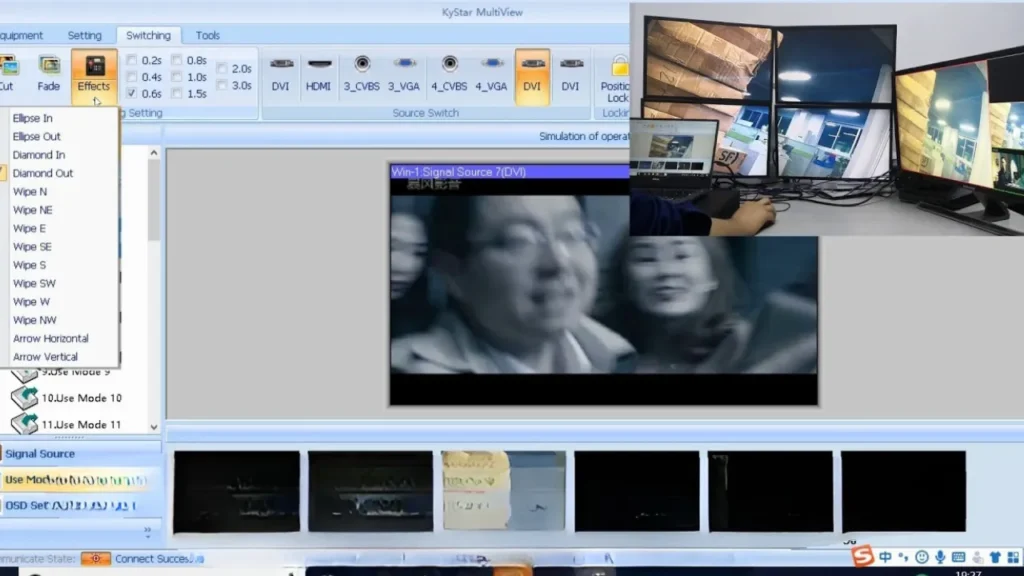
Kystar LED Studio is a complete control platform for Kystar LED sending cards and processors. The video source input and real-time signal preview are supported for accurate adjustment. The software allows for pixel by pixel mapping which ensures accurate image rendering. Screen brightness and contrast can be adjusted to fit light conditions.
It also supports cascading which makes it useful for controlling multiple screens in a big venue or stage backdrop. It comes with built in scheduling where you can automate playback and set on/off times. Overall, Kystar LED Studio provides reliable control for high end visual production.
DBStar
DBStarLEDStudio
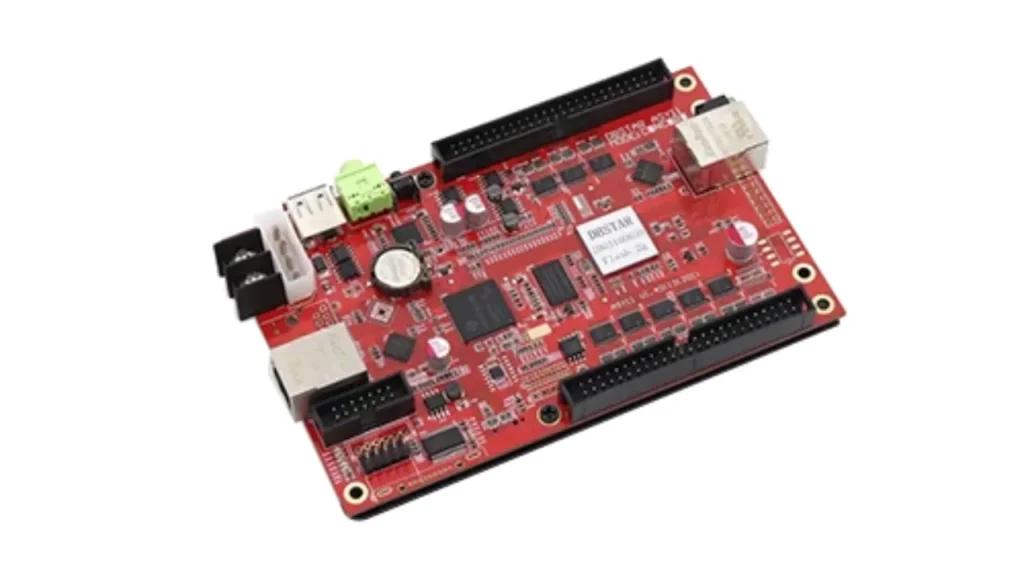
LEDStudio from DBStar is a classic LED control software used for large-scale fixed installations. It provides full screen video playback and content zoning across the LED display. DBStar’s sending cards and receivers work seamlessly with the software for hardware integration. It provides tools to adjust the grayscale, correct gamma and tune the refresh rate.
You can remotely update content over a LAN or WAN connection. The interface may look traditional, but it’s stable and reliable for long term use. You can set custom resolutions and arrange screens to accommodate their own display needs with the software. With billboard advertising and stadium displays, DBStarLEDStudio remains popular.
Asynchronous Control Software
NovaStar
ViPlex Express
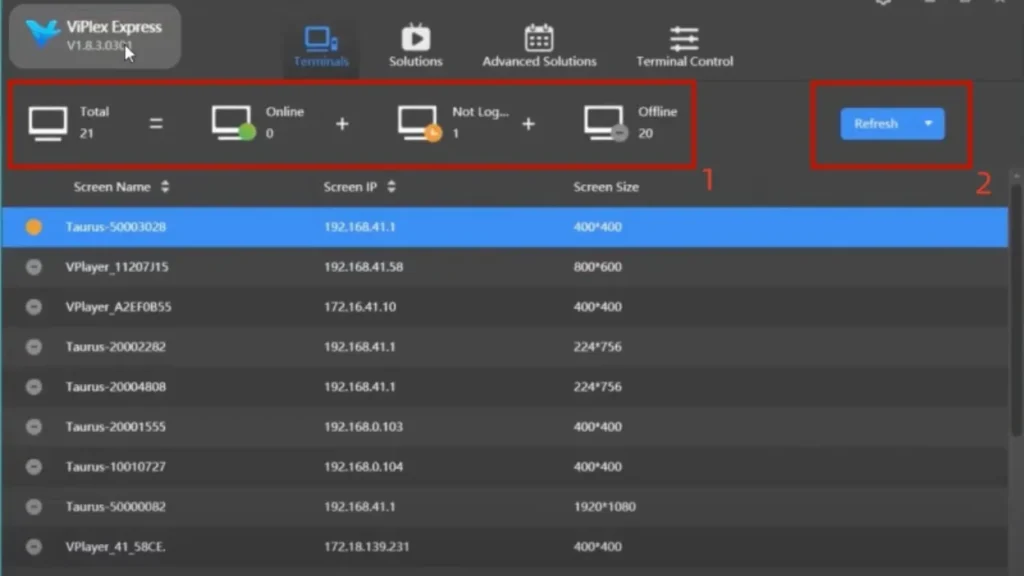
ViPlex Express is an advanced asynchronous LED control software for the editing and publishing of display content. With a drag-and-drop interface, it allows users to manage videos, text and images. With ease you can create playlists, design screen partitions, and schedule content.
Moreover, depending on the player’s capabilities it supports Wi-Fi, LAN and 4G publishing. It comes with built in real-time preview and device monitoring tools for reliability. It is also fully compatible with the Taurus series of NovaStar multimedia players. ViPlex Express is designed for commercial and transportation LED signage.
Colorlight
iSet
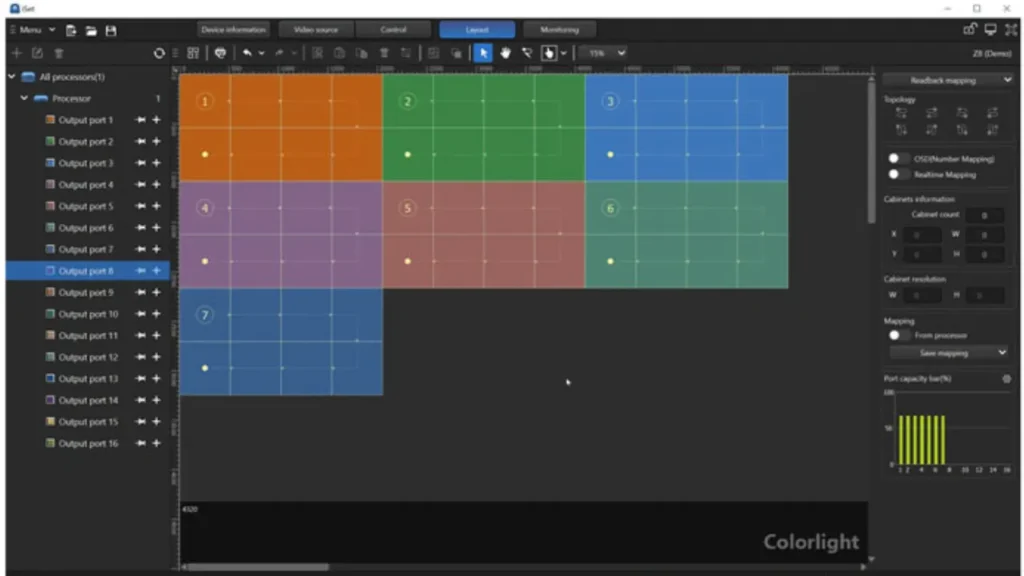
iSet is a configuration tool for both synchronous and asynchronous LED control systems. It allows for detailed setup of screen parameters like resolution, color temperature and brightness. You can also set up cabinet layouts and pixel mapping.
It is mostly used for the initial hardware setup, and not content scheduling. iSet supports real-time signal detection, LED module debugging and ensures that your Colorlight controllers and LED modules are working perfectly.
iSet is an important utility for accurate screen deployment as the interface is designed for engineers and installers who require precision.
LEDSet
Colorlight’sLEDSet is a content management software for asynchronous display control. With it you can create and manage multimedia playlists with layered screen areas. You can create schedules, preview them in real time and then send them to the display.
LEDSet works with common formats like MP4, JPG and scrolling text. It is compatible with Colorlight’s asynchronous players and has remote publishing over the network support.
In addition, the software comes with brightness control, time-based switching and multi-device synchronization. LEDSet is designed for retail and transit digital signage.
Huidu
HDPlayer
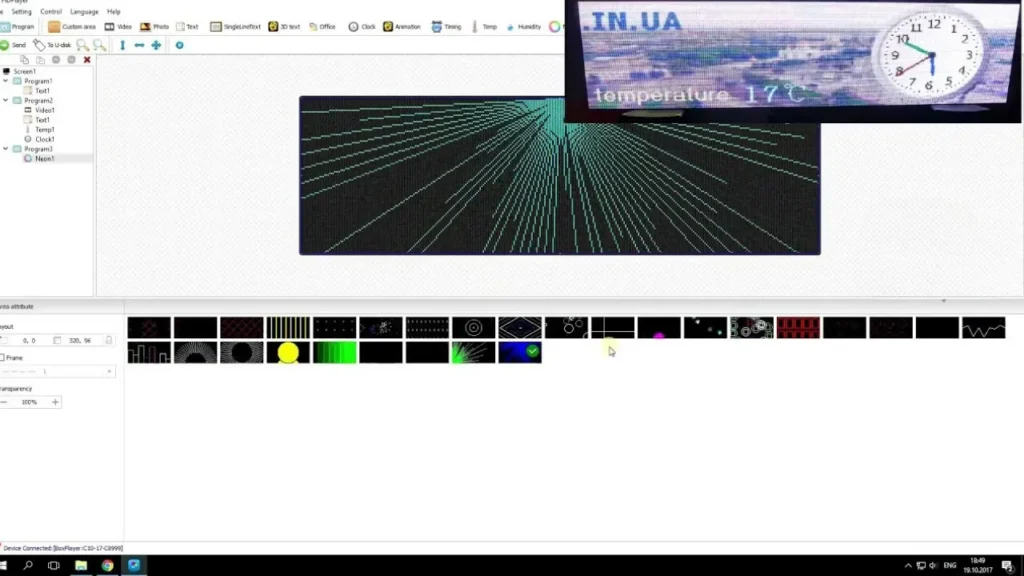
The HDPlayer is a software for asynchronous LED display control. With this, it can be used as a powerful platform to manage the multimedia content in Huidu control cards. You can create multi zone layouts and assign video, images, text and clocks to those zones.
It supports daily and weekly playback plans in scheduling system and provides real time preview, brightness adjustment and playlist management.
You can also control multiple screens at the same time. Therefore, the software is ideal for indoor advertising and for public display boards.
HDSet
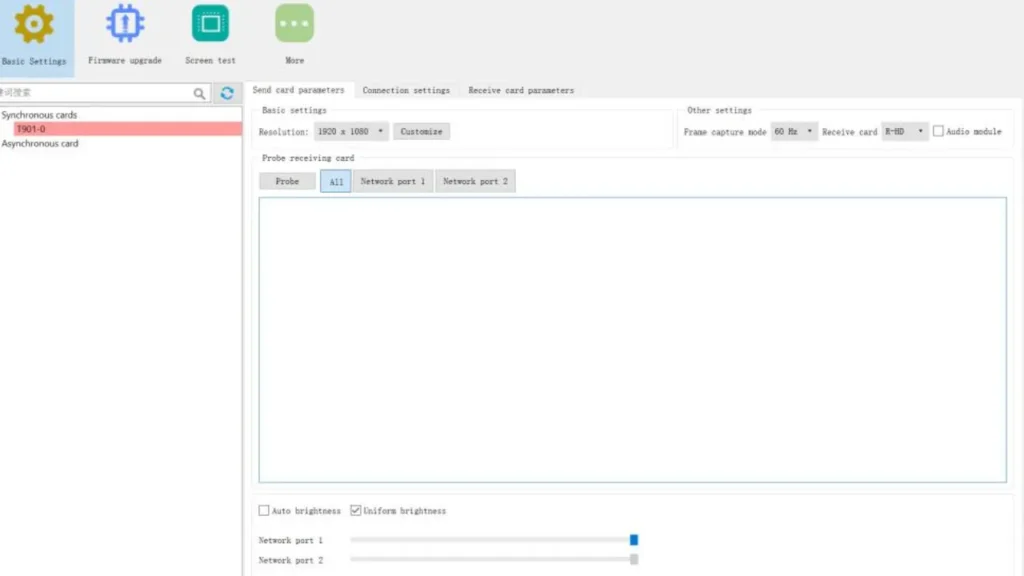
HuiduHDSet is the software used for configuration of screen parameters with Huidu controllers. You can set resolution, scan mode, gray scale and refresh rate. The software is important during the initial installation of LED screens. It comes with cabinet arrangement tools as well as signal test utilities.
Moreover, with HDSet, hardware diagnostics and backup configuration are supported and once configuration settings are saved, they can be applied instantly to the hardware. The program is lightweight and can run on most basic computers without any technical problems.
Linsn
LEDSet
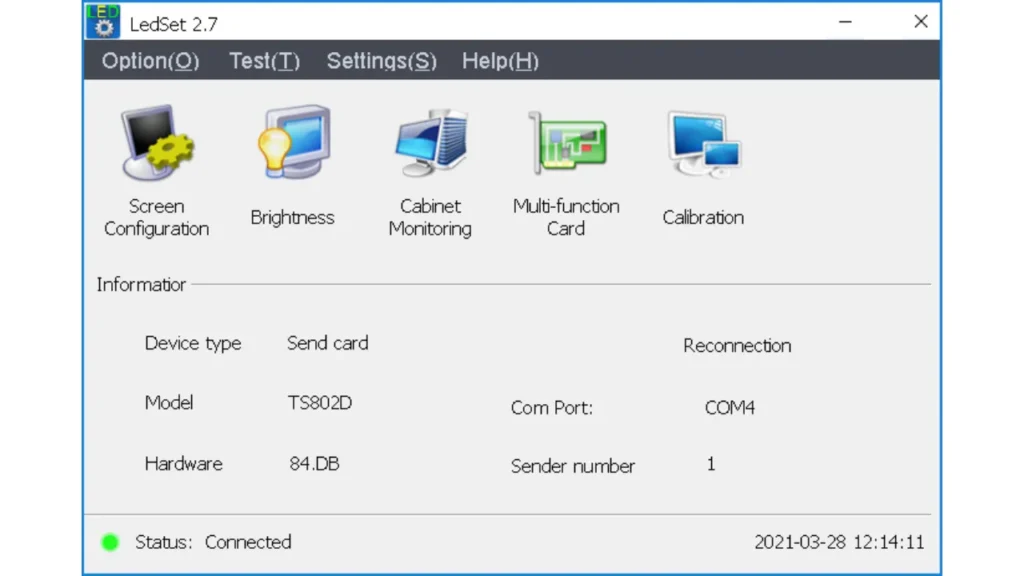
LEDSet by Linsn is a configuration and content management software for both synchronous and asynchronous control systems. It allows layout design, screen brightness control, and timing-based content scheduling. The interface is clean and it supports multi-language options.
LEDSet is used with Linsn’s intelligent sending boxes and player units. You can preview and make changes in live content in real time. It supports Ethernet and USB content delivery.
The software can also manage screen groups and sync content between the screens in the group. Thus, it is reliable for advertising and information screens.
Xixun / Sysolution
LedArt
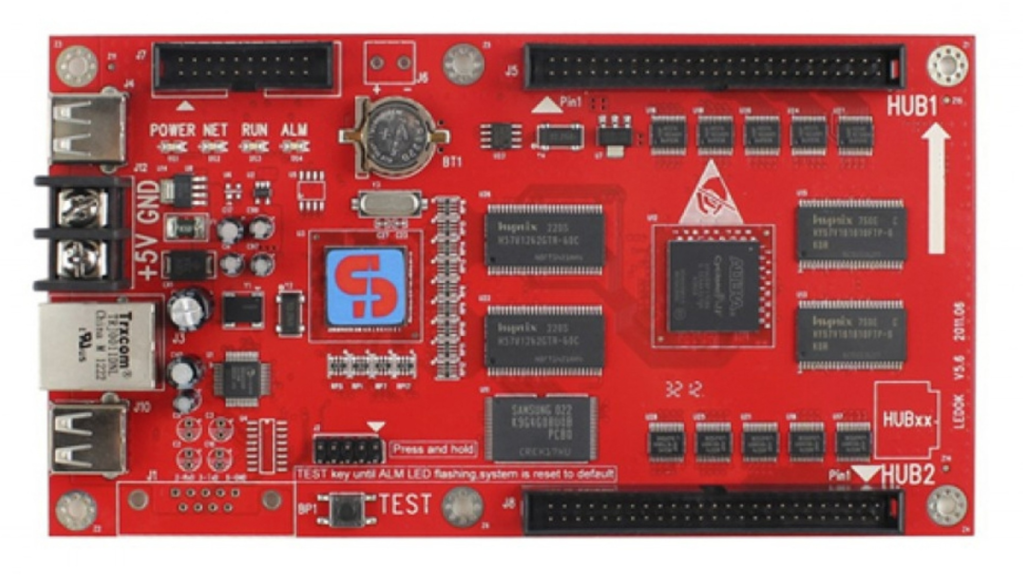
LedArt is an asynchronous LED screen visual content editor and publishing software. It provides a set of tools for designing multimedia layouts such as text, video, image, clock and weather modules. With customized timing and effects, you can build multiple content zones.
In addition, the software supports network publishing and remote updates. It is tightly integrated with Xixun control cards and guarantee stable display performance.
LedArt has features like brightness, scheduling as well as device monitoring. It is also accessible for non-technical users as it has a drag and drop editor. It is popular in small business and storefront displays.
LedEditor
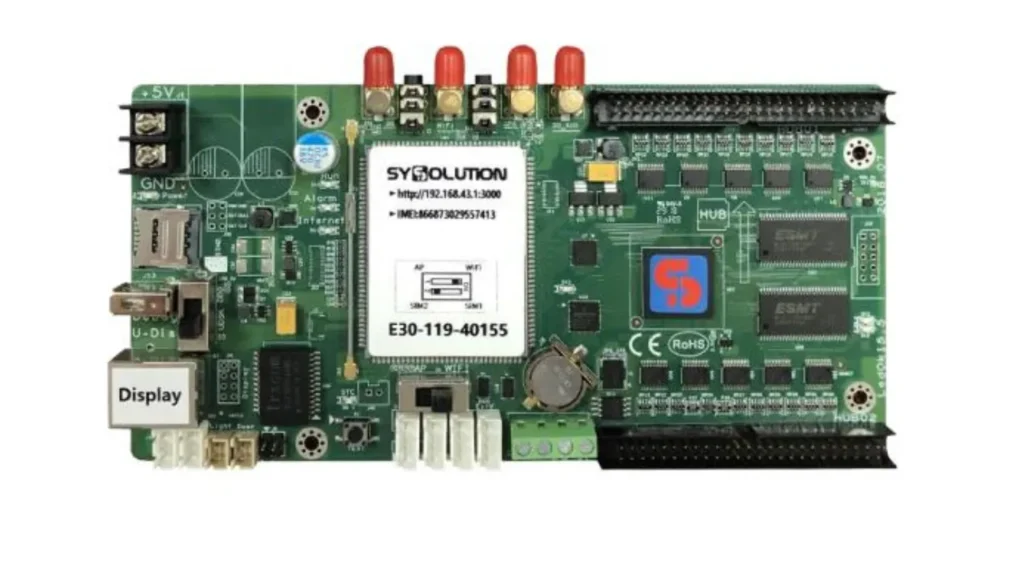
Another tool by Xixun is LedEditor which provides more control for the LED display configuration. During installation, it sets screen dimensions, coordinates and display modes. You are able to upload fonts, set data groups and test LED modules with the software. As such, it is best suited for engineers and installers that need detailed control.
USB and wireless uploads are supported by LedEditor. You can also manage basic playback features such as play, pause and volume. Moreover, the software is lightweight and efficient for deployment.
Qiangli Jucai
Qiangli LED Player
Qiangli LED Player is dedicated software for controlling QiangliJucai’s asynchronous displays. It supports the creation and publishing of multimedia content in a multi zone layout. The software allows scheduling, screen splitting, and text animation. It has features like time based switching, temperature display and remote monitoring.
Qiangli LED Player is compatible with USB, Wi-Fi, LAN publishing and it’s optimized for use with Qiangli’s proprietary control cards. It is easy to use for beginners thanks to its simple user interface. It is commonly used in retail, transportation and school signage.
Mobile Control Application Software for LED Display
NovaStar
ViPlex Handy
ViPlex Handy is an app created by NovaStar for smartphone control of LED screens. It supports upload of content, brightness control, and status monitoring. You may publish images, videos, and text wirelessly using Wi-Fi or 4G.
It interacts smoothly with the NovaStar Taurus players and is offered as an Android as well as an iOS app. It also supports quick content updates. Combining portability and reliability, ViPlex Handy is best suited for small-business and event displays.
Huidu
HDPlayer App
HDPlayer App allows users to control Huidu asynchronous screens from mobile devices. It enables content creation, preview and publishing. You can use Wi-Fi or Bluetooth for wireless connection to the LED controller.
This app is made simple with text-editing and brightness adjustment features. You can also send images, videos, and scrolling messages easily. HDPlayer App works with both Android and iOS.
Colorlight
Mobile Cloud App
Mobile Cloud App is designed for mobile control of asynchronous LED displays. It supports cloud login, checking device status and quick content publishing. The Colorlight controllers can connect to the app through Wi-Fi or cloud.
Moreover, you can control playlists, brightness and scheduling from your phone. The interface is optimized for ease of use and it provides screen previews in real time. The app supports image, text, and video formats.
Cloud-Based Control Software for LED Display
NovaStar
Nova Cloud
Nova Cloud is a cloud-based platform that makes remote LED display management easy. It gives users the ability to centrally control the content, manage group screens effectively and monitor their performance in real time.
You can login and control multiple screens from different locations through a web browser. The platform is compatible with the Taurus series from NovaStar and other compatible media players.
It also provides real-time screen previews, scheduling tools and automatic software updates. Content security is guaranteed by role-based access and backup to Nova Cloud. It is designed to provide powerful, scalable control of enterprise level digital signage networks from anywhere.
Colorlight
Colorlight Cloud
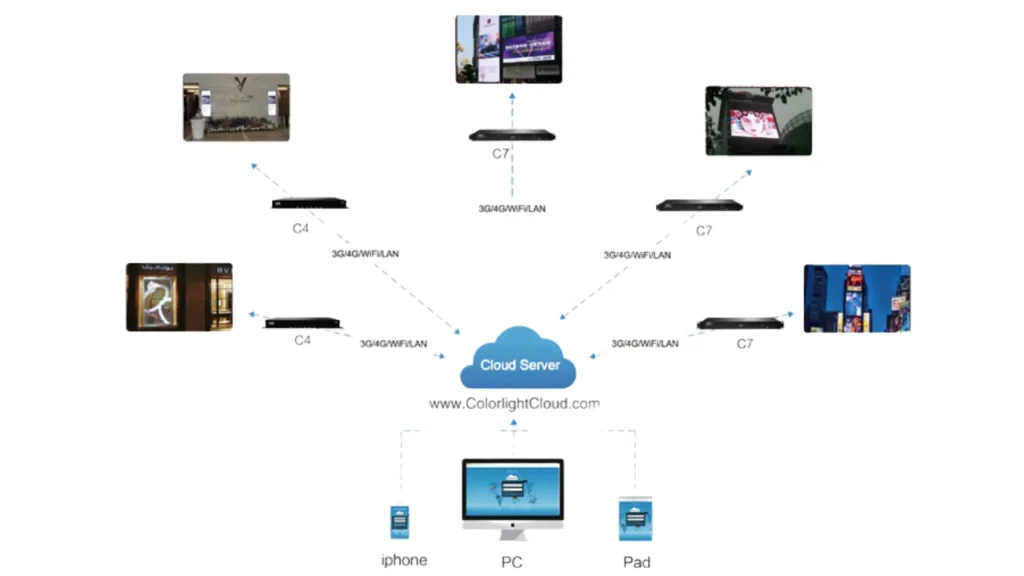
Colorlight Cloud provides remote display control for asynchronous LED screens. From anywhere, you can upload content, schedule playback and check screen status. Bulk screen control and group synchronization are supported by the platform.
It works with Colorlight’s mobile and desktop tools. Device status, memory usage and content logs are displayed on the dashboard. You can also allow for team access in order to collaborate on content management. As your LED displays are always connected, Colorlight Cloud is reliable for national advertising networks.
Huidu
HD Cloud
Huidu’s HD Cloud is a centralized LED screen control cloud platform. It supports remote monitoring, fault alerts and multi device publishing. You can push content from your PC to multiple screens, instantly. It also provides user access control for teams.
HD Cloud is compatible with all Huidu asynchronous players and is perfect for large scale display networks requiring flexible remote management. From anywhere, you can monitor temperature, brightness and screen status.
Unilumin
UCare
UCare is Unilumin’s professional cloud control platform for large LED display systems. It offers many functions like content delivery, brightness adjustment, and system diagnostics. The interface supports map-based monitoring for displays at multiple locations.
Unilumin hardware integrates with UCare to allow full control over display settings. It provides API access for custom business integrations and guarantees data safety and uptime monitoring. UCare is designed for digital signage networks, sports venues, and advertising chains.
Specialized / Creative LED Control Software
General Tools
LEDBuild
The LEDBuild is a handy tool for setting up the screen structure and layout in the modular LED displays. It allows you to design cabinet arrangements, map pixel locations and configure complex screen shapes. You can export configuration files to be used in other LED software.
LEDBuild is especially helpful for custom screen installations. It supports many brands of controllers and different screen resolutions. It is used in complex screen planning to simplify engineering and setup phases.
LEDSHOWT9
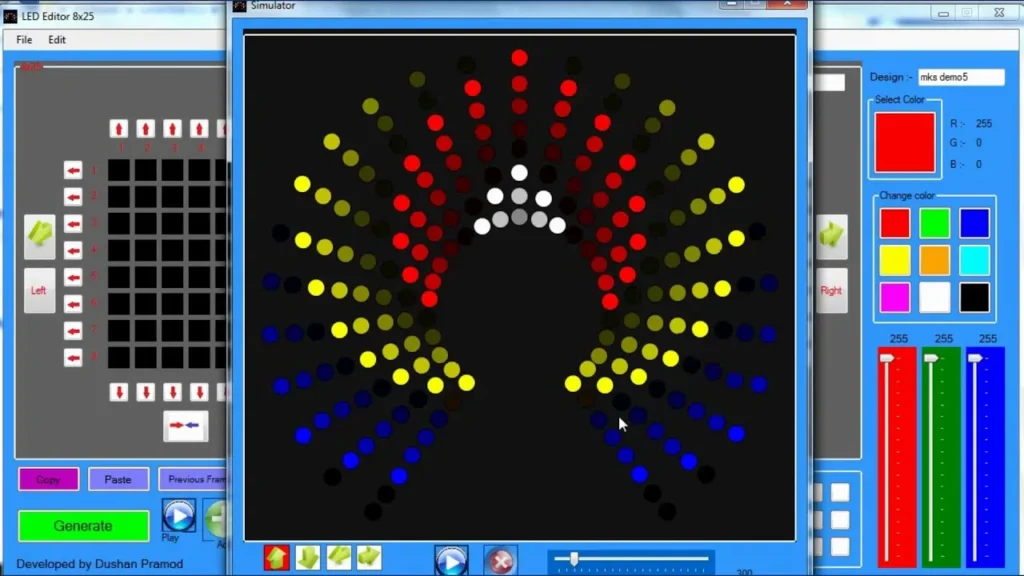
LEDSHOWT9 is a commonly used LED text and image animation editor used with LED display control systems. It lets you create scrolling text, color changes or flash effects.
It supports multiple language and character fonts. It is great for small LED sign and message boards. You can preview animations before sending them to the screen. It is widely used in retail and traffic signs and works with USB and serial interfaces.
PowerLed
PowerLed is intended for the editing and content management on single- and dual color LED signs. It has animation tools, time/date display and text input features. You can schedule your messages, as well as adjust speed or effects.
It is compatible with many entry level control cards. The PowerLed supports USB transfer and simple serial communication. It is often used in small shops and community boards. It’s simple, functional and one of the most accessible LED tools out there.
Creative Visuals
Madrix
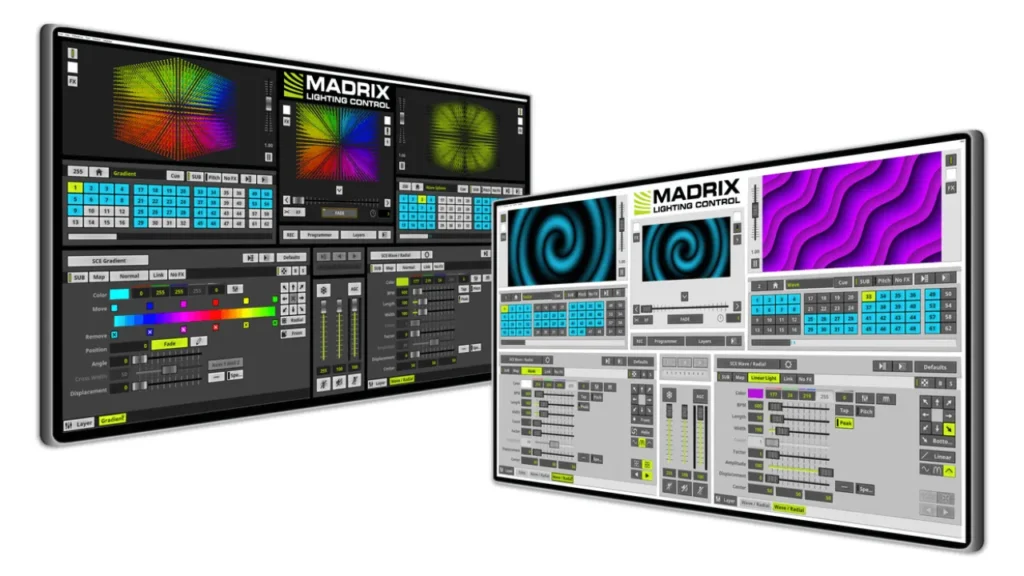
Madrix is an advanced pixel mapping and real time visual software for LED lighting control. It supports DMX, Art-Net and DVI output protocols. It allows you to create audio reactive lighting effects and complicated patterns.
It is used in nightclubs, concert and immersive installations. It’s compatible with both 2D and 3D LED layouts and includes a wide range of visual effects generators, all of which make the software easy to use. Interactive control is also supported by MIDI and OSC on Madrix. It is a premium tool for creative professionals.
Resolume Arena
Resolume Arena is a live VJ and LED mapping software for clubs, concerts, installations and events. It lets you mix videos, graphics and audio-reactive effects in real time. The software has advanced screen warping and edge blending capabilities. It works with lighting systems and projection mapping.
External controllers such as MIDI and DMX are supported by Resolume. If you are looking for an immersive LED experience then Resolume Arena is the perfect choice for you.
VJ LED Control
VJ LED Control is a special purpose software used to synchronize video content with LED screens in live performances. It has real time playback of audio-visual effects.
The software offers screen layout mapping and resolution setting. It is connectable to lighting desks and MIDI controllers. Hence, you can make custom visuals that syncs with music. It is used often in festivals and clubs as it boosts audience engagement.
LightJams
LightJams is a lighting control software that is interactive and works effortlessly with DMX and LED devices. It gives you the ability to create reactive effects which respond to music or live input.
Art-Net and OSC protocols are supported by LightJams which is great for interactive installations and performances. You can connect sensors, MIDI equipment or even cameras. Setup is easy using the visual interface and is perfect for creative LED control.
Pixel LED Animator
Pixel LED Animator is a software application for creating pixel-based LED animation. It allows for frame-by-frame manipulation of RGB pixels as well as custom color sequencing. It supports exporting content to SD cards for offline playback.
Moreover, you can use it in costume design, art projects, decorative installations and design patterns for addressable LED strips and panels. Pixel LED Animator is good for DIY and creative visual.
Conclusion
The right LED control software brings out the full potential of your display, whether for ads, events, or visual art. If you need any advice on the best LED screen software, IvanLED team is here to assist you – contact us now.
FAQs
1. Are there free control software for LED display?
Yes, most of the manufactures do provide free version of their LED software with basic features.
2. How do you choose best control software for LED display?
Choose depending on hardware compatibility, content type and whether you need synchronous or asynchronous control.
3. Do LED display manufacturers provide free software?
Yes, brands such as NovaStar, Huidu, and Colorlight do offer free software with their hardware systems.