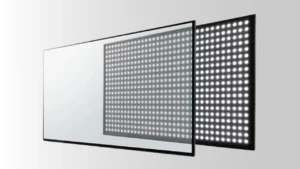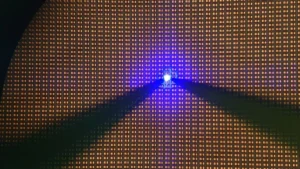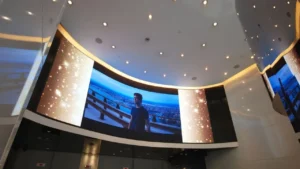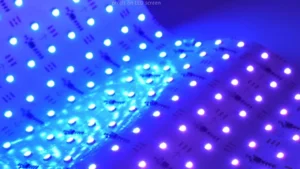
When we talk about any LED display, we are actually referring to a screen that is made up of several LED modules. They are strategically placed in such a design that creates a display surface with various levels of viewing clarity.
We are going to have an in-depth look at how well you can size up such displays. This will involve various aspects that we shall briefly explain.
Key Factors in LED Display Sizing
For us to arrive at an accurate value of the size of an LED display, we have to factor in various parameters. For a clearer understanding, we can define some of them and see their impact later on in our calculations.
- Pixel Pitch (P): this is a measure of the distance between two LED’s placed next to each other, measured from their centers in millimeters. It has a direct impact on the LED display since a smaller interval between the pixel centers improves the resolution. The best visibility from far is achieved with a larger pixel pitch.
- Resolution (R): LED displays resolve their image quality based on the pixel count which we express through width x height such as 1920×1080 pixels. You will notice that the quality of display for higher resolution LED’s is normally bespoke and on point.
- Module Size (M): we can describe it as a fundamental unit of the LED display which we measure in millimeters. Their size is crucial because it will determine how many of them can fit in a single display unit, meaning they have a direct impact on its size.
- Overall Display Size: we can determine this by multiplying the LED displays resolution with its pixel pitch. This is very critical especially when we want to know the scope of audience reach and the strategic location of the LED display.
Step-By-Step Calculation
Now let us dive straight into how you can size up your LED display in a few simple steps:
1. Determine the Required Resolution
For you to arrive at this, you will have to ascertain what kind of content you want your LED to display. If you opt for media formats that have high definition (HD), then some of your options will include:
- High Definition (HD) display which comes in 1280×720 pixels
- Full High Definition (HD) display which comes in 1920×1080 pixels
- 4K Display which comes in 3840×2160 pixels
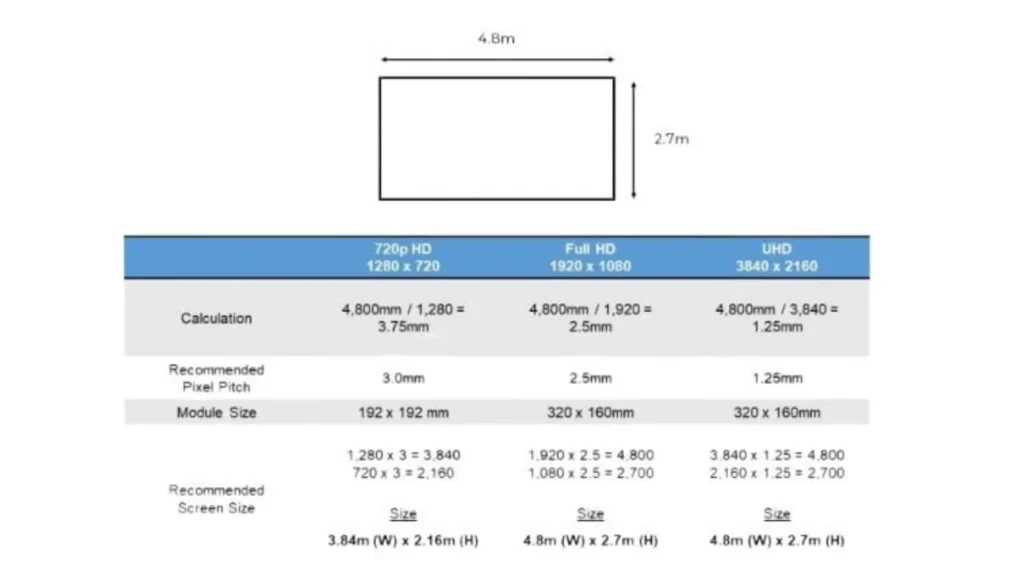
2. Select appropriate Pixel Pitch
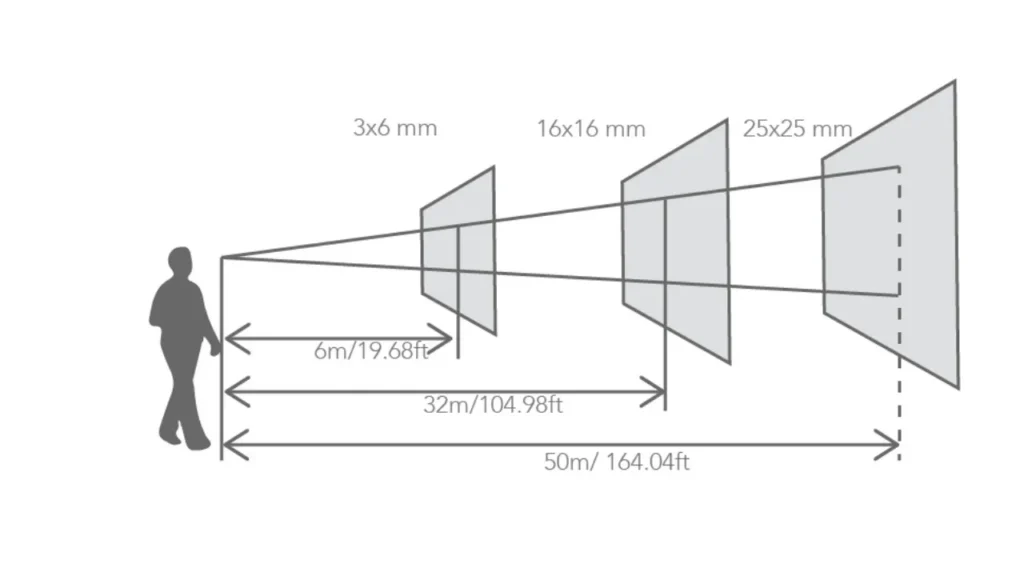
As earlier discussed, this is what will determine from how far your LED display can be viewed by your target audience. It also determines the clarity of the display and we can categorize them into the following based on the audience viewing distance:
- 25-P2.5: they are ideal for LED displays that are strategically placed indoors or in closely enclosed areas that require a very short viewing proximity.
- P3-P6: mostly applies for indoor applications with a wide coverage or outdoor applications but requiring the audience to be within a medium-range viewing distance.
- P10 and above: they are the ultimate LED displays to use for outdoor applications since they are very large and you can easily spot them from a distance.
To get the most appropriate viewing distance required, we use the formula;
D = P x 1000
Where;
D denotes the recommended viewing distances measured in mm
P denotes the pixel pitch in mm
3. Calculate the Physical Screen Size
The screen dimensions of your LED display rely on the two crucial elements, the pixel number along with the pixel pitch that you have settled for. From these two, we can derive the equation for the screen dimensions as:
H = RH x PW= RW x P
Where:
W denotes the width of the LED screen measured in mm
H denotes the height of the screen measured in mm
RHdenotes the horizontal resolution (total pixels on the LED width)
RWdenotes the vertical resolution (total number of pixels on the LED height)
P denotes the pixels measured in mm
We can convert the entire equation from mm to meters by simply dividing it by 1000. This gives us the equation;
Wmeters = (W/1000) H meters
=H/1000
4. Determine the Number of Modules Needed
As we have seen, LED displays function by combining distinct LED modules. The total number of required LED modules computes to W × H because each component possesses width and height dimensions in millimeters.
This gives us the formula;
NW = (W/Mw ) NH
=H/MH
Where:
NW denotes the number of modules available on the LED width
NHdenotes the number of modules available on the LED height
5. Consider Aspect Ratio
The appropriate utilization of content demands that the aspect ratio between content format and LED display should align. Some of the common aspect ratios you will find in use include;
- 16:9 that is synonymous with standard video displays
- 4:3 that is suitable for older video formats
- 1:1 is appropriate for square displays
We can determine the aspect ratio by using the formula;
AR = W/H
6. Calculate Power Consumption
The number of power-consuming LED modules determines the required power assessment, which guides us in making future power supply decisions. We can deduce the total power usage by using the formula;
PTOTAL = NW x NH x Pmodule
Where:
PTOTALdenotes the total power consumed by your LED display measured in watts (W)
Pmodule denotes the power consumed by one module unit in watts (W)
NW and NH denote the total number of modules on both the LED Displays width and height
Example Calculation
Let us now take a practical example of a calculation for an LED display screen having a resolution of 1920×1080 pixels. Assuming it has a module size about 160mm by 80mm and a pixel pitch of 2.5mm, we go about as follows:
We first need to get the physical dimensions (Width and Height):
W= 1920 x 2.5 = 4800mm
H= 1080 x 2.5 = 2700mm
Next, we get the number of modules available on the display using the formula:
NW = 4800/160 = 30
NH = 2700/80 = 33.75 (approx. 34)
This means that our LED will need 30 x 34 modules to operate optimally.
Let us now assume that a single unit module uses about 40 watts of power. We can determine the whole LED display power consumption using:
PTOTAL = 30 x 34 x 40 = 40,800W = 40.8kW
FAQs
How do you Measure LED Monitor Size?
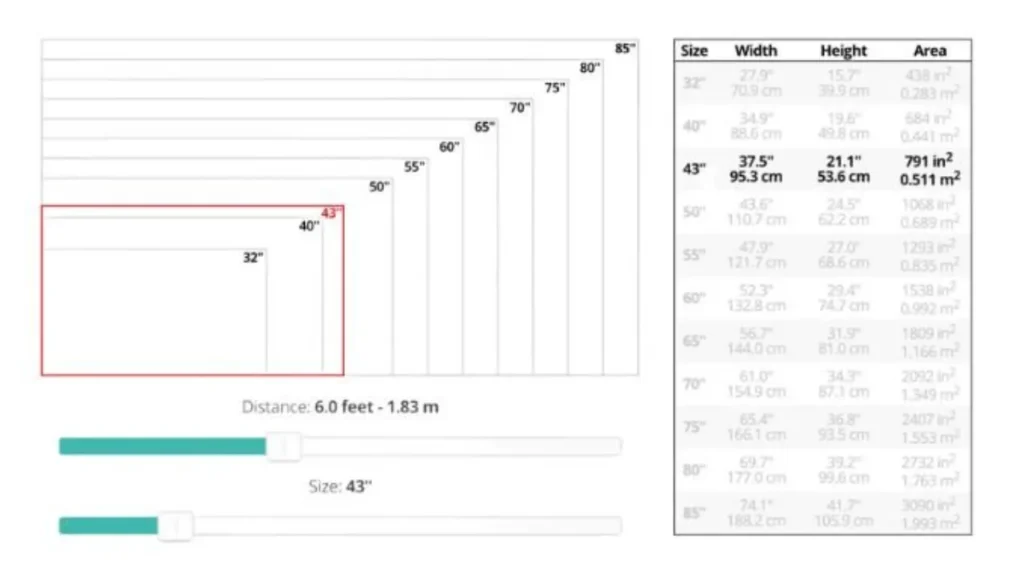
You can size the measurement for LED monitors by taking the diagonal measurements between opposing display corners.
What is the Standard Size of LED Display?
The standard size of LED displays exists with no established limitations, but you can find typical indoor screens measuring up to 55 inches, and outdoor displays extend up to several meters across.
What is LED Screen Size in Pixels?
Solid LED screens use pixel resolution to determine their display sizes, which may be Full HD at 1920×1080 pixels or 4K at 3840×2160 pixel resolution among others.
How do you Calculate LED Screen Resolution?
You can calculate the LED screen resolution by dividing the total measurement of width and height in millimeters by the pixel pitch, which determines the number of pixels on each axis.
Conclusion
The above method enables you to determine the LED display physical size while revealing necessary module numbers and power requirements.
The combination of ideal pixel density together with suitable resolution and proportional ratio leads to peak operational efficiency besides cost-effectiveness. However, the manufacturers remain your sole source to obtain exact calculations which depend on the available LED module dimensions.