What is a Display?
A display is an entire output device that projects visuals, text, video, or graphics. It comprises the screen and the internal hardware that manages it.
Displays have the task of translating data and rendering it into something that you perceive and comprehend. Consider your phone display—it processes data, powers pixels, and displays a whole interface.

What is a Screen?
A screen is the material surface on which visuals are displayed. It may be a glass panel, LCD layer, or projection surface. It may be either rigid or flexible, flat or curved, shiny or matte.
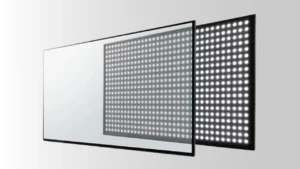
The screen does not do the work of showing content independently; it needs display electronics for that. For instance, the glass surface one touches when using a tablet is the screen, but the entire unit that includes the backlight, driver circuits, and the processor is the display.
Understanding Display and Screen: Key Differences
For perspective on the distinction, let these be key points:
· Scope and Application
You employ the display as a whole visual system. It features internal circuits, a power supply, and controls. Displays are utilized in smartphones, TVs, laptops, digital signage, and dashboards.
A screen, on the other hand, is only an output surface. You will see screens in projectors, outside glass panels, and protective coverings. You replace a screen but not the entire display.
· Components
The display contains:
- Screen
- Backlight (in LCDs)
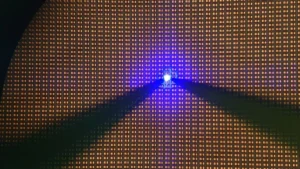
- Driver ICs
- Control boards
- Connectors
- Casing
- Touch sensors (in interactive displays)
- Signal processor
The screen is merely:
- Glass or plastic panel
- Transparent or semi-transparent material
- Sometimes treated with an anti-glare coating or oleophobic layers
So, although the screen is one component of the display, the display encompasses much more than merely the screen.

· Purpose and Functionality
The display receives input signals and converts them into images. It has the ability to adjust for brightness, display animations, refresh content, and more. It’s an active piece of hardware that hooks up into your device’s motherboard or processor.
The screens do not perform processing but are merely visual. They passively give what they are fed by the display. They are the visual layer and not the supporting infrastructure.
· Interactivity
Most displays today are interactive. You tap your phone screen, and the display will respond with gestures, swipes, and taps by using a digitizer or a sensor. The features enable you to control the system by hand.
Screens may not be interactive. There are screens that exist solely for protecting the display or as a projection surface. For instance, a projector screen doesn’t register interaction. Even a TV screen with no touchscreen layer will not respond to touch.
· Size
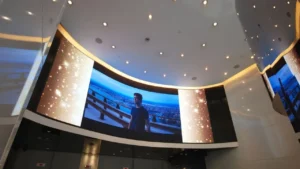
Displays have resolution, power, and housing-dependent size limitations. They range from small smartwatch displays up to very large video walls.
Screens, most prominently projection- or film-based ones, are scalable infinitely. You have no size limits when you project on a wall-screen. That’s because screens do not process; they are merely a surface.
· Design and Build
Display design concentrates on:
- Resolution
- Brightness
- Color reproduction
- Processing power
- Pixel density (PPI)
- Refresh rate
Screen design focuses on:
- Material strength
- Clarity and transparency
- Scratch resistance
- Reflectivity
A display balances technology and graphics. A screen balances strength and readability.

· Usage Scenarios and Specific Use Cases
For your easier understanding, let me show you some real-world examples.
Displays:
- Tablets and smartphones: You view and manage your device using the display.
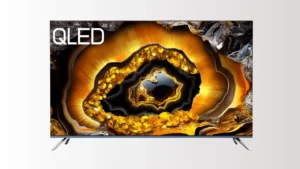
- Monitors and TVs: Visuals are displayed on the screen from HDMI and VGA inputs.
- Vehicle Dashboards: It displays speed, fuel, and maps.
- Display terminals: Screen displays have interactive buttons and menus.
- Airport kiosk: The interactive check-in panel before you is a complete display.
Screens:
- Projector screens: An inert surface for projected images.
- Touchscreen glass: Shields the display and detects touch.
- VR headsets: Utilize small displays in close proximity to your eyes.
- Protective layers: Applied over industrial displays for protection from damage.
- Factories: Costly displays are usually covered with transparent protective screens to protect them from damage or dust.
FAQs
Is a Display the Same as a Screen?
No, there is a difference between a screen and a display. A screen is an element of a display. A display is the whole device or system that displays visual information, whereas a screen is the actual surface on which that information appears.
Which is Better, a Display or Screen?
It will depend on what you require. Select a display if you require a full system to display visuals. Select a screen when you require a surface—for projection or shielding. Neither one is better than the other; they are merely different pieces of a visual setup.
Conclusion
You have learned the fundamental distinction, that a display handles and displays content, whereas a screen merely displays the same. The next time that you are building a tech project or purchasing a gadget, consider looking past the glass surface. Consider how the display hardware fits your requirement, not merely the viewable surface.